In today’s fast-paced mobile repair industry, time is money. When you’re dealing with issues like FRP (Factory Reset Protection), MDM (Mobile Device Management), or demo phone restrictions, you need a tool that gets the job done quickly and effectively. That’s where XTM ADB Tool V1.1 comes into play—a powerful and lightweight utility designed for Android repair technicians and enthusiasts alike.
Whether you’re handling Samsung, Vivo, Xiaomi, or Tecno devices, this tool can save you hours of manual work with just a few clicks. With support for ADB, Fastboot, and Sideload modes, XTM ADB Tool V1.1 is a one-stop solution for many common Android software problems.
Table of Contents
What is XTM ADB Tool?
XTM ADB Tool is a Windows-based utility tool used for bypassing FRP locks, removing MDM restrictions, and factory resetting Android devices via different connection modes. The tool is particularly useful for mobile technicians who frequently work with locked or bricked devices.
The latest version (V1.1) introduces significant improvements in performance and stability, especially in Samsung MTP mode and Xiaomi info reading.
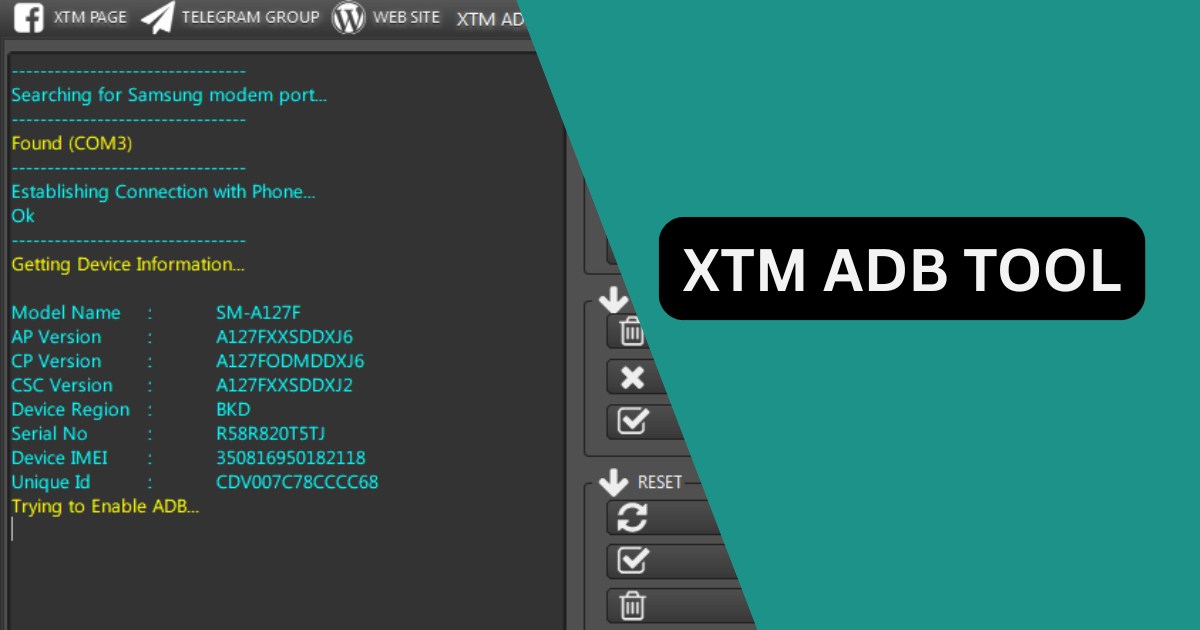
Key Features of XTM ADB Tool
Let’s take a closer look at the powerful features offered by this tool:
✅ ADB Mode
- Read Device Information: Quickly access detailed info from any connected Android phone.
- Samsung MTP FRP Bypass: Ideal for phones stuck in MTP mode during FRP lock.
- MDM Lock Bypass: Remove Mobile Device Management profiles, especially on enterprise devices.
- IT Admin Lock Bypass: Useful for work profile locked phones.
- Disable OTA Updates: Prevent automatic software updates.
- Samsung PayJoy Bypass: Remove PayJoy locks from Samsung devices.
- Factory Reset: Reset any device via ADB with one click.
- Universal ADB FRP Removal: Compatible with most Android brands.
Fastboot Mode
- Fastboot Factory Reset: Erase device data and fix boot issues.
- Read Device Info: Works with Honor, Vivo, and Xiaomi.
- Fix DM-Verity Errors: Resolve boot loops caused by verity errors.
- Vivo Demo Phone Removal: Remove demo limitations.
Sideload Mode
- Read Device Info: Works even when the phone is in sideload mode.
- Format Device: Erase all data through sideload commands.
- Sideload FRP Bypass: Bypass Google account lock during recovery.
- Mi Account Bypass: Remove Xiaomi accounts using sideload method.
QR Code Tools
- FRP Bypass for Android 13 & 14 via QR Code
- Tecno MDM Bypass via QR Code
How to Download and Install XTM ADB Tool
Here’s a step-by-step guide to installing and using the tool:
Step 1: Download the Tool
- Download the XTM ADB Tool V1.1.zip file to your computer.
- Make sure your antivirus is temporarily disabled (as some tools trigger false alerts).
Step 2: Extract the ZIP File
- Use WinRAR or 7-Zip to extract the file.
Step 3: Install the Tool
- Locate the setup file in the extracted folder.
- Right-click and select “Run as administrator.”
- Follow the on-screen instructions to complete installation.
Step 4: Use the Tool
- Open the tool as administrator.
- Connect your phone using a USB cable.
- Enable USB Debugging (for ADB functions).
- Reboot to Fastboot or Sideload mode as needed.
Why Choose XTM ADB Tool Over Others?
Here’s why this tool stands out among the rest:
| Feature | XTM ADB Tool V1.1 | Other Tools |
|---|---|---|
| FRP Bypass | ✅ Android 6–14 | Limited |
| MDM Bypass | ✅ Fully Supported | Not Available |
| QR Code FRP | ✅ Android 13/14 | ❌ |
| Fastboot & Sideload | ✅ Built-in | ❌ |
| Stability | ✅ Improved in v1.1 | May Crash |
| Free | ✅ Yes | Some Paid |
Version History
- v1.0 – Initial release with full ADB, Fastboot, and Sideload support.
- v1.1 – Fixed Samsung MTP connection issues and improved Xiaomi performance.
Important Notes
- This tool is intended for educational and professional use only.
- Always use tools responsibly and with device owner consent.
- Make sure USB drivers are correctly installed.
FAQs – XTM ADB Tool
Q1. Is XTM ADB Tool V1.1 free to use?
Yes, it is completely free and safe to use for personal or professional Android repair.
Q2. Can it bypass FRP on Android 13 and 14?
Yes, the QR Code tool supports FRP bypass for both Android 13 and 14.
Q3. Does it support all brands?
It supports major brands like Samsung, Vivo, Xiaomi, Tecno, and more.
Q4. What should I do if it shows a connection error?
Ensure USB Debugging is enabled and proper USB drivers are installed.
Q5. Is there any risk in using the tool?
If used improperly, there may be a risk of data loss. Always proceed with caution.
Final Words
The XTM ADB Tool V1.1 is more than just another Android utility—it’s a powerful assistant for mobile repair technicians. Its ability to bypass complex restrictions like FRP and MDM across multiple brands makes it a valuable addition to any technician’s toolkit. Easy to use, frequently updated, and packed with features, it’s definitely worth trying.
Disclaimer
This article is for educational purposes only. We do not promote any form of unauthorized unlocking or device modification. Always ensure you have proper permission before performing any bypass or reset operation.