Unlocking the bootloader of your Lenovo tablet is often the first step toward customizing your device, installing custom ROMs, or gaining full root access. However, for many users, the process of bootloader unlocking can seem daunting—full of confusing commands, fastboot screens, and potential risks. That’s where the One-Click Lenovo Bootloader Unlock Tool comes in.
Developed by GSMYOGESH, this tool offers a simple and effective way to unlock the bootloader on a wide range of Lenovo tablets—without any technical knowledge. Whether you’re a beginner or a seasoned Android tinkerer, this tool makes the process as easy as clicking a button.
In this guide, we’ll walk you through everything you need to know about this tool: how it works, key features, download instructions, and things to keep in mind before unlocking.
Table of Contents
What is a Bootloader and Why Unlock It?
A bootloader is a low-level program that controls how your device boots up. Most Android manufacturers, including Lenovo, lock the bootloader to prevent unauthorized software changes. However, unlocking it provides you with complete control over the device. This allows you to:
- Install custom ROMs like LineageOS or Pixel Experience
- Flash custom recoveries like TWRP
- Root your device for superuser access
- Remove bloatware
- Improve performance and battery life with tweaks
However, this process must be done carefully, and that’s why using a trusted tool like One-Click Lenovo Bootloader Unlock Tool is highly recommended.
Why Choose One-Click Lenovo Bootloader Unlock Tool?
There are many ways to unlock a bootloader, but here’s why this one stands out:
✅ 100% User-Friendly
No need to learn command-line tools like ADB or fastboot. You just click a button, and it does the rest.
✅ Supports Most Lenovo Tablets
From older models to the latest ones, this tool works with a wide range of Lenovo devices.
✅ Safe and Reliable
Tested on secure environments, the tool follows standard procedures to unlock the bootloader safely.
✅ No Developer Skills Required
Even if you’ve never unlocked a device before, this tool makes it beginner-friendly.
How Does the Tool Work? (Step-by-Step Guide)
Here’s a quick walkthrough of how to use the One-Click Lenovo Bootloader Unlock Tool:
Step 1: Prepare Your Tablet
- Go to Settings > About Tablet
- Tap Build Number 7 times to enable Developer Mode
- Go to Developer Options
- Enable USB Debugging
- Enable OEM Unlocking
Step 2: Install the Tool
- Download tool from official source (link below).
- Extract the ZIP file and run the application as administrator.
Step 3: Connect and Click
- Connect your tablet to the PC via USB.
- Make sure drivers are installed (ADB drivers recommended).
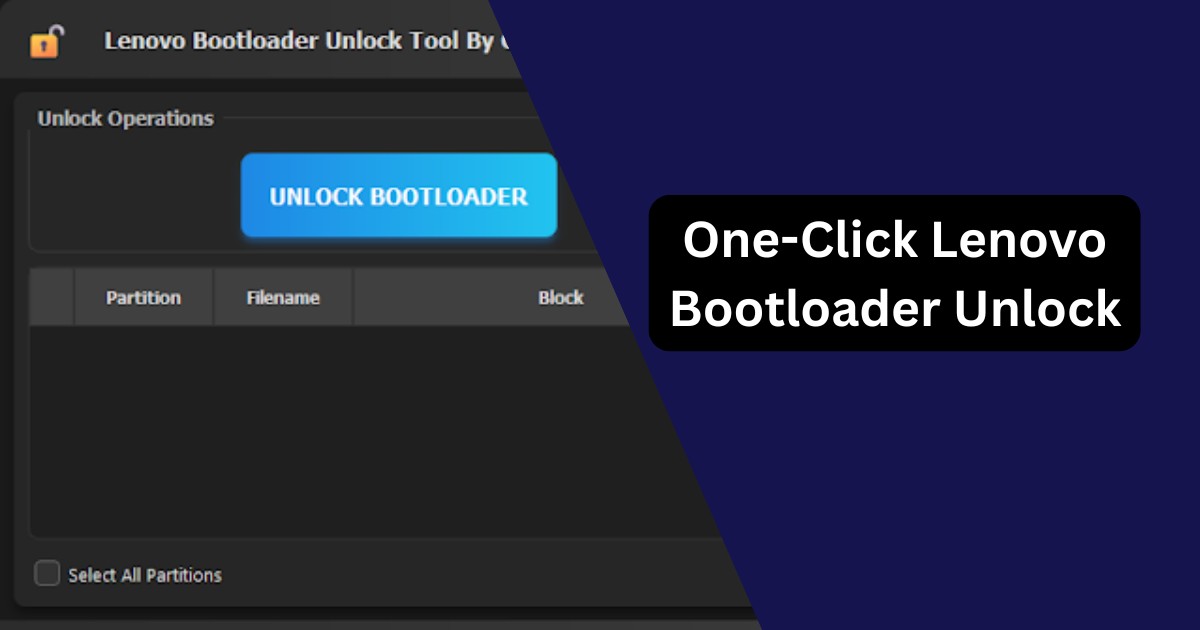
- Open the tool and click “Unlock Bootloader.”
- The tool will communicate with your device and perform the unlock automatically.
That’s it! No command prompt. No coding. Just one click.
Download One-Click Lenovo Bootloader Unlock Tool
| Tool Name | Download Link |
|---|---|
| One-Click Lenovo Bootloader Unlock Tool | Click Here to Download |
| Telegram Channel for Support | Join Now |
Note: Make sure to download from a trusted source to avoid malware or corrupted versions.
Pre-Requisites Checklist
Before you start, make sure:
- Your tablet is at least 50% charged
- USB Debugging is enabled
- OEM Unlocking is turned on
- A Windows PC is available
- ADB Drivers are installed
These simple steps will ensure that the tool runs smoothly.
Benefits of Unlocking the Bootloader
Unlocking the bootloader of your Lenovo tablet opens up a world of possibilities:
- Install Custom ROMs
- Use Advanced Root Apps
- Create Full System Backups
- Boost Performance & Battery Life
- Remove Preinstalled Bloatware
- Enhance Gaming with Kernel Tweaks
However, always remember that with great power comes responsibility. Once unlocked, your device becomes more customizable—but also more vulnerable if not handled carefully.
Things to Keep in Mind (Risks & Warnings)
While the tool is safe, here are a few disclaimers:
- Warranty – Unlocking the bootloader may void your device warranty.
- Antivirus Warning – Some antivirus software may flag the tool. It’s a false positive, tested and verified to be safe.
- Reboot – After unlocking, the device might reboot automatically. This is normal.
- Data Loss – Unlocking will wipe all your data. Make sure to back up everything important.
Frequently Asked Questions (FAQs)
Does this tool work on all Lenovo tablets?
It supports most Lenovo tablets—especially newer ones. Phones are not supported.
Is the tool really one-click?
Yes. Just connect your tablet, click the button, and the tool handles the rest.
Is rooting necessary after bootloader unlock?
No, but you can root your device once the bootloader is unlocked if you want full control.
Can I re-lock the bootloader later?
In most cases, yes—but it’s not recommended unless you plan to return the device to stock firmware.
Is it free?
Yes, it’s completely free to use, developed and distributed by GSMYOGESH.
Final Words
The One-Click Lenovo Bootloader Unlock Tool is a game-changer for users who want to unlock and customize their Lenovo tablets without dealing with complicated steps. Whether you’re aiming to root your device, install a new ROM, or simply explore the Android system deeper, this tool makes the first step effortless.
But remember—unlocking the bootloader gives you more power and more responsibility. Follow the guide carefully, back up your data, and enjoy your unlocked Lenovo tablet with full control and freedom.
Disclaimer
This article is for educational purposes only. Unlocking your device may void your warranty or result in data loss. Use the tool at your own risk.