In today’s fast-paced digital world, mobile device management (MDM) solutions are vital for IT administrators and enterprise environments. However, there are times when technicians or advanced users need to bypass MDM restrictions for legitimate reasons—such as forgotten credentials, company-issued phones repurposed for personal use, or servicing client devices. The Nice Unlocker MDM Tool steps in as a lightweight yet feature-rich solution that makes unlocking and managing Android devices seamless and effective.
With support for major brands like Samsung, Nokia, Vivo, Xiaomi, Infinix, and Google Pixel, this tool simplifies processes like MDM bypass, FRP removal, factory reset disabling, and more—all through an organized, user-friendly interface.
Table of Contents
What is the Nice Unlocker MDM Tool?
The Nice Unlocker MDM Tool is a professional-grade utility that enables users to unlock, repair, and manage mobile phones using a variety of techniques. Whether you’re working with MediaTek, Spreadtrum, or other chipsets, this tool provides targeted solutions across different firmware levels, including the latest 2024–2025 security updates.
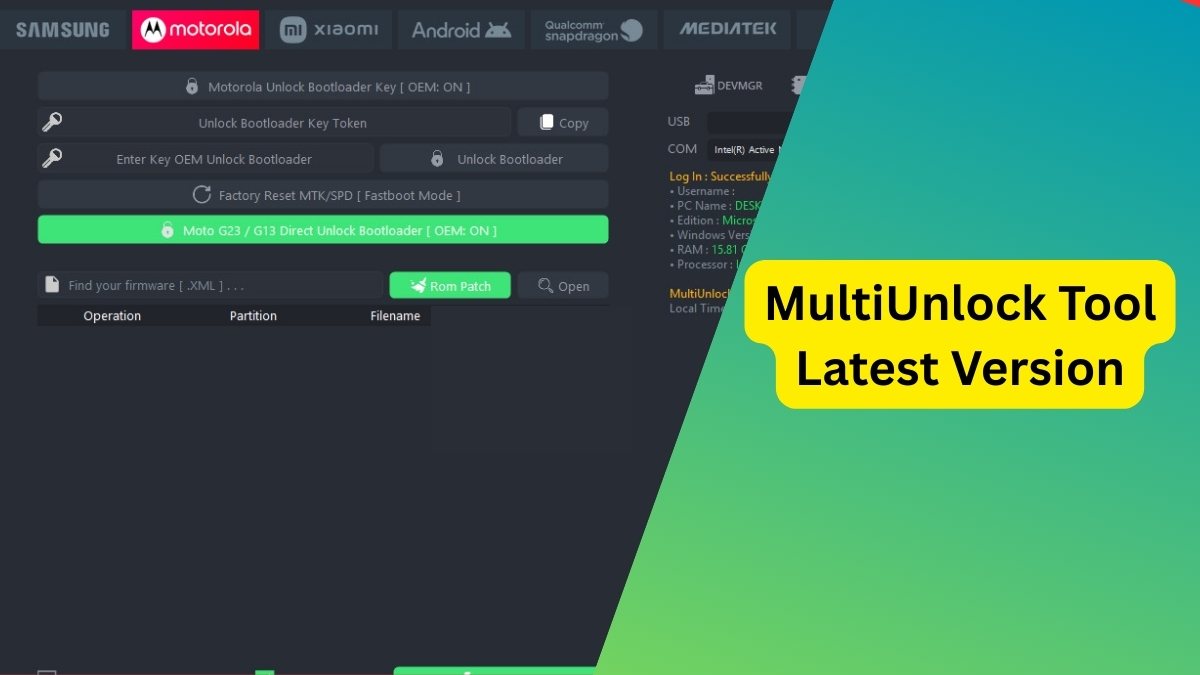
Its tab-based interface groups functions logically by brand and chipset, allowing technicians to easily select the right method without navigating complex menus.
Key Features of Nice Unlocker MDM Tool
Here’s a detailed breakdown of what makes this tool so powerful and versatile:
Samsung Device Support
- FRP Bypass (Old, New, and 2024-specific)
- Factory Reset
- Softbrick Fix
- ODIN Flash Options: Supports loading PIT, BL, AP, CP, CSC files, along with auto-reboot and repartition.
- KG/Knox Bypass: Including support for Android OS 13, 14, and broken Knox states.
- Enable ADB via QR Code or Serial Number
MediaTek (MTK) Chipset Tools
- MTK MDM Unlock (including MJX method)
- New Security Bypass for 2024–2025
- Black Screen MDM Removal
- Disable Factory Reset
- Read Device Info
Spreadtrum (SPD) Support
- MDM Removal for New Security (2024–2025)
- Black Screen MDM Fix
- Root Detection Bypass
- Factory Reset Disable and Reboot
Nokia Device Solutions
- Nokia MDM Bypass (2022–2024)
- Old and New Security QR ADB Enable
- Manual Bypass Mode
- Factory Reset Disable
- MDM Relock Fix
QR Code-Based ADB Activation
- Universal QR methods to enable ADB for:
- Tecno
- Infinix
- Samsung (OS 11–14)
- Nokia (Old and New Security)
This is especially useful for devices that are locked and don’t have USB debugging enabled.
Other Notable Tabs and Tools
HXD and Proinfo Tab
This section offers tools like:
- Read/Write Miscdata
- Proinfo Location
- USB Selection & Checkbox Options
IT Admin Bypass
Provides support for:
- Tecno, Infinix, Itel Admin Bypass
- Redmi All-in-One Bypass
- VIVO New Security
- OS Profile-Based Unlocks (including HyperOS and OS15)
Network Unlock
- Google Pixel (Any OS) Network Unlock
- Relock Fix and Reboot Options
This allows you to unlock carrier restrictions on supported models.
Download Nice Unlocker MDM Tool
| Tool Name | Download Link |
|---|---|
| Nice Unlocker MDM Tool | Click Here to Download |
| Telegram Channel for Support | Join Now |
How to Use the Nice Unlocker MDM Tool
Using the tool is simple, even for first-time users. Follow these steps:
Step 1: Download and Extract
- Download the tool’s official ZIP file from above.
- Extract the contents to your Desktop for easy access.
Step 2: Run as Administrator
- Inside the extracted folder, find the main executable file.
- Right-click it and select “Run as Administrator”.
Step 3: Register and Activate
- The tool will prompt you to register.
- Click “Register” to create your account.
- After activation, log in using your registered credentials.
Step 4: Start Unlocking
You now have full access to the software. Choose the appropriate tab (Samsung, MTK, QR Code, etc.) and follow the on-screen instructions to execute functions.
Why Technicians Prefer Nice Unlocker MDM Tool
✅ No Installation Required
This portable tool requires no installation—just download, extract, and run.
✅ Regular Security Updates
The tool stays up-to-date with the latest firmware and security protocols, including 2024 and 2025 methods.
✅ Multi-Brand, Multi-Method
From Tecno and Infinix to Google Pixel and Samsung, this tool covers it all—ensuring you’re not limited to a single brand or model.
✅ Reliable MDM Bypass & FRP Removal
It’s one of the few tools that consistently performs MDM bypass, FRP removal, and factory reset disabling even on the latest Android versions.
Important Notes
- For legal use only: Always ensure you have proper authorization before unlocking any device.
- No root required: Most functions work without rooting the phone.
- Stable performance: Tested on a wide range of chipsets and Android OS versions.
FAQs About Nice Unlocker MDM Tool
❓ Is Nice Unlocker MDM Tool free to use?
The tool is free to download but requires activation via a seller or the official contact channel before use.
❓ Does this tool support the latest Android versions?
Yes, it supports Android 11, 12, 13, and 14, including 2024–2025 security updates.
❓ Can I use this for all brands?
It supports a wide range of brands including Samsung, Xiaomi, Vivo, Tecno, Infinix, Nokia, and Google Pixel.
❓ Is root access required for MDM bypass?
In most cases, no root access is required. The tool provides several non-root solutions.
Final Words
The Nice Unlocker MDM Tool is a must-have for mobile repair professionals, especially those handling diverse Android models and brands. With its comprehensive feature set, consistent updates, and intuitive interface, it allows technicians to handle even the toughest MDM and FRP challenges with ease.
Whether you’re managing devices with MediaTek, Spreadtrum, or need to bypass security on the latest Samsung or Pixel phones, this tool is your all-in-one solution.
Disclaimer
This article is for educational and informational purposes only. Always ensure you have proper authorization before unlocking or modifying any mobile device.