In a digital world where localization is key, the Sam Yemen Arabic Android Tool emerges as a powerful solution for users who need comprehensive Arabic language support across a wide range of Android devices. Whether you’re aiming to display Arabic fonts, convert Turkish phones to Arabic, or install Arabic-specific keyboards and applications, this tool provides a seamless way to do it all.
This article will explore everything you need to know about this unique utility — its features, compatibility, usage, and how to download and install it safely.
Table of Contents
What Is the Sam Yemen Arabic Android Tool?
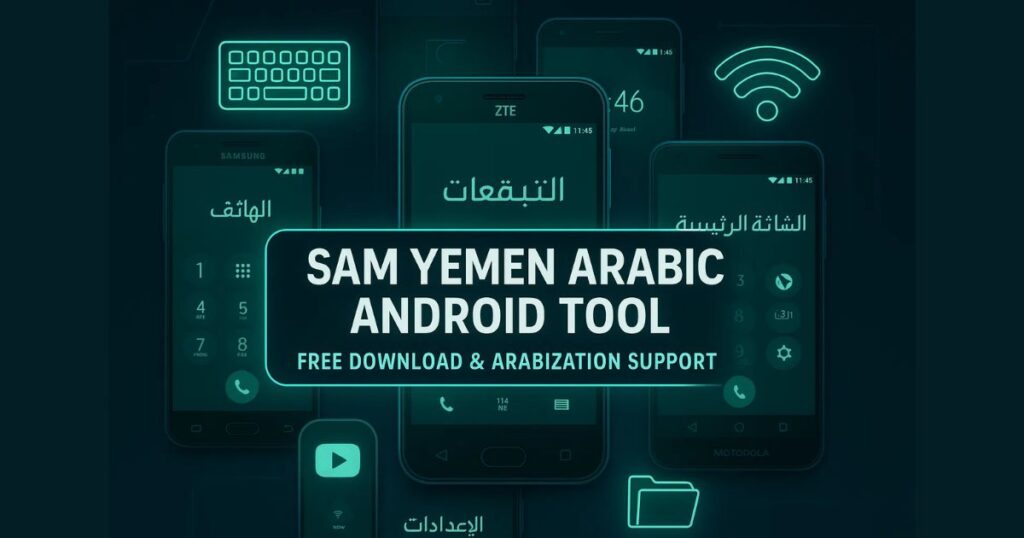
The Sam Yemen Arabic Android Tool is a specialized software designed to help users install and manage Arabic language features on various Android smartphones. It supports devices from multiple brands like Samsung, LG, ZTE, Huawei, and Motorola, making it versatile and highly valuable for those in Arabic-speaking regions or for technicians who handle language customization.
From enabling full Arabic display to modifying system files for proper language rendering, this tool streamlines the process of Arabization — especially on phones that do not officially support the Arabic language out-of-the-box.
Key Features of Sam Yemen Arabic Android Tool
Here are some of the most notable features:
✅ Full Arabic Language Support
- Easily display Arabic text across the entire device interface.
- Fix broken or misaligned Arabic fonts.
- Enable right-to-left (RTL) layout support.
✅ Device Compatibility
The tool supports a wide range of Android versions and brands:
- Samsung: Android 6 to Android 14 installations and Arabization patches.
- LG: Display Arabic, add custom keyboards, transform UI.
- ZTE, Huawei, Motorola: Add Arabic language support and related apps with minimal effort.
✅ Turkish Phone Arabization
Many Turkish Android models don’t support Arabic by default. This tool enables full language conversion and localization, allowing Arabic speakers to use these devices comfortably.
✅ Keyboard Options
- Nonsense Keyboard and Far Mirage Keyboard are included for enhanced Arabic typing.
- Users can switch between keyboards based on personal preference.
✅ Support for Older Devices
The tool can optimize YouTube playback and enable Arabic features even on older Android phones that typically lack support.
✅ File Manager Integration
File manager enhancements allow users to manage Arabic-named files, directories, and documents more effectively.
✅ Network Utilities
- Fix CDMA/GSM networks
- Unlock SIMs (MTK and Huawei)
- Configure APNs and enable DIAG modes
- Remove FRP (Factory Reset Protection)
- Convert devices between CDMA and GSM modes
Supported Android Versions and Brands
Here’s a quick overview of what each brand offers through this tool:
Samsung
- Supports Android 6 to 14
- Arabization for newer versions like Android 13–14
- Keyboard and localization tools
LG
- Device info reading
- Display and keyboard support
- UI language transformation
ZTE, Motorola, Huawei
- Install Arabic language via APKs or system modification
- Support for Far Mirage Keyboard
- App-based Arabization
Sam Yemen Arabic Android Tool download
Here’s a safe and simple way to download the latest version of the tool:
| Tool Name | Download Link |
|---|---|
| Sam Yemen Arabic Android Tool | Click Here to Download |
| Telegram Channel for Support | Join Now |
How to Use Sam Yemen Arabic Android Tool
Follow these steps to use the tool efficiently:
- Download the Tool
- Visit the official source like Officialroms.com to ensure a secure download.
- Locate the download link and begin the process.
- Extract Files
- Once downloaded, unzip the file (preferably to the C: Drive for compatibility).
- This step is crucial for error-free installation.
- Install the Tool
- Run the Setup.exe file and follow on-screen instructions.
- Make sure to run the tool as Administrator to avoid permission issues.
- Install Drivers
- If you haven’t already installed the required USB or ADB drivers, do so now.
- The tool may not detect your device without them.
- Launch and Operate
- Open the tool and select the brand of your device.
- Choose from available options like “Display Arabic,” “Install Keyboard,” or “Fix Network.”
- Follow each step as guided by the tool.
Why Use This Tool?
Using the Sam Yemen Arabic Android Tool is beneficial for:
- Arabic-speaking users who want a native experience on global Android phones.
- Technicians and mobile shops offering software services in Middle Eastern or North African countries.
- Students and developers needing localized device environments for app testing.
Unlike many other tools, this utility supports even outdated devices and networks — making it ideal for recycling or reviving old smartphones for Arabic-speaking users.
Is It Safe and Legal to Use?
Yes — as long as you use the official version from trusted sources like Officialroms.com, and you’re not using the tool to bypass security features like Google FRP locks without permission.
Keep in mind:
- Avoid pirated versions.
- Do not use it on stolen or locked devices without ownership proof.
FAQs
Q1. Is Sam Yemen Arabic Android Tool free to use?
Yes, it’s available for free on trusted platforms like Officialroms.com.
Q2. Does it work on Android 14?
Yes, the latest version supports up to Android 14 including Arabization patches.
Q3. Can I use this tool on locked phones?
Use it only on devices you own or have permission to modify. Avoid bypassing FRP or SIM lock without authorization.
Q4. What are the keyboard options available?
The tool includes both Nonsense and Far Mirage keyboards for a better typing experience in Arabic.
Q5. Is this tool safe for beginners?
Yes, the tool has a user-friendly interface and installation process suitable for non-tech users.
Final Thoughts
The Sam Yemen Arabic Android Tool is a must-have for users who require proper Arabic language support on Android devices. Its wide brand compatibility, simple user interface, and effective keyboard and network utilities make it an all-in-one solution for Arabization.
Whether you’re fixing language issues, localizing a device, or offering customer support services in Arabic-speaking regions, this tool delivers high performance with minimal hassle.