In today’s fast-paced mobile repair ecosystem, technicians need efficient tools that can perform essential functions like IMEI repair, device information reading, and diagnostic mode activation. The Micpid Tool latest version stands out as a powerful and user-friendly solution tailored for both Qualcomm and MediaTek devices. Whether you’re looking to repair IMEI, read ADB/Diag info, or enable diagnostic mode, this tool simplifies the process with server-side efficiency and advanced functionalities.
In this article, we’ll explore everything you need to know about the Micpid Tool latest version free download, its key features, how to use it, and why it’s becoming a must-have in mobile device management.
Table of Contents
What Is the Micpid Tool?
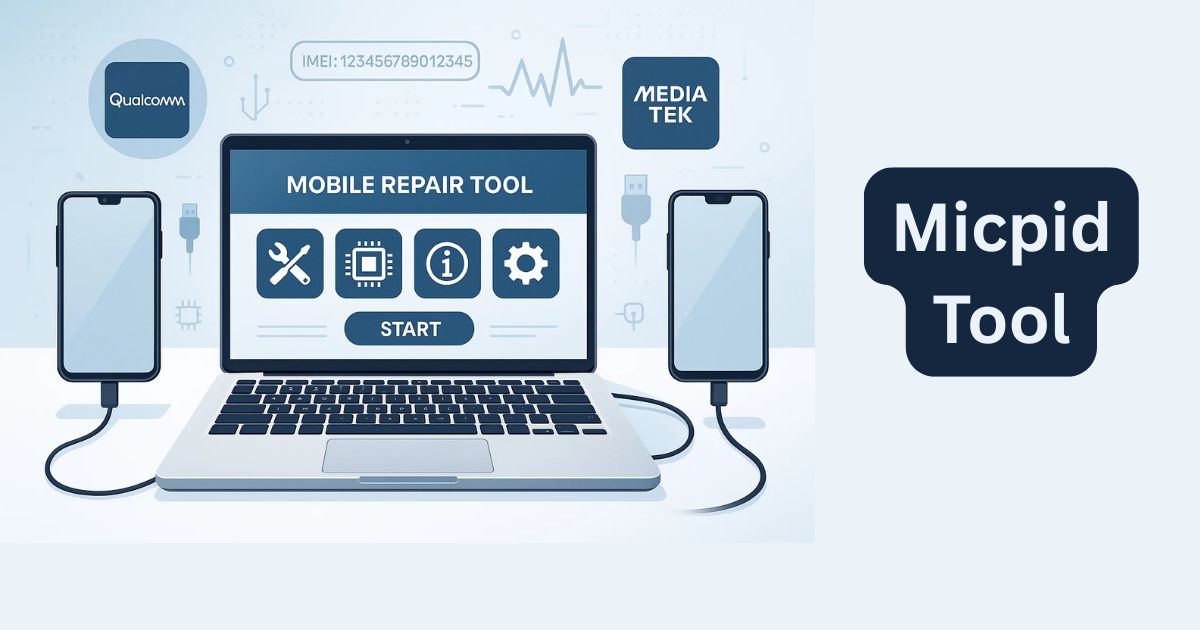
The Micpid Tool is a lightweight yet powerful desktop application designed for mobile repair technicians and advanced users. It supports a wide range of functions for both Qualcomm and MediaTek chipsets, focusing mainly on IMEI repair, COM port detection, diagnostic mode activation, and device info reading.
It includes server-based IMEI repair functionality, auto COM port detection, and a credit-check system to manage repair permissions securely.
Key Features of the Micpid Tool Latest Version
Below are the standout features that make this tool highly useful:
1. Qualcomm and MediaTek CPID Support
Micpid is fully compatible with devices powered by Qualcomm and MediaTek chipsets. It ensures smooth IMEI repair and device diagnostics for a wide variety of smartphones.
2. IMEI Repair for Qualcomm & MediaTek Devices
- Supports IMEI repair for Xiaomi and other Qualcomm-based phones.
- MediaTek IMEI repair requires ENG (Factory) ROM.
- The tool uses a secure server-based method to ensure safe IMEI repair.
3. Start IMEI Repair with Server
- Users can input the new IMEI and click “Start Repair IMEI With Server”.
- Ensures accuracy and consistency during IMEI rewriting.
4. Read Device Information
- Two modes: ADB mode and Diag mode.
- Helps gather detailed device data required before starting repairs.
5. Enable Diagnostic Mode (Diag Mode)
- Users can enable Diag mode via ADB to unlock deeper access for repair operations.
6. Kill ADB Server
- Option to kill/reset ADB connections in one click.
- Ensures stability during multiple device testing.
7. Auto COM Port Detection
- Automatically detects connected devices and assigns active COM ports.
- Saves time during high-volume repairs.
8. Check Credit System
- Allows users to check remaining credits for server-side functions like IMEI repair.
9. Create Critical Info Certificate (For Qualcomm Devices)
- Instead of writing directly to the device, the tool creates a Critical Info Certificate.
- Compatible with tools like DFT Pro, Maui Meta, QPST, etc., to finalize the writing process.
Micpid tool download
Here’s a safe and simple way to download the latest version of the tool:
| Tool Name | Download Link |
|---|---|
| Micpid Tool | Click Here to Download |
| Telegram Channel for Support | Join Now |
How to Use the Micpid Tool – Step-by-Step Guide
Here’s a simple walkthrough to get started with the Micpid Tool:
Step 1: Download the Tool
Click the official link to download the Micpid Tool latest version (V1.2.4). Make sure to get it from a trusted site to avoid any malware or tampered files.
Step 2: Extract Files
- Extract the ZIP file to your C:\ drive (recommended for path compatibility).
- You can use tools like WinRAR or 7-Zip to unzip the files.
Step 3: Install and Run
- Run the setup.exe file.
- Install the tool as per the on-screen instructions.
- Right-click the shortcut and select “Run as Administrator”.
Step 4: Driver Installation
If you haven’t already installed the USB drivers for Qualcomm or MediaTek devices, do so now. If drivers are already installed, skip this step.
Step 5: Begin Repairs
- Connect your device via USB.
- Choose the required function
- Follow prompts and complete your repair job.
Why Use the Micpid Tool?
The Micpid Tool offers several benefits:
| Feature | Benefit |
|---|---|
| Server-side IMEI Repair | Reliable and accurate IMEI writing |
| ADB & Diag Info Reading | Detailed diagnostics without rooting |
| Auto COM Detection | Saves time and reduces error |
| Credit System Check | Prevents operation failure due to low credits |
| Qualcomm Certificate Creation | Secure IMEI handling via external tools |
Whether you’re a professional technician or a freelance mobile repair expert, this tool helps streamline your workflow.
Important Notes
- Micpid Tool is not intended for illegal IMEI change or tampering. It should be used for restoring original IMEI numbers only, especially in legally compliant repair shops.
- Make sure you have the proper authorization or credits when using the server-based repair feature.
- Always back up your device data before performing any repair.
System Requirements
Before installing, ensure your system meets the following requirements:
- Operating System: Windows 7, 8, 10, or 11 (64-bit recommended)
- RAM: Minimum 2GB (4GB or more recommended)
- USB Drivers: Must be installed for your chipset
- Internet Connection: Required for server-based operations
Frequently Asked Questions (FAQ)
Q1: Is Micpid Tool free to use?
Yes, the latest version (V1.2.4) is available for free download, though server-side functions may require credits.
Q2: Can it repair IMEI without rooting the device?
Yes, it can repair IMEI using ADB and Diag modes without rooting, depending on the chipset and device condition.
Q3: Does it support all Qualcomm and MediaTek phones?
It supports a wide range of devices, but success depends on firmware compatibility. For MediaTek, ENG ROM is usually required.
Q4: Is it safe to use?
Yes, if used properly and downloaded from a trusted source. Always follow legal guidelines for IMEI repair.
Q5: Where can I download it?
You can download it from reputable Android flashing or mobile tool websites. Make sure you avoid shady third-party mirrors.
Conclusion
The Micpid Tool latest version free download provides a comprehensive and efficient solution for technicians working on Qualcomm and MediaTek devices. With IMEI repair, diagnostic access, credit management, and critical info creation features, it truly simplifies mobile repair tasks.
Whether you’re handling device unlocks, data access, or IMEI repair, Micpid Tool V1.2.4 ensures a smooth experience with powerful functions and user-friendly design.
➡️ Download it today, install it on your Windows PC, and enhance your device management capabilities in minutes!
Disclaimer: This article is for educational and informational purposes only. Always comply with your country’s laws and regulations regarding IMEI repair and mobile servicing.