Managing MediaTek-powered devices can be challenging, especially when it comes to unlocking features like FRP (Factory Reset Protection), MiCloud bypass, or factory resetting. Fortunately, the TMT Mediatek Universal Tool V3.0 offers an all-in-one solution that simplifies the process and empowers users to take control of their devices. In this guide, we’ll explore everything you need to know about the tool, including features, benefits, installation, and how to use it effectively.
Table of Contents
What Is TMT Mediatek Universal Tool?
TMT Mediatek Universal Tool V3.0 is a powerful software designed for MediaTek chipset-based Android devices. It allows users to bypass critical security locks such as FRP, MiCloud, and even enables factory resetting without needing the device’s credentials.
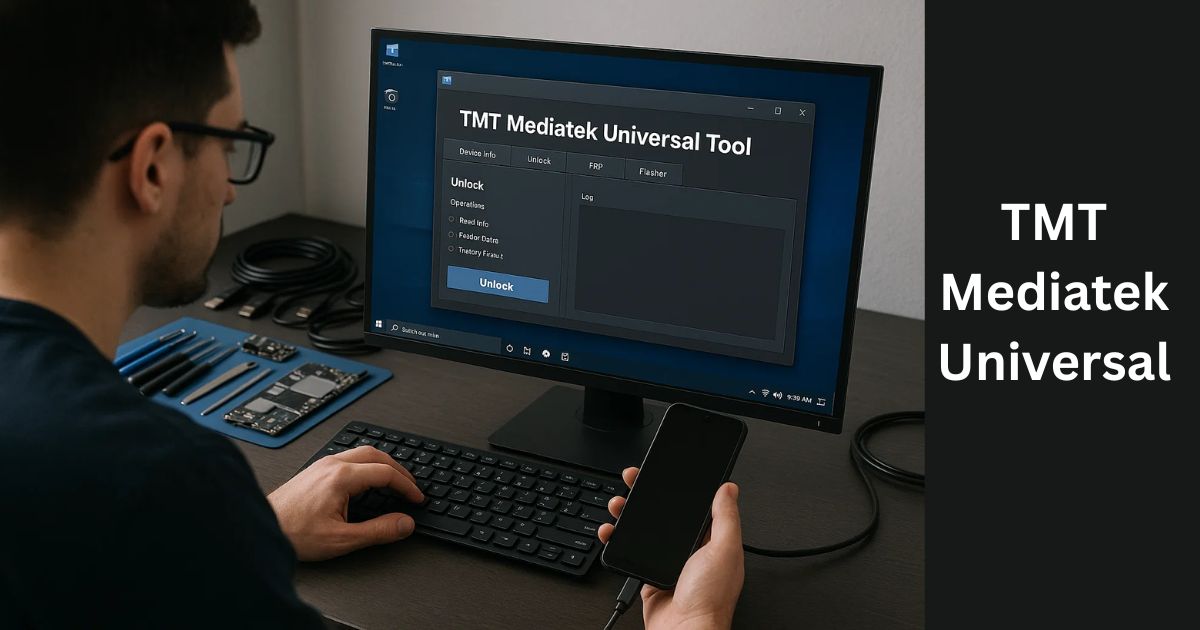
Its core strengths lie in its ability to:
- Disable MediaTek’s authentication (AUTH)
- Erase FRP for both old and new devices
- Unlock MiCloud TAM
- Perform complete factory resets (with or without data)
- Install essential USB and MediaTek drivers
Key Features of TMT Mediatek Universal Tool
FRP Erasure (Old + New)
Whether you’re working with an older MTK model or the latest one, the tool supports FRP removal for both device generations. This helps users regain full access to their device without being locked out.
Factory Reset Options
You can perform:
- Factory Reset (Old Type)
- Factory Reset (New Type + FRP)
- Factory Reset with Data Preservation (Save Format Misc)
These reset types give users full flexibility based on their specific needs.
MiCloud Unlock (TAM)
TMT also supports MiCloud TAM unlocking, especially for Xiaomi devices running on MediaTek SoCs. It’s especially useful when you’re stuck with a MiCloud-locked phone.
Bypass AUTH
MediaTek devices come with a security layer called Secure Boot (AUTH). The TMT tool bypasses this requirement, enabling direct access for flashing or unlocking.
Bootloader Operations
- Unlock Bootloader
- Relock Bootloader
These are critical for rooting or restoring a device to its stock state.
Backup and Restore Functions
- Backup/Restore Boot, Preloader, NVDATA, and NVRAM partitions
This ensures no vital data is lost while making software changes.
Driver Support
Includes drivers like:
- USB DK Driver
- MediaTek Driver
These are essential for ensuring proper device detection and functionality.
Download TMT Mediatek Universal Tool V3.0
Here’s a safe and simple way to download the latest version of the tool:
| Tool Name | Download Link |
|---|---|
| TMT Mediatek Universal Tool V3.0 | Click Here to Download |
| Telegram Channel for Support | Join Now |
How to Download TMT Mediatek Universal Tool V3.0
Downloading the tool is straightforward. Here’s a step-by-step guide:
- Visit the Official Site:
Navigate to officialroms.com or a trusted source that provides the official download link. - Locate the Download Section:
Find the TMT Mediatek Universal Tool V3.0 post and look for the download link. - Download the ZIP File:
Make sure not to click on ads or misleading buttons. Only click the actual download link. - Extract the Files:
Unzip the file and move all contents to a safe directory (C:\ drive is recommended). - Install the Tool:
Run the setup and follow on-screen instructions. Install the drivers if prompted. - Run as Administrator:
Always launch TMT Mediatek Universal Tool using Administrator mode for full functionality.
How to Use the Tool: Step-by-Step
Once installed, using the tool is simple:
✅ Step 1: Connect the Device
Use a USB cable to connect your MediaTek device to the PC. Ensure the device is powered off before connecting.
✅ Step 2: Launch the Tool
Open the software as Administrator.
✅ Step 3: Select the Function
Choose from:
- Erase FRP (Old/New)
- Factory Reset
- MiCloud Unlock
- Bootloader Unlock
✅ Step 4: Execute the Operation
Click the desired action button. The process will begin and complete in a few minutes.
✅ Step 5: Reboot Device
Once the process is complete, reboot your device and set it up like new.
Why Choose TMT Mediatek Universal Tool?
Here’s why users prefer this tool:
- User-Friendly Interface: Clean layout and easy navigation
- Supports Multiple Devices: From older to latest MediaTek-powered phones
- Safe & Fast: Performs actions quickly with minimal risk
- No Need for Professional Help: Most users can do it themselves
- Offline Tool: No internet connection required to run
FAQs About TMT Mediatek Universal Tool
❓ Is TMT Mediatek Universal Tool free?
Yes, the tool is usually available for free from its official website or trusted platforms.
❓ Does this tool work with all MediaTek devices?
It supports a wide range of MediaTek-powered Android smartphones and tablets. Always check supported models before use.
❓ Is internet required to run this tool?
No, the tool is offline and works without an internet connection once installed.
❓ Can this tool unlock MiCloud from Xiaomi devices?
Yes, it can unlock MiCloud TAM on supported Xiaomi MTK models.
❓ Is it safe to use TMT Tool?
Yes, if used properly, it’s safe and effective. Always backup data before performing operations.
Final Thoughts
The TMT Mediatek Universal Tool V3.0 is a must-have utility for technicians, phone repair experts, and even advanced users dealing with MediaTek devices. Whether you’re trying to erase FRP, unlock MiCloud, or simply perform a factory reset, this tool delivers reliability and simplicity.
By following this guide, you can download, install, and use the tool without hassle. Always remember to download from a trusted source, use it responsibly, and backup your data to avoid loss.
Disclaimer:
This article is for educational and informational purposes only. Using third-party tools to bypass security locks may violate the terms of service of the device manufacturer. Proceed at your own risk.


![Realme Flash Tool V2.0 [Latest Version] Free Download](https://www.officialroms.com/wp-content/uploads/2020/12/Realme-Flash-Tool-390x220.jpg "Realme Flash Tool V2.0 [All Latest Version] Free Download 5")