In the world of Android customization, mobile repairing, and firmware development, understanding the internal structure of boot and recovery images is crucial. However, diving into these technical files often requires complex tools and command-line knowledge — something not everyone is comfortable with. This is where the Device Info Reader Tool shines.
Designed for Windows, this user-friendly utility makes analyzing Android .img files as simple as clicking a button. Whether you’re flashing firmware, troubleshooting a device, or working on custom ROMs, this tool gives you access to vital device information instantly — with no coding required.
Let’s explore how this free, no-installation tool can make your Android development or repair workflow smarter and safer.
Table of Contents
What Is the Device Info Reader Tool?
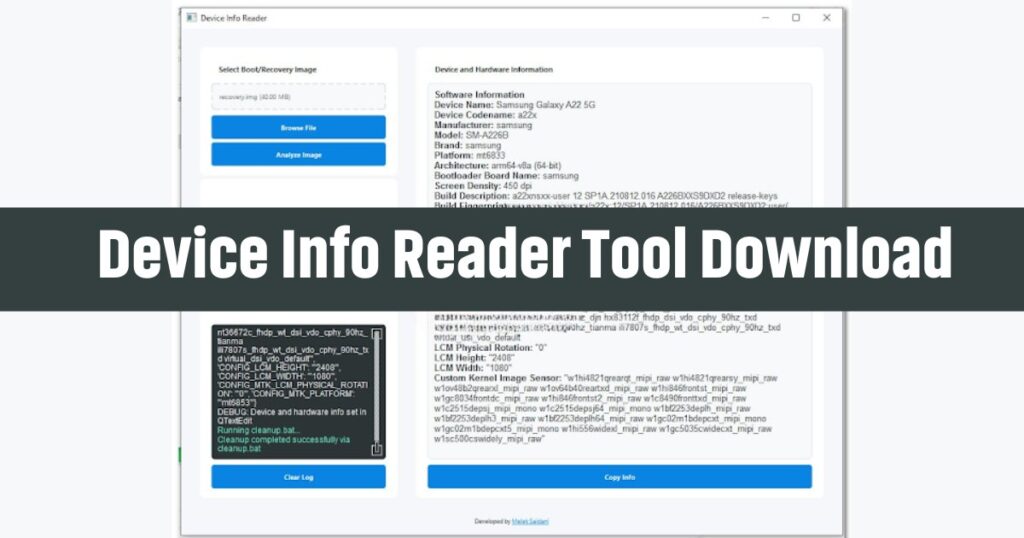
The Device Info Reader Tool is a standalone Windows application that lets you open and analyze Android firmware image files like boot.img or recovery.img. With just a few clicks, the tool scans these files and extracts all essential hardware and software details — such as device model, Android version, bootloader status, kernel configuration, and more.
It supports multiple file formats including img, .tar, .gz, .rar, and .lz4, ensuring wide compatibility with various Android devices and firmware packages.
Key Benefits of Using Device Info Reader Tool
✅ 1. No Technical Background Needed
Even if you’re not a developer or programmer, you can use this tool with ease. Just open the app, select a file, and get detailed results — no terminal commands, no complicated setups.
✅ 2. Helps Prevent Flashing Errors
Flashing the wrong firmware can damage a device. This tool shows the exact model and build details so you can verify compatibility before making any changes.
✅ 3. Offline & Secure
The tool works completely offline. Your data is not uploaded or shared, which makes it a secure option for both personal and professional use.
✅ 4. Fast & Lightweight
No need to install anything. It runs directly from the .exe file and processes your image in seconds.
Features at a Glance
Here are the standout features of the Device Info Reader Tool:
- Device Name & Model Detection
- Manufacturer & Chipset Info
- Bootloader & Build Fingerprint
- Android Version & Security Patch Level
- Firmware Build Date
- A/B Partition Detection
- Kernel Configurations
- Image Sensor & Display (For MediaTek Devices)
Who Should Use This Tool?
The Device Info Reader Tool is suitable for a wide range of users:
- Mobile Repair Technicians: Identify device info before flashing firmware.
- Firmware Developers: Validate boot images before testing.
- Android Modders: Check partition structure and kernel info.
- ROM Builders: Analyze device architecture for compatibility.
- Security Analysts: Investigate bootloader and software versions without booting the device.
Special MediaTek (MTK) Support
For phones powered by MediaTek processors, the tool goes a step further:
- Chipset Info: Shows the base MTK platform and variants (e.g., MT6735, MT6765)
- Display Info (LCM): Helps in screen repairs by identifying the exact panel type
- Camera Sensor Info: Lists camera modules (e.g., OV8856, IMX219)
This is especially helpful in service centers where screen and camera replacements are common.
Supported File Formats
The tool can open and analyze the following file types:
- .img – Standard Android images
- .tar, .gz, .rar – Commonly used for compressed firmware
- .lz4 – Mostly found in Samsung firmware packages
Device Info Reader Tool Download Free
| Tool Name | Download Link |
|---|---|
| Device Info Reader Tool zip.file | Click Here to Download |
| Telegram Channel for Support | Join Now |
How to Use Device Info Reader Tool (Step-by-Step)
Using the tool is extremely straightforward:
- Download the tool – No need to install
- Launch the .exe file
- Click “Browse File” to select a firmware image
- Click “Analyze Image”
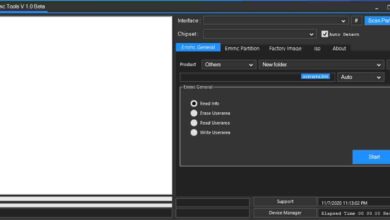
- View the results in the detailed info panel
You can also drag and drop files directly into the tool for quick access.
Important Considerations
A/B Partitioning
Some phones use a dual partition system (A/B). If you’re checking the wrong partition, it might show outdated data. It’s always recommended to check both A and B partitions for accuracy.
Not All Boot Images Work
Sometimes, boot.img files may not provide results if:
- The file is corrupt or incomplete
- It uses an unsupported compression format
- It’s encrypted or has a non-standard structure
✅ Tip: Try using recovery.img instead — it often contains more readable data.
Frequently Asked Questions (FAQs)
Is the Device Info Reader Tool free?
Yes, it’s completely free to use for personal and professional purposes.
Does it require an internet connection?
No, the tool works 100% offline.
Is it compatible with Windows 7 and 10?
Yes, it supports Windows 7, 8, 10, and 11.
Can it analyze Samsung .lz4 images?
Yes, .lz4 files used in Samsung firmware are supported.
Is it safe to use?
Yes. It doesn’t modify your files, and all temporary files are automatically deleted after use.
What if my file gives no result?
Try scanning recovery.img instead of boot.img or make sure the file is not corrupted.
Final Thoughts
The Device Info Reader Tool is a smart, no-nonsense solution for anyone dealing with Android firmware. Whether you’re trying to identify a phone model, confirm partition structure, or ensure compatibility before flashing — this tool delivers accurate information in seconds.
Its ease of use, fast performance, and wide compatibility make it a must-have for mobile repair professionals, Android tinkerers, and ROM developers alike. And best of all — it’s completely free.
Don’t waste time with complicated commands or risky guesswork. Let the Device Info Reader Tool do the hard work — so you can focus on fixing, building, or upgrading Android devices the right way.