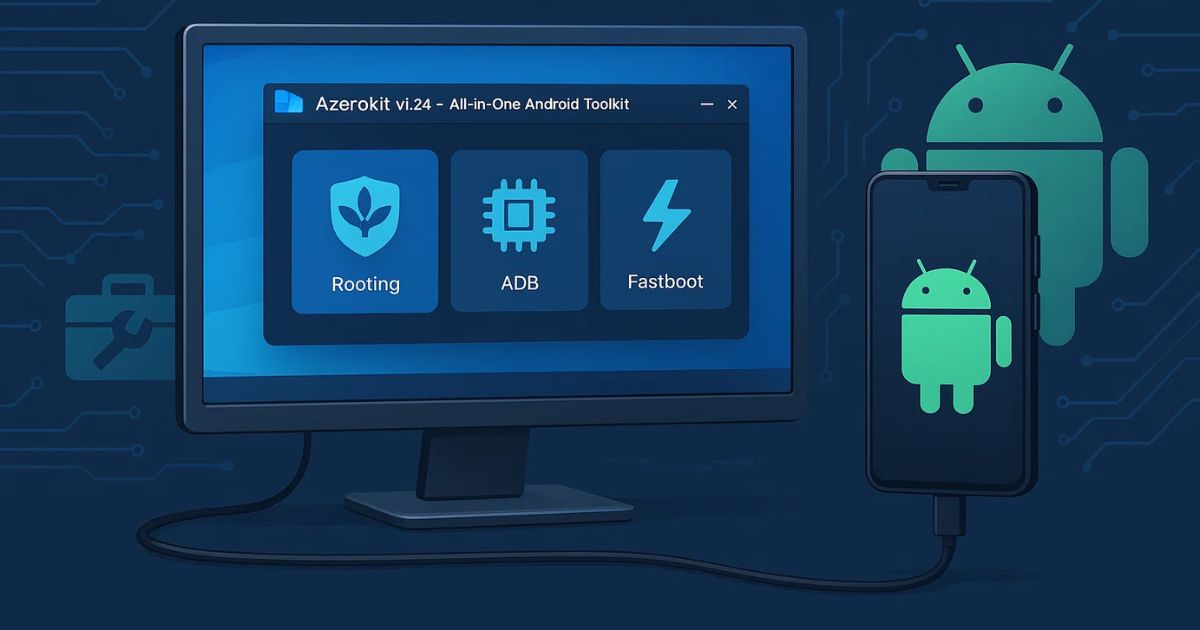
When it comes to managing Android devices, tools that make processes like rooting, flashing, and debugging easier are a blessing—especially for those who prefer to work hands-on with their smartphones. One such emerging tool is Azerokit Beta Build Tool v1.24, an all-in-one solution designed for both beginners and advanced Android users. It simplifies complex operations like ADB, Fastboot, and Rooting into a user-friendly GUI that works directly on Windows PCs.
In this detailed guide, we’ll explore everything you need to know about Azerokit v1.24, including its core features, supported devices, upcoming enhancements, and how to download and use it safely. Whether you are new to Android tweaking or a seasoned developer, this tool could become your next go-to solution.
Table of Contents
What is Azerokit Beta Build Tool?
Azerokit is a Windows-based toolkit that provides a graphical user interface (GUI) to perform essential Android maintenance and customization tasks. Unlike command-line tools that require technical knowledge, Azerokit makes rooting, flashing, and installing APKs much easier—even for those who have never used ADB or Fastboot before.
Version v1.24 is dubbed the “Merry Christmas Edition,” and it comes with enhanced stability, bug fixes, and new compatibility improvements. Best of all? It’s completely free, with no ads, no cracks, and no malware risks—if downloaded from trusted sources like GitHub or XDA Developers.
Key Features of Azerokit Beta Build Tool
Here are the main capabilities that make Azerokit a standout Android toolkit:
✅ Rooting Made Easy
One of the biggest hurdles for Android users is rooting their device. Azerokit simplifies this by offering a guided, one-click root process that is beginner-friendly but still powerful enough for developers.
✅ Fastboot Flashing
Need to flash a custom ROM, kernel, or recovery? Azerokit supports full Fastboot flashing capability, letting you install your preferred Android mods easily and quickly.
✅ Fastboot Recovery Installation
With just a few clicks, you can install popular custom recoveries like TWRP or OrangeFox directly from your PC. No need for manual commands or bootloader confusion.
✅ ADB APK Installation
Developers and testers will love the ability to push and install APKs directly via ADB. This feature eliminates the need for traditional installation methods and saves time during testing.
✅ Clean & Modern GUI
The tool features a simple, intuitive, and responsive GUI that hides the technical complexity while still giving you complete control. It’s ideal for users who are not comfortable with coding.
Supported Manufacturers and Carriers
Azerokit v1.24 has been tested and verified to work smoothly on a variety of brands and networks.
Tested Manufacturers:
- Samsung
- Sony
- Xiaomi
Supported Carriers:
- Unlocked Devices
- AT&T
- Vodafone
- Verizon
- Jio
- MTN (Irancell, Syria)
- Orange
- Claro
- O2
- T-Mobile
- Rogers
- Alcatel
- Du
- MCI
- Emertel
This wide support means Azerokit doesn’t limit you to specific models or regions, making it a globally accessible tool.
What’s New in Azerokit Beta Build Tool v1.24?
Here are the main improvements in the latest version:
- Improved Stability: More reliable and bug-free operation.
- Expanded Compatibility: Now works with any carrier and model (within supported brands).
- UI Optimizations: Smoother performance and a better user experience.
- Still Free Forever: No need to look for cracked versions; this is 100% free from official channels.
Planned Features – What’s Coming Next
Azerokit continues to evolve. Here are some features that are expected in future updates:
ZIP Installation via Fastboot
The team behind Azerokit is working on enabling users to flash ZIP files directly via Fastboot. This would allow for installation of custom ROMs, mods, and system updates even without a custom recovery.
Why Choose Azerokit Over Other Tools?
There are several Android toolkits available, but Azerokit stands out because of its free, clean, and secure approach. Unlike many cracked tools that carry risks of malware, Azerokit is open, trusted, and designed for all levels of users.
Other reasons to prefer Azerokit:
- No unnecessary bloat or ads
- Minimal system requirements
- Does not void warranty (if used responsibly)
- Comprehensive support and updates via community forums
- Easy rollback and uninstall options
Download Azerokit Beta Build Tool
| Tool Name | Download Link |
|---|---|
| Azerokit Beta Build Tool v1.24 | Click Here to Download |
| Telegram Channel for Support | Join Now |
❌ Avoid:
- Cracked versions
- Random file-sharing sites
- Third-party YouTube download links
Using the official version ensures your device and data stay secure.
System Requirements
To use Azerokit, you’ll need the following:
- A Windows PC (Windows 7 or higher)
- USB Drivers for your Android device
- A USB cable
- Unlocked Bootloader (for rooting/fastboot tasks)
- At least 100MB of free disk space
How to Use Azerokit – Basic Steps
Here’s a basic walkthrough for using Azerokit:
- Download & Extract Azerokit v1.24 on your PC.
- Install USB drivers for your device.
- Launch Azerokit.exe (No need to install).
- Connect your Android device via USB.
- Use the intuitive GUI to perform desired tasks:
- Root your phone
- Flash a custom recovery
- Push APK files
- Use ADB commands
Pros and Cons
| Pros | Cons |
|---|---|
| 100% Free | Limited to certain brands for now |
| Easy to Use | Advanced users may want more customization |
| No Ads or Malware | Some features still in development |
| Great Community Support | Windows-only |
FAQs – Azerokit Beta Build Tool
❓ Is Azerokit really free?
Yes! Azerokit is completely free and does not require any payment, license, or crack.
❓ Is it safe to root using Azerokit?
Yes, as long as your bootloader is unlocked and you follow the instructions, it’s safe.
❓ Can I use it on any Android phone?
It supports major manufacturers like Samsung, Sony, and Xiaomi. Other brands may still work, but are not officially tested.
❓ Do I need internet to use Azerokit?
No, once downloaded, it works entirely offline.
❓ Will using Azerokit void my warranty?
Rooting may void your device warranty, so proceed with caution and at your own risk.
Final Words
Azerokit Beta Build Tool v1.24 is a robust and reliable tool for Android device management. Whether you’re a developer looking to speed up your testing process or a curious user wanting to root your phone and explore more, Azerokit provides all the necessary tools in a single, easy-to-use package.
If you’re serious about customizing your Android experience, Azerokit v1.24 is absolutely worth trying—just be sure to use it responsibly and download it only from trusted sources.
⚠️ Disclaimer:
This article is for educational purposes only. Rooting or modifying your Android device using tools like Azerokit may void your warranty or cause system issues if not done correctly. Proceed at your own risk. Always back up your data before performing any system-level changes. We do not host or promote unofficial or cracked versions of the tool.