Managing Android devices, whether for personal use or professional repairs, can often be a complex task. From unlocking bootloaders to fixing system errors and erasing partitions, traditional tools can feel overwhelming. The Android Device Command Center Tool brings a comprehensive, user-friendly solution to the table, making it easier than ever to maintain, troubleshoot, and optimize Android devices.
This article offers a detailed overview of the Android Device Command Center Tool, its key features, benefits, and installation process—designed to help users and technicians make the most of their Android devices without breaching any policy or risking system stability.
Table of Contents
What is Android Device Command Center Tool?
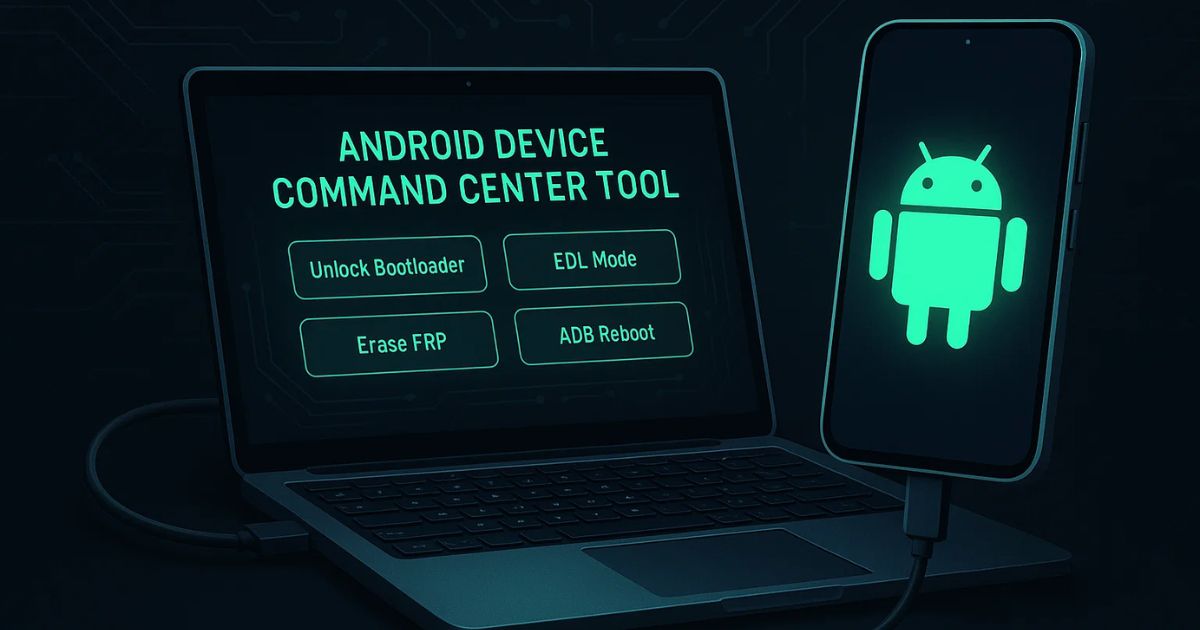
The Android Device Command Center Tool is an all-in-one utility software designed to manage Android smartphones and tablets efficiently. It allows users to execute essential tasks like entering Fastboot or EDL (Emergency Download) mode, erasing specific partitions, unlocking or relocking the bootloader, and removing screen locks (with root access).
It supports a wide range of devices and is particularly useful for technicians and developers who deal with advanced Android operations on a regular basis.
Key Features of Android Device Command Center Tool
Here’s what makes this tool a must-have for Android professionals and enthusiasts alike:
1. Fastboot Mode Access
Fastboot mode is essential for flashing custom recoveries, updating firmware, and unlocking the bootloader. This tool simplifies the process with a one-click option to reboot into Fastboot mode.
2. EDL (Emergency Download) Commands
EDL mode, especially useful for Qualcomm devices, gives low-level access to flash firmware when the device isn’t booting up. The tool allows easy access to OEM EDL mode and supports safe firmware flashing.
3. Erase Options
You can selectively erase sensitive or corrupted data partitions:
- FRP (Factory Reset Protection)
- NVRAM, NVDATA
- MODEMST1, MODEMST2
- FSG
These options help fix corrupt baseband or network-related issues on Android devices.
4. Bootloader Unlock/Relock
The tool supports multiple methods to unlock and relock bootloaders. This is helpful for users who want to install custom ROMs or revert back to the stock version of Android.
5. Screen Lock Removal (Root Required)
If you’ve forgotten your screen password or PIN, and the device is rooted, the tool can remove it by deleting key system files like:
- gesture.key
- gatekeeper.password.key
- locksettings.db
6. ADB Reboot Options
ADB (Android Debug Bridge) commands let you reboot your device into:
- Normal mode
- Bootloader
- Recovery
- Fastboot
This is perfect for users who want to control their Android without using hardware buttons.
Benefits of Using the Android Device Command Center Tool
✅ Time Efficiency
Manual command-line operations can be time-consuming and error-prone. This tool simplifies everything into a visual interface, saving hours of work.
✅ Safe Device Repair
With built-in features to erase partitions and fix boot issues, it provides reliable solutions to common Android problems like “System Destroyed” errors or corrupted NVRAM.
✅ Developer-Friendly
Whether you’re a custom ROM developer or kernel modifier, the ability to unlock and relock the bootloader quickly is a major advantage.
✅ Data Recovery Aid
If your device is bricked or stuck in a boot loop, EDL access and Fastboot tools offer a chance to recover it without visiting a service center.
Use Cases: Who Should Use This Tool?
- Mobile Repair Technicians: Repairing corrupted devices, removing FRP, or restoring factory settings.
- Android Developers: Testing custom ROMs, bootloaders, or kernel builds.
- Enthusiasts and Power Users: Unlocking the bootloader, erasing unnecessary partitions, or tweaking device performance.
- Educators and Trainers: Teaching Android system architecture and recovery methods.
Important Considerations Before Using
While the Android Device Command Center Tool is powerful, you should consider the following before using it:
- Always backup your data before erasing or flashing.
- Ensure your device battery is at least 50%.
- Using advanced features like bootloader unlock may void your warranty.
- Only use EDL commands if you know what you’re doing—improper use may brick your device.
- If your device is not recognized, ensure drivers (ADB, Qualcomm, etc.) are properly installed.
Android Device Command Center Tool download
Here’s a safe and simple way to download the latest version of the tool:
| Tool Name | Download Link |
|---|---|
| Android Device Command Center Tool | Click Here to Download |
| Telegram Channel for Support | Join Now |
How to Install Android Device Command Center Tool
Installation is easy and quick. Here’s a step-by-step guide:
- Download the tool from a trusted website or developer forum.
- Extract the ZIP file using WinRAR or 7Zip.
- Right-click and run Android Device Command Center Tool.exe as administrator.
- The tool interface will launch and be ready to use.
Note: Make sure your antivirus doesn’t block the tool. Also, ensure you’re using it responsibly and not for any unethical purposes.
Is It Safe and Legal to Use?
Yes—as long as it’s used on your own device or with the owner’s consent. The tool doesn’t bypass paid software, inject malware, or interfere with Google-protected features without authorization. It’s just a utility for developers and technicians to manage and repair devices more easily.
However, misusing it (e.g., for bypassing security features on stolen devices) can lead to legal consequences. Use it ethically and responsibly.
Frequently Asked Questions (FAQs)
What is the Android Device Command Center Tool used for?
The Android Device Command Center Tool is used to manage Android smartphones and tablets. It allows users to access Fastboot/EDL modes, unlock or relock bootloaders, erase specific partitions, fix system errors, and reboot devices using ADB commands.
Is this tool safe to use?
Yes, the tool is safe if downloaded from a trusted source and used responsibly. It does not include any malicious code or illegal bypasses. However, improper use of features like EDL commands can cause device malfunction if you’re not careful.
Can it be used on any Android device?
The tool supports most Android devices, especially those with Qualcomm chipsets. However, some functions (like EDL mode) may not work on all models due to hardware or firmware restrictions.
Do I need to root my phone to use this tool?
Not necessarily. Most features like bootloader unlocking, Fastboot, and ADB reboot commands do not require root access. However, removing screen locks via system file deletion does require root.
Will using this tool void my phone’s warranty?
Yes, unlocking the bootloader or modifying system partitions may void the manufacturer warranty, depending on your brand and region. Always check your device warranty policy before using advanced features.
Can I use it to remove FRP (Factory Reset Protection)?
Yes, the tool includes an option to erase FRP, but it must be used only on devices you own or have permission to work on. Bypassing FRP on stolen or unauthorized devices is illegal.
Is there a risk of bricking my device?
Yes, if you erase critical partitions or incorrectly use EDL mode, your device could be bricked. Always follow instructions carefully and backup your data before using such features.
Do I need to install drivers to use this tool?
Yes. For the tool to detect and communicate with your Android device, you’ll need to install ADB/Fastboot drivers and, for Qualcomm devices, Qualcomm USB drivers.
Is this tool compatible with Windows?
Yes, the Android Device Command Center Tool is a Windows-based executable (.exe) file. It works on Windows 7, 8, 10, and 11 systems. Just ensure you run it as administrator.
Where can I download the Android Device Command Center Tool?
You can usually find the latest version of this tool on trusted mobile repair forums, developer communities, or official pages shared by known developers. Avoid unknown sources to prevent downloading malicious versions.
Conclusion
The Android Device Command Center Tool is a powerhouse for anyone who works with Android devices regularly. Whether you want to unlock bootloaders, enter Fastboot or EDL mode, remove screen locks, or fix system partitions—the tool offers all necessary utilities in one clean interface.
With responsible use, it becomes an indispensable asset for managing Android devices smoothly, securely, and efficiently. If you’re serious about Android device control, this tool deserves a place in your toolkit.
Disclaimer
This tool is intended for educational and personal use only. Use it responsibly on devices you own or have permission to modify. The author is not liable for any damage or data loss caused by improper use.