If you’re a smartphone technician or a tech enthusiast, you know how frustrating it can be to manage FRP locks, change CSC codes, or deal with hidden settings. That’s where QST Pro Tool V4 steps in—a powerful, all-in-one utility tool designed to make Android device servicing easy, fast, and efficient. The best part? It’s completely free, requires no login, and doesn’t ask for any activation key.
In this article, we’ll explore what QST Pro Tool V4 offers, how to install and use it safely, and why it’s become one of the most trusted tools in the Android servicing community in 2025.
Table of Contents
What Is QST Pro Tool V4?
QST Pro Tool V4 is a multifunctional Android utility designed for technicians and advanced users. Whether you need to bypass FRP (Factory Reset Protection), change CSC (Country/Carrier) codes, or perform ADB-level tweaks, this tool delivers.
Compatible with Samsung, LG, Xiaomi, and MediaTek (MTK) devices, QST Pro Tool provides access to several hidden features and essential repair functions—all through an easy-to-use interface.
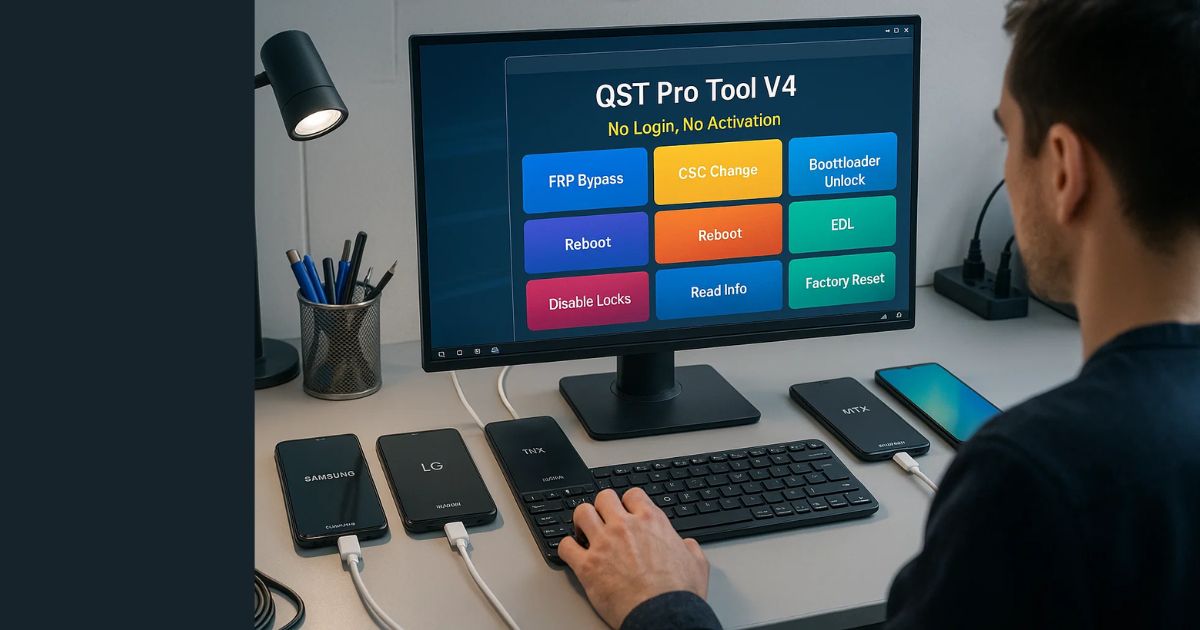
Key Features of QST Pro Tool V4
Here’s a breakdown of what you can do with this tool:
✅ Samsung Tools
- Translate Android UI (Android 6–15)
- Fix dark mode translation issues
- FRP reset in test mode, via ADB, or using QR code
- CSC code changing for carriers like VZW, TMB, ATT
- Enable or disable CSC SIM
- Remove pre-installed apps
- Enable/disable system updates
- Stop activation on Sprint models
✅ LG Tools
- Open hidden menus (APN, Band, Diag, MCFG)
- Stop LG activation
- Format factory reset using modem/port
- Skip LG lock screen
- Reboot to download mode
✅ Xiaomi / Mi Tools
- Reset FRP in Fastboot (for unlocked bootloaders)
- Factory reset or wipe data
- Read complete device info
✅ MTK Utilities
- Unlock or relock bootloader
- Wipe data (with or without media)
- Remove demo mode (Vivo, Oppo)
- Erase FRP or MI account
✅ VoLTE & Network Tools
- Enable VoLTE (Android 11+)
- Open IMS settings (Samsung, LG)
- Enable engineer mode (MTK, SPD)
- View or add APNs (Access Point Names)
✅ App Management
- View all installed apps (system/user/disabled)
- Uninstall, disable, or enable apps
- Force-stop unwanted apps
✅ General Utilities
- Reboot to recovery, download, or fastboot modes
- Install utility apps like:
- Shortcut Master
- Network Mode App
- Mood_MOTO
- APN Utility
Benefits of Using QST Pro Tool V4
Here’s why so many technicians are switching to this tool:
- No Login or Activation Required: Just install and run. There are no hidden catches.
- Comprehensive Device Support: Works on Samsung, LG, Xiaomi, and other Android devices.
- Completely Free: No subscription or license fee.
- Multiple Utilities in One Place: Eliminate the need to use multiple tools for different brands or features.
- Beginner-Friendly Interface: Simple layout makes it easy to navigate, even for those new to smartphone repairs.
Download QST Pro Tool V4
Here’s a safe and simple way to download the latest version of the tool:
How to Download and Install QST Pro Tool V4
Although the tool is easy to use, installing it correctly ensures it runs without issues. Follow these simple steps:
1️⃣ Download the Tool
- Search for a trusted source online to download the QST Pro Tool V4 .rar file.
- Ensure the website is reputable and doesn’t host cracked or malicious versions.
2️⃣ Extract the Tool
- Right-click on the downloaded
.rarfile. - Use tools like WinRAR or 7-Zip to extract it to your preferred folder (e.g., Desktop or D:\Tools).
3️⃣ Install the Program
- Locate the setup file inside the extracted folder.
- Run the setup and follow the on-screen instructions.
4️⃣ Launch as Administrator
- Right-click the “QST Tools Pro” shortcut created on your desktop.
- Select “Run as Administrator” to prevent permission issues.
5️⃣ Ensure Python 3.10 Is Installed
- The tool requires Python 3.10 to function properly.
- Make sure it’s installed and added to your system PATH.
Safety & Compatibility
✅ Compatible Android Versions: Android 6 to Android 15
✅ Tablet Support: Yes, especially for translation features
✅ No Root Required: Most features work without root
✅ No Media Loss on Wipe: Certain wipe options preserve your photos and videos
✅ Portable Tool: No complex installation or bloatware
Who Should Use QST Pro Tool V4?
This tool is ideal for:
- Mobile Repair Technicians
- Freelance Flashers/Unlockers
- DIY Enthusiasts
- Phone Resellers
- Software Engineers working with Android
Whether you’re unlocking dozens of phones daily or just need to fix your old Android, this tool can save you hours of work.
FAQs – QST Pro Tool V4
❓ Is QST Pro Tool V4 completely free?
Yes. It’s available for free with no hidden charges, license keys, or login requirements.
❓ Can it damage my phone?
When used responsibly, it’s safe. However, always back up your data before running wipe or FRP operations.
❓ Do I need to root my phone?
Most features work without root. Some advanced functions may require ADB or bootloader unlocking.
❓ Is it legal to use?
The tool is meant for educational and servicing purposes. Avoid using it for unauthorized unlocking or bypassing security on stolen phones.
Final Thoughts
In 2025, tools like QST Pro Tool V4 are a game-changer for Android servicing. Its wide range of features, no-login access, and cross-brand compatibility make it a must-have in every technician’s toolkit. Whether you’re dealing with FRP issues, language translation, CSC switching, or just removing unwanted bloatware, this tool has your back.
Just remember to always use it ethically and avoid unauthorized usage. With QST Pro Tool V4, mobile repair just got a lot easier—and smarter.
Disclaimer
This article is intended for educational purposes only. Always use mobile repair tools responsibly. We do not host or promote any illegal software downloads.