If you’re into smartphone servicing, flashing, or dead boot repair, you’ve probably faced the same challenge: most tools are either paid, cracked, or unreliable. That’s where CPT Tool comes in — a 100% free, community-backed software designed to make mobile repair simple and seamless.
This article walks you through what the CPT Tool is, why it’s gaining popularity, how to use it, and what updates have made it one of the top tools for Samsung Exynos and MediaTek (MTK) devices.
Table of Contents
What is CPT Tool?
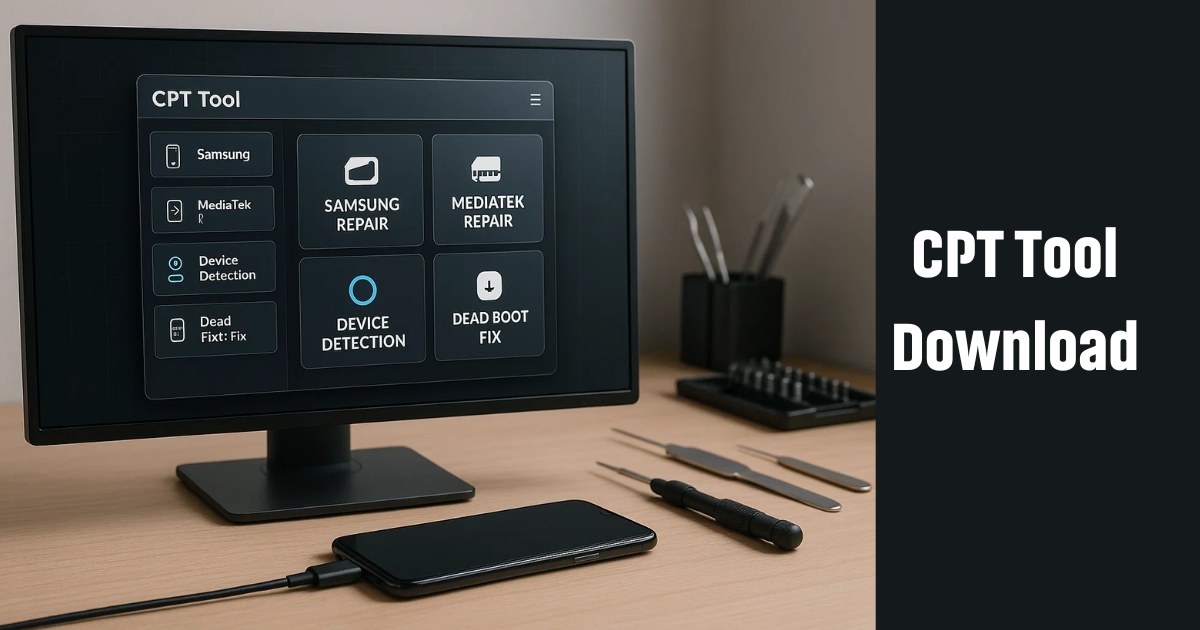
CPT Tool is a lightweight but powerful software utility designed for mobile repair technicians, especially those working on Samsung and MTK devices. It supports operations like:
- Dead boot repair (including EUB mode)
- CPID generation
- Auto device detection
- ADB-free operations
- MediaTek ETS port access
And the best part? It’s 100% free — no subscription, no license key, no credit system.
Why CPT Tool is Getting So Much Attention
Unlike many mobile tools that are either locked behind expensive paywalls or filled with bugs, CPT Tool offers:
- Lifetime free access
- Regular updates
- Support for a wide range of Samsung models
- MTK and Exynos compatibility
- Easy plug-and-play interface
For beginners and experts alike, this tool delivers professional-level features without professional-level costs.
Key Features of CPT Tool (As of V1.1.7)
Here are the most powerful and recent features available in CPT Tool as of its latest version:
✅ Samsung Exynos Dead Boot Repair (EUB Mode)
CPT Tool now supports USB Bulk (EUB) Mode, letting users unbrick Exynos-based Samsung devices with ease.
✅ Expanded Samsung SoC Support
- Exynos 9630 / 980
- Exynos 3830 / 850
These SoCs cover many newer mid-range Samsung Galaxy models.
✅ MediaTek ETS Port Functions
This feature allows advanced diagnostics on MTK-powered devices, giving technicians more flexibility than ever.
✅ CPID Generator
Auto and manual CPID generation helps you easily retrieve device IDs needed for repairs — without tokens or premium versions.
✅ Auto Detection & ADB-Free Interface
No more dealing with ADB issues. The tool automatically detects device model, SoC, and product info from internal files.
CPT Tool Update Timeline (Quick Overview)
To appreciate how far CPT Tool has come, here’s a look at its version history:
V1.0.0 – Initial Release
- Free CPID generation with no login or license.
- Basic Samsung support.
V1.0.5 – All Features Unlocked
- Removed limitations from early versions.
- No paid tiers or locked “PRO” features.
V1.0.7 – Smarter Manual CPID
- Improved manual entry handling.
- Better input validation.
V1.0.8 – MediaTek Support Added
- Major addition: Full MTK device support introduced.
V1.0.9 – Quality of Life Improvements
- Auto product detection
- ADB removed
- Cleaner logs
- Invalid file handling improved
V1.1.1 – MTK ETS Support
- Advanced servicing options for MediaTek chipsets.
V1.1.6 – Exynos Dead Boot Repair (EUB Mode)
- Fully free support for bricked Samsung Exynos models.
V1.1.7 – More Samsung Models Supported
- Added support for Galaxy A04s, A12 Nacho, A13, A14, A21s, M12, F12, M13, F13, and XCover 5.
Supported Devices
Samsung Galaxy S Series
Here’s a small list of devices fully compatible with CPT Tool:
- Galaxy S20, S20+, S20 Ultra, S20 FE
Note Series
- Note 10, Note 10+, Note 20, Note 20 Ultra
A Series
- A50, A51, A13, A14, A21s, A70, A80, etc.
M & F Series
- M10s, M13, M30s, F12, F13, M62, F62
Others
- Tab S6 Lite, XCover series, J7 Duo
CPT Tool Download
| Tool Name | Download Link |
|---|---|
| CPT Tool (V1.1.7) (Latest Version) | Click Here to Download |
| Telegram Channel for Support | Join Now |
How to Download and Use CPT Tool
Using CPT Tool is simple, even if you’re new to mobile repair.
1️⃣ Download & Extract
Get the ZIP file from the above provided link. Extract it to your desktop or any familiar folder.
2️⃣ Remove Conflicting Tools
Uninstall any old flashing or debugging tools to prevent software conflicts.
3️⃣ Run as Administrator
Right-click the CPT.exe file and choose “Run as Administrator.”
4️⃣ Register a Free Account
Inside the tool, click on “Register.” Provide a username, password, and email to activate your free account.
5️⃣ Login and Start Repairing
Once logged in, just connect your device via USB and let CPT Tool do the work!
Why Technicians Love CPT Tool
- No license fees or hidden charges
- Supports a wide variety of devices
- Fast updates and fixes
- Beginner-friendly
- No crack or patch needed
It’s a no-brainer for any mobile technician who wants efficiency without recurring costs.
Is CPT Tool Safe to Use?
Yes — CPT Tool is used by a growing online community. It does not include spyware, adware, or forced upsells. Just make sure to download it from trusted sources like the official CPT Telegram channel or well-known repair forums.
FAQs About CPT Tool
Q1: Is CPT Tool really free?
Yes, 100% free. No subscription or license needed.
Q2: Can it repair bricked Samsung devices?
Yes. The EUB Mode allows you to revive even dead boot Exynos devices.
Q3: Is CPT Tool compatible with Windows 10/11?
Yes. Just run it as administrator and it works smoothly.
Q4: Do I need a box or dongle?
No. CPT Tool is standalone and doesn’t require any hardware accessories.
Conclusion: CPT Tool is a Game-Changer for Mobile Repair in 2025
In an industry filled with overpriced tools, complicated setups, and unreliable cracks, CPT Tool stands out as a simple, safe, and powerful solution — all while being 100% free. Whether you’re a professional technician or a hobbyist learning the ropes, this tool empowers you to fix Samsung and MediaTek devices with confidence.
With regular updates, expanding device support, and a user-friendly interface, CPT Tool continues to evolve into one of the most trusted tools in the mobile repair ecosystem.
So if you haven’t tried it yet — now’s the time. Download it, set it up, and experience the ease of mobile repair the way it should be: efficient, powerful, and free.
Disclaimer
This article is for informational purposes only. Use CPT Tool at your own risk. Always download from official or trusted sources. We are not affiliated with the CPT Tool team.