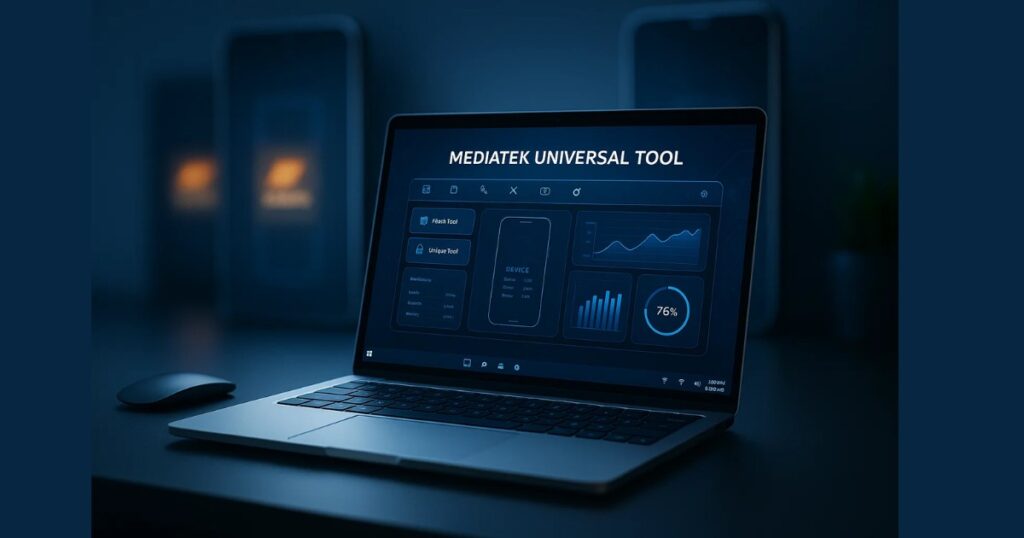
If you’re a technician, smartphone enthusiast, or simply someone looking to unlock or repair their MediaTek-powered smartphone, the MediaTek Universal Tool V5 is a game-changer. This free utility software is packed with powerful features like FRP removal, Mi account bypassing, bootloader unlocking, and more — making it a must-have for Android maintenance and repair.
In this article, we’ll dive deep into the MediaTek Universal Tool V5, explain its features, provide a guide to downloading and using it, and answer common user questions —
Table of Contents
What is MediaTek Universal Tool V5?
MediaTek Universal Tool V5 is a free utility software designed to support a wide range of tasks for smartphones powered by MediaTek (MTK) chipsets. Whether you want to bypass FRP (Factory Reset Protection), remove Mi accounts, unlock bootloaders, or perform factory resets, this tool offers a reliable and universal solution — all in one interface.
The software is especially useful for technicians and developers who frequently deal with phone repairs, data formatting, or reprogramming Android devices.
Key Features of MediaTek Universal Tool V5
Here are some of the main features of this tool:
✅ AUTH Bypass
- Bypass MediaTek’s secure boot protection to allow flashing and formatting operations without needing authorized accounts.
✅ FRP Unlock
- Remove Factory Reset Protection from MediaTek-based devices. Essential for phones locked after reset without the original Google account.
✅ Bootloader Unlock
- Unlock the bootloader to enable custom ROMs, rooting, and advanced modifications.
✅ Mi Account Remove
- Remove or bypass Mi accounts from Xiaomi phones that are stuck in account lock.
✅ Pattern Lock & PIN Lock Removal
- Bypass or remove screen locks, including pattern, PIN, and password-based security.
✅ Factory Reset / Data Format
- Perform secure and fast factory resets or format user data to restore the device.
✅ Oppo/Vivo Demo Remove
- Remove demo content and restrictions from Oppo and Vivo devices often used in retail displays.
✅ ADB Features
- Use ADB (Android Debug Bridge) to read device info, enable Diag mode, and perform operations without flashing.
✅ Secure Format / NV Erase
- Format devices with secure settings and optionally erase NV (non-volatile) memory to fix connectivity issues.
Supported Devices
MediaTek Universal Tool V5 supports a wide range of MTK-based smartphones including but not limited to:
- Xiaomi (Mi, Redmi, Poco)
- Oppo and Realme
- Vivo
- Infinix
- Tecno
- Lenovo
- Gionee
- Micromax
- And other MTK-based brands
System Requirements
To use this tool effectively, ensure your PC has the following:
- Windows 7, 8, 10, or 11 (64-bit preferred)
- MediaTek USB Drivers Installed
- .NET Framework 4.0 or later
- At least 2 GB RAM
- Internet connection (for downloading files and updates)
Download MediaTek Universal Tool V5
Downloading the latest version of the MediaTek Universal Tool is simple and safe if done through trusted sources.
| Tool Name | Download Link |
|---|---|
| MediaTek Universal Tool V5 | Click Here to Download |
| Telegram Channel for Support | Join Now |
Note: Always scan downloaded tools with antivirus software and avoid cracked or modified versions to prevent malware.
How to Use MediaTek Universal Tool V5
- Install Required Drivers: Install MediaTek USB Drivers on your PC.
- Connect Device: Use a USB cable to connect your MTK-powered phone (while powered off).
- Launch the Tool: Run the application as Administrator.
- Select Task: Choose the operation you want to perform (e.g., FRP Unlock, Factory Reset).
- Start Operation: Click on “Start” and wait for the tool to complete the process.
Make sure to back up important data, as many operations (like formatting or unlocking) will erase everything.
Benefits of Using MediaTek Universal Tool
- All-in-one solution for MTK devices
- Works with multiple brands
- Free to use
- Easy-to-navigate interface
- Helps in bypassing locks and accounts
- Lightweight and doesn’t slow down your PC
Is it Safe to Use?
Yes, as long as you:
- Download from reputable sources
- Avoid pirated versions
- Use the tool only for devices you own or have permission to modify
- Keep antivirus software running
Using such tools irresponsibly or on stolen devices is not only unethical but may also be illegal.
FAQs – MediaTek Universal Tool V5
❓ Is MediaTek Universal Tool V5 free?
Yes, the tool is available for free and does not require a license for personal use.
❓ Does it support Windows 11?
Yes, the tool is compatible with Windows 7, 8, 10, and 11 (64-bit recommended).
❓ Can it bypass FRP on Xiaomi devices?
Yes, the tool can remove FRP on many MTK-based Xiaomi models.
❓ Is it necessary to root the phone before using this tool?
No, most functions like FRP bypass and bootloader unlock do not require root.
❓ Can I use this tool on non-MTK devices?
No, this tool is specifically designed for MediaTek (MTK) chipset smartphones.
Final Words
MediaTek Universal Tool V5 is one of the most versatile and reliable free tools available for unlocking, formatting, and repairing MediaTek-powered smartphones. Whether you’re a professional technician or a power user, this tool can save time and money while giving you full control over your device.
Just make sure to use it ethically and responsibly — and you’ll find it an indispensable part of your Android toolkit.
Disclaimer
This article is for educational purposes only. We do not promote or encourage bypassing security features of smartphones without legal authorization. Please use tools like MediaTek Universal Tool V5 responsibly and only on devices you own or have permission to work on.