If you’ve ever bypassed an iPhone or iPad using tools like Spider Activator or Spider MDM Removal, you know how risky it can be to update or reset your device afterward. That’s where iTips Helper v2.0.0 comes into play. This new and completely free utility is designed to safeguard your unlocked Apple device by disabling software updates and enabling a “fake reset” feature—without needing a jailbreak.
In this article, we’ll explore everything about iTips Helper —what it does, who it’s for, and how to use it effectively without violating any policies. Let’s get started.
Table of Contents
What Is iTips Helper?
iTips Helper is a free desktop utility created for users who have already removed MDM (Mobile Device Management) or similar restrictions on their Apple devices. It is not an iCloud bypass tool, but rather a post-bypass protection tool. Its main function is to prevent relock or auto-updates on devices that have been manually unlocked using third-party bypass software.
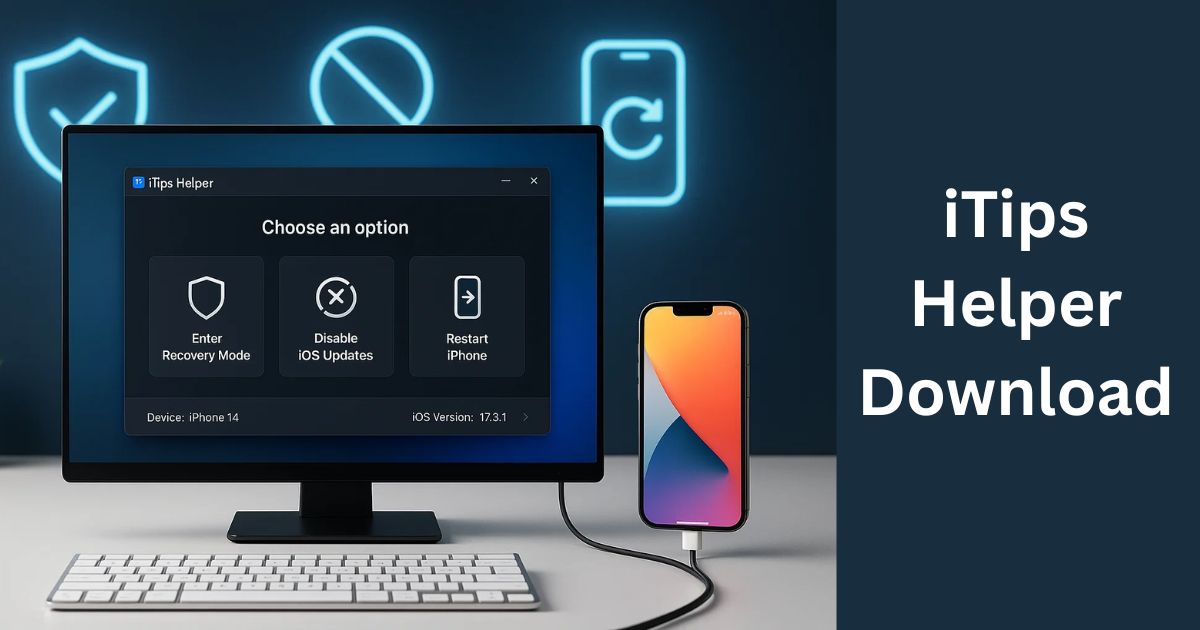
Key Features of iTips Helper
Here’s a quick look at what makes this tool valuable:
✅ Blocks OTA (Over-the-Air) Updates
Prevents your iPhone or iPad from automatically updating to a newer iOS version, which could relock the device or disable the bypass.
✅ Fake Reset Option
Simulates a factory reset while preserving your unlocked state. This is particularly useful if you want a fresh start without the risk of MDM or supervision returning.
✅ Supports A12 and Newer Devices
iTips Helper works with modern iPhones and iPads, including iPhone XR, XS, 11, 12, and newer.
✅ No Jailbreak Required
There’s no need to compromise your device’s security or warranty. The tool works without modifying system files or installing custom firmware.
✅ User-Friendly Interface
Designed for beginners, the software is simple to use and doesn’t require technical knowledge.
Why Use iTips Helper?
When you bypass MDM on a device, you gain freedom—but it’s not permanent unless you take precautions. A software update or system reset could relock your phone or bring back MDM supervision.
Let’s take a real-world example:
You’ve used Spider MDM Removal to unlock a company-issued iPhone XR. Everything works fine, but what happens if the system updates itself or someone resets it? You could lose access again.
That’s exactly the type of scenario iTips Helper is built for.
It ensures the device stays safe, usable, and secure—even after resets or unexpected updates. And best of all? It’s 100% free.
What iTips Helper Does Not Do
To avoid misunderstanding or misuse, here’s what the tool does NOT support:
No iCloud Bypass: This tool is not intended to bypass Activation Lock or iCloud credentials. If your device is stuck on the iCloud screen, iTips Helper won’t help.
No Unlocking: It does not unlock carrier locks or SIM locks.
Download iTips Helper Latest Version
You can download the latest version of the iTips Helper Tool for free from trusted sites or tech tool providers.
| Tool Name | Download Link |
|---|---|
| iTips Helper v2.0.0 | Click Here to Download |
| Telegram Channel for Support | Join Now |
Step-by-Step: How to Use iTips Helper v2.0.0
Follow these steps to use the tool safely:
- Download iTips Helper v2.0.0 from a trusted source (always verify the source to avoid malware).
- Install and open the tool on your Windows PC.
- Connect your device via a USB cable.
- Wait for the software to detect your iPhone or iPad.
- Click the “Start Now” button.
- Done! The tool will block updates and enable Fake Reset.
You don’t need any coding skills or jailbreak steps. It’s plug-and-play.
Device Compatibility
iTips Helper works on all Apple devices running A12 or newer chips, including:
- iPhone XR, XS, XS Max
- iPhone 11, 11 Pro, 11 Pro Max
- iPhone 12, 12 Mini, 12 Pro
- iPad 8th Gen and above
More models may be supported depending on software updates from the developer.
FAQs About iTips Helper
Q1. Does iTips Helper unlock iCloud-locked devices?
A: No, it only works on devices that have already been bypassed. It cannot remove iCloud activation lock.
Q2. Is this tool legal to use?
A: It is legal if you’re using it on a device you own or have legal permission to manage. Using it on stolen or unauthorized devices is illegal.
Q3. Do I need to jailbreak my device to use iTips Helper?
A: No jailbreak is needed. This tool works without modifying system firmware.
Q4. Can I use this on iPhones older than A12 (like iPhone 7 or 8)?
A: Officially, it supports A12 and newer chips. For older devices, compatibility is not guaranteed.
Q5. What happens if I update iOS after using this tool?
A: If the tool has successfully blocked OTA updates, the device should not update. If manually updated, there’s a risk of relocking.
Q6. Is it available for macOS?
A: Currently, iTips Helper is a Windows-based tool. Mac support has not been announced.
Is It Safe to Use?
Yes, iTips Helper is safe to use as long as your device is already legally owned and manually bypassed. It does not modify system partitions or install any software on your device. Since it doesn’t require jailbreaking, there’s no risk of voiding your Apple warranty or introducing third-party malware.
Conclusion
iTips Helper is a powerful companion tool for anyone who has already bypassed MDM or supervision on their iPhone or iPad. It doesn’t perform any unlocking itself but ensures that your device stays in a usable, secure state by preventing updates and relocks — all without jailbreaking.
Whether you’re a technician, reseller, or someone managing multiple Apple devices, this free tool can save you hours of troubleshooting and potential data loss. With its user-friendly design, advanced compatibility, and no-jailbreak approach, iTips Helper is quickly becoming a go-to utility for post-bypass iOS management.
Disclaimer
This article is for educational purposes only. We do not promote illegal activities such as bypassing iCloud on stolen or unauthorized devices. Please use iTips Helper only on devices that you legally own or have permission to manage.