Now it has become much easier to modify iPhones, iPads or iPods’ NAND data using open-source software MagicCFG Reloaded for macOS & Windows. This helps change iPhone’s serial number or restoring devices to their factory iOS without overwriting them, and one needs only a DCSD cable. Now you can easily download the versions of MagicCFG Reloaded 2.0 and 2.1.
Additionally, MagicCFG Reloaded is also available for Windows users & Mac Both.
Table of Contents
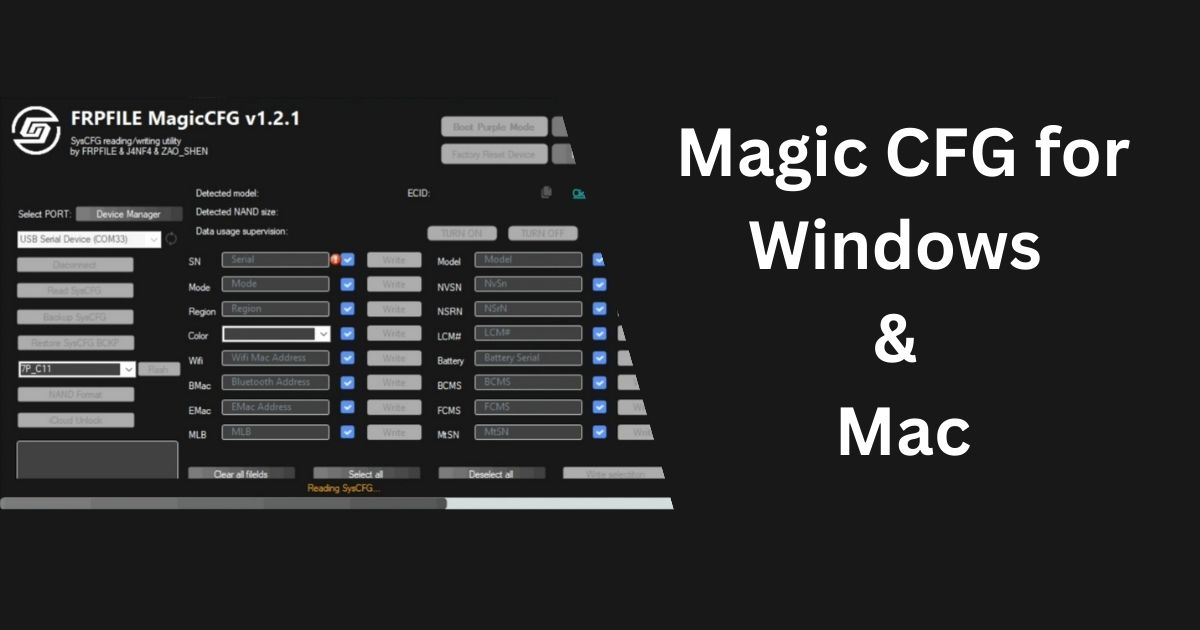
What is Magic CFG?
MagicCFG is a free tool developed by Jan Fabel and Shen Zao. It allows users to read and write the SysCFG, which is a hidden part of the NAND chip where important device information is stored. The software was originally based on “Purple” by @1nsane_dev and is widely used within the iPhone/iPad bypass community.
How to Unlock Vmware unlocker 16 & Install Mac OS Monterey
What Can Magic CFG Do?
- Read & Write SysCFG: You get access to the secret part of the NAND chip, namely the SysCFG, and are also able to edit it.
- Change Boot Color: You can switch the black or white boot screen, DClr.
- Backup & Restore SysCFG: This allows you to upgrade storage in your device without having to pull out the NAND chip.
- Disable Camera Shutter Sound: Japanese and Korean iPhones both will delete the shutter sound on the camera.
- Unlock MDM & iCloud: Unlock the iPhones that have been iCloud-locked iPads and iPods too. Just on WiFi models though.
- Diagnostics Tools: Check chip devices and read voltage, temperature, and ICs (feature comes soon).
- Flash Checkm8 Arduino: Flash A5 with one click the following chips: CPID 8940, 8942, 8945.
- Fix TrueTone Features: Reverse the TrueTone on supported devices (feature comes soon).
Requirements
Before using Magic CFG, you need a DCSD cable. Without it, the tool won’t function. It’s also compatible with JC DFUBox C2. You’ll need a MacBook to run the software.
What’s New in Magic CFG Reloaded
- MagicCFG Reloaded version 2.1
- Version 2.0 is now supported with boot in Purple Mode.
- Genera improvements and bug fixes are done for performance enhancement..
How to Use Magic CFG
- Get a DCSD cable and a MacBook.
- Connect your iPad or iPhone to the MacBook using the DCSD cable.
- Download the Purple tool or application to put your device in Diags Mode (you can use the PurpleSilver tool).
- Download and open MagicCFG.
- Turn your device into Purple Mode (Purple Screen).
- Use MagicCFG to repair the serial number, read NAND data, or backup and restore information.
How to install MacOS Big Sur 11.4 on Windows-PC on VMware
Download Magic CFG All Version Window & MAC Both
You can download Magic CFG from the following versions:
| Windows Software | Mac Software |
| MagicCFG v1.2.1 | MagicCFG v2.1 |
| MagicCFG v1.2 | MagicCFG v2.0 |
| MagicCFG v1.1 | MagicCFG v1.3 |
| MagicCFG v1.2.8 |
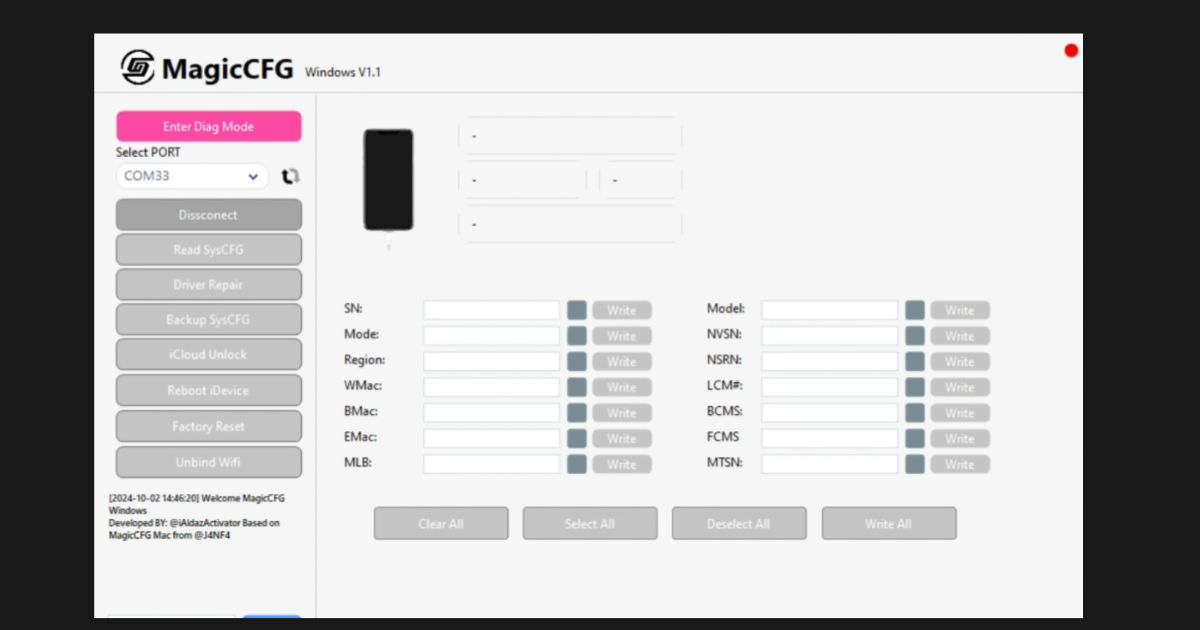
Changelog (Latest Updates)
- Version 2.1
- Improved device detection
- Added Checkm8duino Flash
- Fixed iPhone 6SPlus to X Supported Latest IOS18
- Added diagnostics for temperature and voltage checks
- Version 1.2.3
- Improved device detection
- Added Checkm8duino Flash
- Fixed iPhone 6SPlus N66 boot issue
- Added diagnostics for temperature and voltage checks
- Version 1.2.1 (Global Version)
- Added generic Serial Selection Method
- Support for 30-pin devices like iPad 2/3/mini 1/iPhone 4/4S
- Auto-detection for DCSD cables
- Fixed backup flashing issues
With Magic CFG, you can unlock a variety of iOS devices and customize them in ways that weren’t possible before. Make sure to have the required hardware, follow the steps, and you’re all set to go!