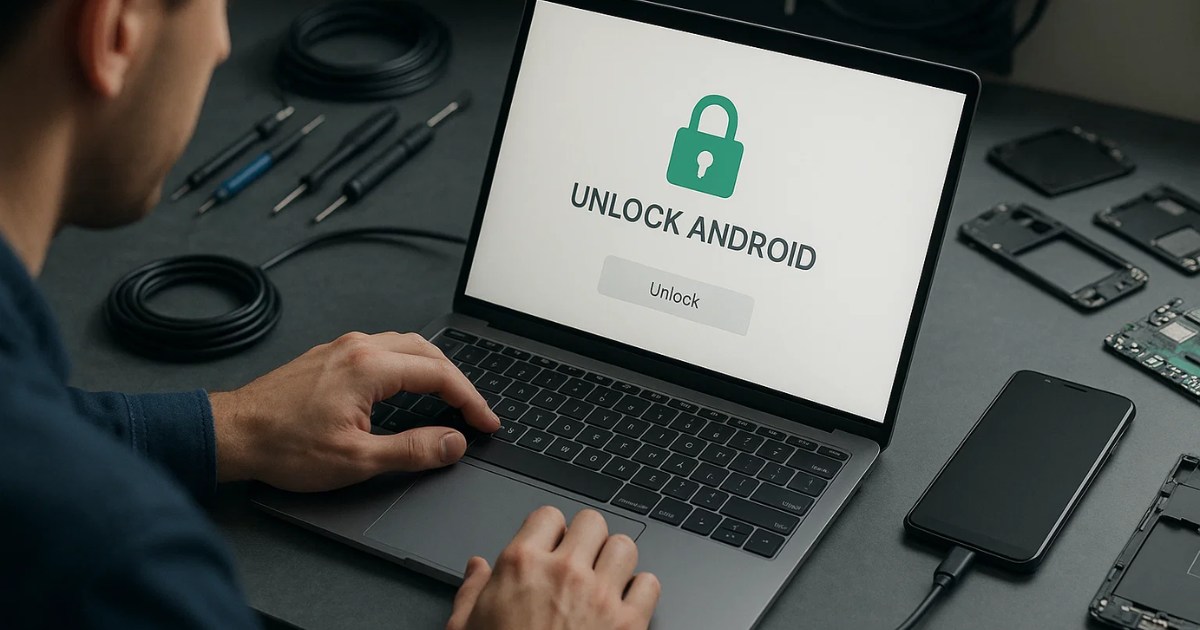
Android smartphones have become an important part of our everyday lives. From communication to entertainment and business, we rely heavily on our Android devices. But what happens when your phone becomes locked, or you face issues like a forgotten FRP (Factory Reset Protection) lock or boot loop? That’s where tools like Android Tool by Seharh V1.5 come into play.
This powerful software is designed to help users and technicians manage, unlock, and troubleshoot Android devices with ease. In this guide, we will explore the features, uses, and benefits of the Android Tool by Seharh, and why it’s becoming a must-have for Android enthusiasts and mobile repair professionals.
Table of Contents
What Is Android Tool by Seharh?
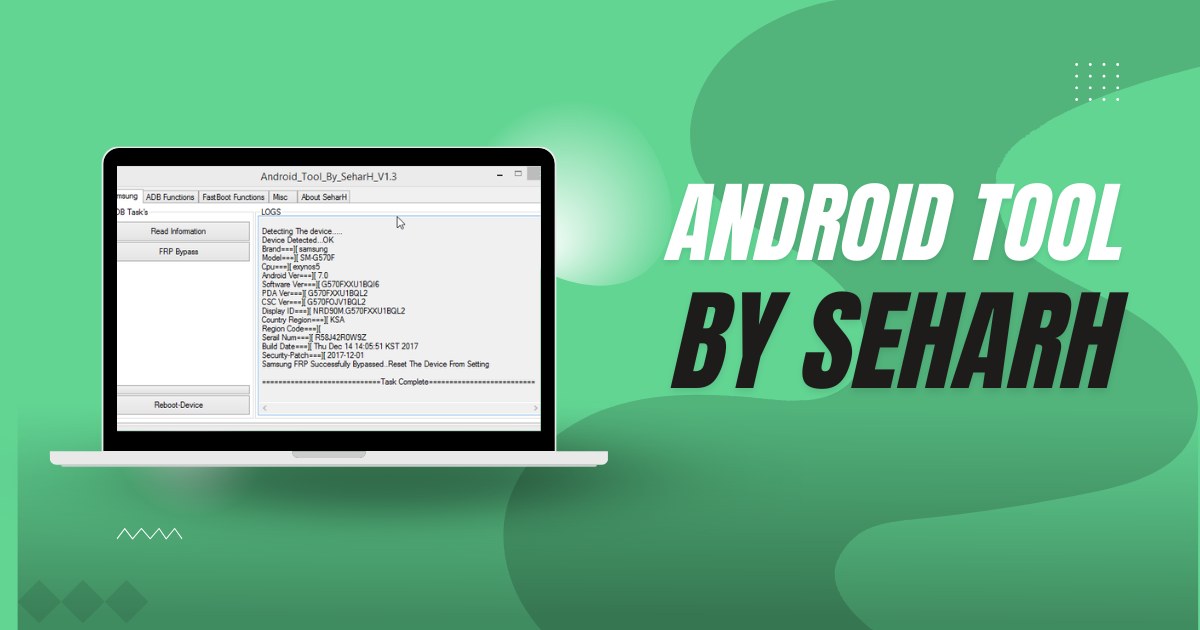
Android Tool by Seharh V1.5 is a multi-functional software application developed specifically for Android device management. It’s not just another tool—it combines numerous functionalities into one compact, user-friendly platform. Whether you’re looking to bypass FRP, unlock a device, remove pattern locks, or perform basic Android diagnostics, this tool has you covered.
Key Features of Android Tool by Seharh
Let’s break down the most useful features of this tool:
1. FRP Bypass (Factory Reset Protection)
Factory Reset Protection is a Google security feature that prevents unauthorized access to a reset device. If a user forgets their Google credentials, FRP can lock them out of their phone. This tool can bypass FRP on many Android models, saving time and stress.
2. Device Unlocking
Forgot your pattern, PIN, or password? The tool supports unlocking devices locked with screen locks (pattern/PIN/password), allowing access without data loss in some cases.
3. Bootloader Unlock/Relock
Users can unlock or relock the bootloader of supported devices. This is useful for custom ROM installation or rooting.
4. Root Access Tools
Android Tool by Seharh supports root-related operations on devices that have already been rooted. It can help with advanced customizations and system-level tweaks.
5. ADB and Fastboot Functions
The tool comes integrated with ADB (Android Debug Bridge) and Fastboot commands, making it easier for users to run important Android commands like rebooting into recovery or bootloader, flashing firmware, and more.
6. Device Information
You can retrieve detailed information about the connected device, including model number, software version, IMEI, battery health, etc.
7. Reboot Options
Easily reboot your device into different modes such as Recovery Mode, Download Mode, or Fastboot Mode with just a click.
8. Wipe Data/Factory Reset
The tool allows you to perform a hard reset or factory reset directly from the interface. This is helpful for users experiencing lag, viruses, or software glitches.
Why Choose Android Tool by Seharh ?
There are many Android tools available, but here’s why this one stands out:
- ✅ User-Friendly Interface: Designed for both beginners and experts.
- ✅ Lightweight: Doesn’t require high-end specs to run.
- ✅ Multiple Devices Supported: Works with a wide range of Android smartphones, including brands like Samsung, Xiaomi, Oppo, Vivo, Realme, and others.
- ✅ No Need for Box: Unlike some tools that require a flashing box or dongle, this one runs independently on your PC.
Download Android Tool by Seharh
| File Name: | Android Tool by Seharh V1.5 |
| Size: | 2 Mb |
| Password | 123 |
| Support: | Telegram Channel |
How to Use Android Tool by Seharh V1.5
Step-by-Step Instructions:
- Download the Tool: Download the latest version of Android Tool by Seharh V1.5 from a trusted source.
- Extract the Zip File: Use WinRAR or 7-Zip to extract the contents.
- Run the Tool: Right-click on the
.exefile and choose Run as Administrator.
- Connect Your Device: Enable USB Debugging on your Android device, then connect it to your PC via USB cable.
- Select Operation: Choose the function you wish to perform—whether it’s FRP bypass, unlock, reboot, etc.
- Follow On-Screen Instructions: The tool will guide you through the rest of the process. Most operations are one-click solutions.
Precautions Before Use
- Data Loss: Some operations, like unlocking or FRP bypass, may erase data. Back up your important files.
- Device Compatibility: Make sure your device model is supported.
- Battery: Ensure your phone has at least 50% charge.
- Disable Antivirus: Some antivirus programs may flag the tool as false positive. Temporarily disable antivirus while installing and using the tool.
Is Android Tool by Seharh V1.5 Safe?
Yes, if downloaded from a verified and trusted website, this tool is generally safe. Avoid cracked versions or unauthorized modifications. Always scan the file with a reputable antivirus before installation.
Common Use Cases
Here are some practical scenarios where Android Tool by Seharh comes in handy:
- Unlocking a phone with a forgotten pattern
- Bypassing Google account verification after reset
- Fixing bootloop issues
- Getting out of Fastboot/Recovery mode
- Rebooting device stuck on logo
- Reading device info for repair logs
Read also: Free Download VIP Pro Support Tool V2.6 – Easy Android Fix
FAQs About Android Tool by Seharh
Q1: Is Android Tool by Seharh V1.5 free?
Yes, it is free to use, but always make sure you’re downloading it from a safe source.
Q2: Can this tool unlock all Android phones?
It supports many models, but not all. Check the compatibility list or test with your specific device.
Q3: Do I need to root my phone?
No, many features work without root. However, some advanced operations may require root access.
Q4: Will using this tool void my warranty?
Yes, some actions like bootloader unlocking may void the warranty. Proceed with caution.
Q5: Can it remove Mi Account or Samsung FRP?
The tool supports basic FRP removals; however, models with advanced security like new Samsung or Xiaomi devices might need additional methods or tools.
Final Thoughts
Android Tool by Seharh is a complete Android device management solution tailored for both casual users and professional technicians. It simplifies tasks like unlocking, FRP bypassing, and device troubleshooting—all in one sleek interface. With regular updates and broad device compatibility, it’s quickly becoming a go-to utility for anyone dealing with Android software issues.
Read also: Phone FRP Tool Free Download 2025: Easy FRP Bypass Method
Disclaimer
This article is for educational purposes only. Use Android Tool by Seharh responsibly. We do not support any illegal activities, including bypassing security features on stolen devices.