Are you looking for a powerful and reliable tool to flash firmware, unlock FRP, or repair IMEI on your MediaTek (MTK) smartphone? Hammer Tool MediaTek is one of the most trusted software utilities in the Android repair community. Whether you’re a technician, smartphone enthusiast, or simply someone trying to fix their MTK device, this tool can be a game-changer.
Table of Contents
What is Hammer Tool MediaTek?
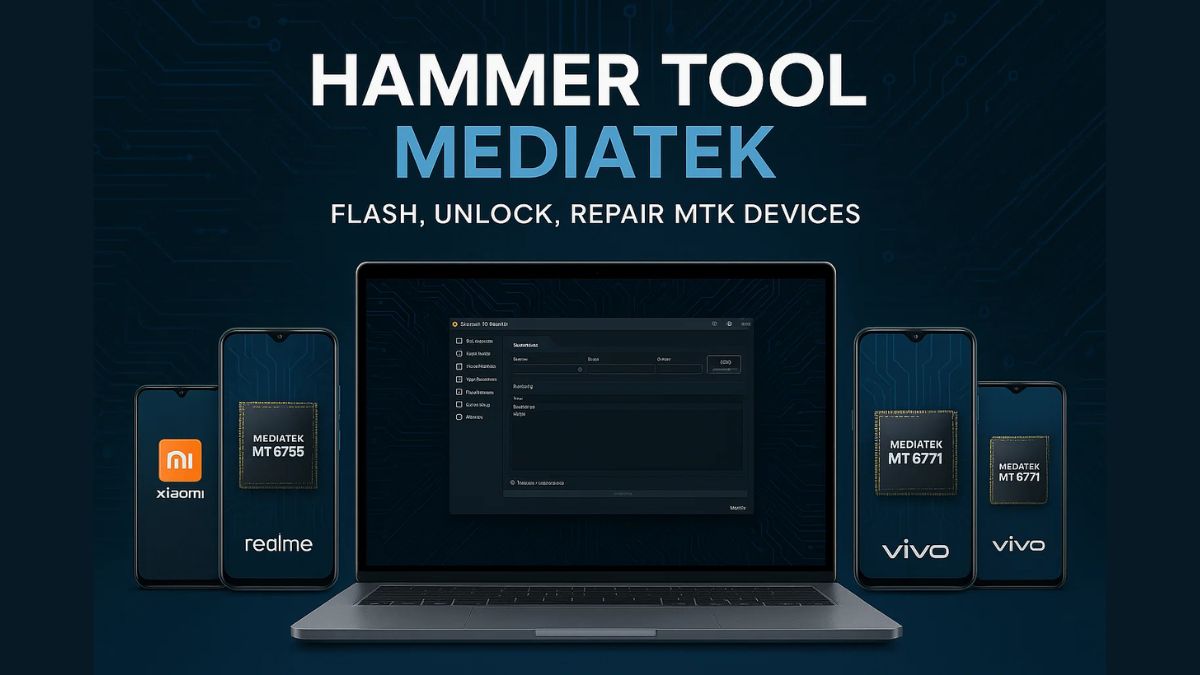
Hammer Tool MediaTek is a lightweight but advanced Windows-based utility designed for smartphones and tablets that use MediaTek chipsets. It allows users to flash stock firmware, bypass FRP, reset pattern locks, format devices, and more — all without needing a box or dongle.
This tool supports a wide range of MTK processors including MT6580, MT6753, MT6761, MT6768, MT6771, MT6785, and Helio G/P series.
Key Features of Hammer Tool MediaTek
Here are the standout features that make this tool popular among Android repair professionals:
1. Flash Firmware
Easily flash stock ROMs or custom firmware on your MediaTek device using scatter files.
2. Bypass FRP Lock
Remove Factory Reset Protection (FRP) on MTK devices with just a few clicks.
3. Unlock Screen Lock
Remove pattern, PIN, or password lock without data loss.
4. IMEI Repair
Fix invalid IMEI numbers or write a new IMEI to restore network functionality (Note: Use responsibly).
5. Format/Hard Reset
Format user data or perform a full factory reset without accessing the phone’s settings.
6. Backup & Restore
Backup important partitions like NVRAM, NVDATA, and restore them when needed.
7. Bootloader Unlock/Relock
Unlock or relock the bootloader for advanced operations like rooting or installing custom ROMs.
Supported Models & Brands
Hammer Tool MediaTek supports almost all MediaTek chipset-based devices, including popular models from:
Supported Brands
- Xiaomi / Redmi (MTK variants)
- Realme (MTK-powered phones)
- Oppo (MTK models)
- Vivo (Y-series and others)
- Tecno / Infinix
- Itel / Lava / Micromax
- Lenovo / Motorola (with MTK chips)
- Nokia (MTK Android One models)
- Gionee / Meizu / Doogee
- Ulefone / Cubot / Elephone
- And many more…
Popular MTK Chipsets Supported
- MT6580, MT6592, MT6753, MT6761, MT6763
- MT6765, MT6768 (Helio G70)
- MT6771 (Helio P60)
- MT6785 (Helio G90T)
- MT6833 (Dimensity 700)
- MT6893 (Dimensity 1200)
- And other Helio and Dimensity series
If your phone uses a MediaTek processor, it is likely compatible.
System Requirements
- OS: Windows 7, 8, 10, or 11
- RAM: Minimum 2 GB (4 GB recommended)
- Drivers: MediaTek USB Drivers
- .NET Framework: Version 4.0 or higher
- DA File: Required for some secured devices
How to Use Hammer Tool MediaTek
Based on the our guide, here’s a step-by-step process to use Hammer Tool MediaTek:
- Download and Extract: Obtain the tool from a trusted source and extract the contents to a folder on your Windows PC.
- Install MediaTek USB Drivers: Ensure that the necessary drivers are installed for your device to communicate with the PC.
- Run as Administrator: Right-click on the Hammer Tool executable file and select “Run as Administrator” to launch the tool with the required permissions.
- Connect Device in BROM Mode: Power off your device. Then, press and hold the Volume Down or Volume Up button (depending on your device model) and connect it to the PC via USB cable. This will boot the device into BROM mode.
- Select Desired Operation: Within the tool’s interface, choose the operation you wish to perform, such as:
- Flash Firmware: Load the appropriate scatter file and initiate the flashing process.
- Bypass FRP Lock: Select the FRP removal option to bypass the Factory Reset Protection.
- Unlock Screen Lock: Choose the screen lock removal feature to eliminate pattern, PIN, or password locks.
- Repair IMEI: Use the IMEI repair function to restore or modify the device’s IMEI number (ensure compliance with local laws).
- Format/Factory Reset: Opt for formatting or factory resetting the device to erase user data.
- Execute and Wait: After selecting the desired operation, follow any on-screen prompts and wait for the process to complete. The tool will notify you upon successful completion.
Download Hammer Tool MediaTek
| File Name: | HMT v0.3.2.2025.zip |
| Size: | 78 Mb |
| Password | hmt2025 |
| Support: | Telegram Channel |
Why Should I Use Hammer Tool MediaTek?
Hammer Tool MediaTek stands out as one of the most versatile and reliable tools for managing, repairing, and unlocking MediaTek-powered devices. Here’s why it’s worth using:
✅ 1. All-in-One Utility
From flashing stock ROMs to bypassing FRP and unlocking bootloaders, Hammer Tool MediaTek covers all major repair and maintenance needs in one compact tool — no need to download multiple tools.
✅ 2. No Dongle or Box Required
Unlike many professional tools that require expensive hardware dongles or boxes, Hammer Tool works without any additional hardware, making it accessible for home users and beginners.
✅ 3. Wide Device Compatibility
Supports nearly all major brands with MediaTek chipsets — Xiaomi, Vivo, Realme, Oppo, Infinix, Tecno, Nokia, etc. — and works with multiple chipsets from MT6580 to Dimensity series.
✅ 4. Fast & Reliable Operations
Hammer Tool performs critical tasks like FRP bypass, formatting, or flashing within minutes. It’s known for its stability and speed, reducing repair time significantly.
✅ 5. Beginner-Friendly Interface
Designed with a simple, clean UI, so even first-time users can follow the steps easily. Most operations are just one-click.
✅ 6. Safe and Actively Maintained
Unlike many cracked tools, Hammer Tool is regularly updated by its developers. Ensuring new device support and bug fixes.
✅ 7. Helps You Save Money
Whether you’re a technician or an individual, you avoid service center fees by using this tool to fix boot loops, unlock phones, or flash firmware at home.
FAQs About Hammer Tool MediaTek
What is BROM Mode?
BROM Mode (Boot ROM Mode) is a special mode that allows low-level communication between a PC and a MediaTek device. It is used for flashing, unlocking, and repairing tasks.
Is Hammer Tool MediaTek free?
Some versions are free, while others may be paid. It’s recommended to use official or community-supported versions for safety.
Can I use it to repair IMEI?
Yes, Hammer Tool allows IMEI writing for MediaTek devices. However, this should only be used legally and on your own device. Tampering with IMEI is illegal in many countries.
What if my device isn’t detected?
Make sure MediaTek USB drivers are installed correctly.
Use a different USB port or cable.
Try holding Volume Down or Volume Up while connecting.
Restart your PC and try again.
Do I need a DA file?
Some newer MTK devices (like Oppo/Realme) use secure boot and require a custom DA (Download Agent) file to work with flashing tools.
Read also: AMProTool Xiaomi Test Mode Tool: Complete Guide for 2025
Disclaimer
Flashing firmware, repairing IMEI, or unlocking devices can void warranties or cause device issues if done incorrectly. Proceed at your own risk, and only use these tools on devices you own or have permission to repair.
Final Words
Hammer Tool MediaTek is a must-have utility for flashing and unlocking MTK devices. With its wide chipset support, user-friendly interface, and powerful features, it simplifies complex repair tasks for both beginners and professionals.
Whether you’re trying to remove FRP, fix IMEI, or flash a new ROM, this tool will get the job done. Just ensure you use it responsibly and legally.
Read also: MDM Fix Tool V1.0.8.1: Unlock Android Devices & Bypass MDM