Chigo Tool V3.5 now adds more model and functionalities support with many super powerful characteristics that can be used easily to unlock, flash, and repair the device under Qualcomm, MediaTek, Samsung, Xiaomi, Oppo, Realme, and Vivo.
Table of Contents
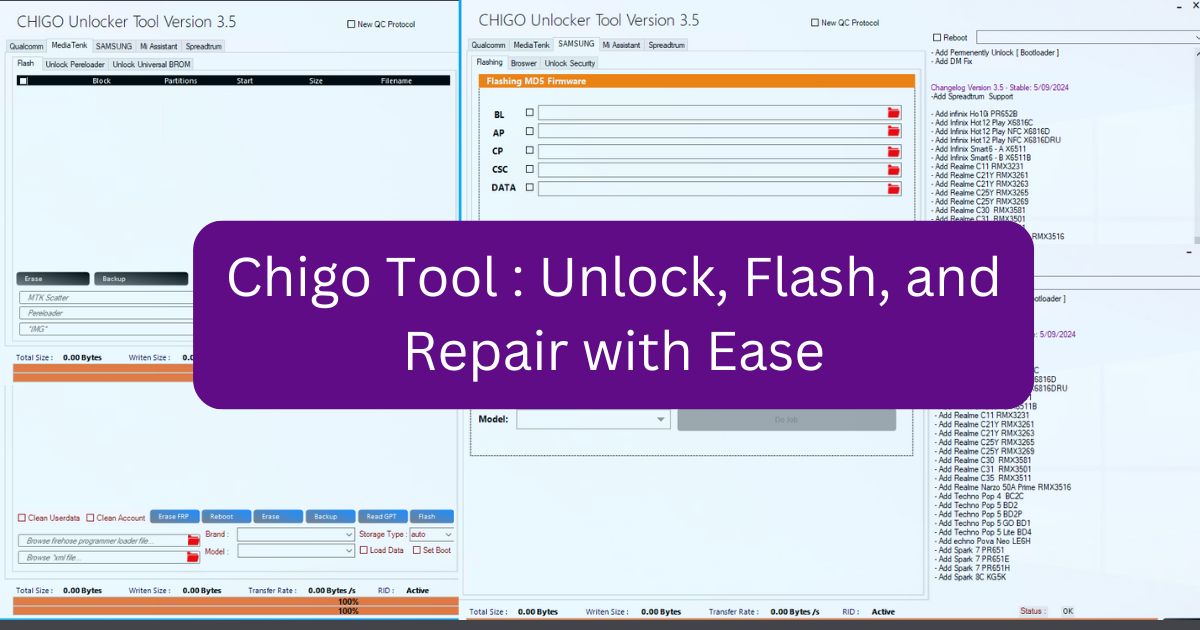
Key Features of the Chigo Unlocker Tool:
Qualcomm (EDL Flash) Features:
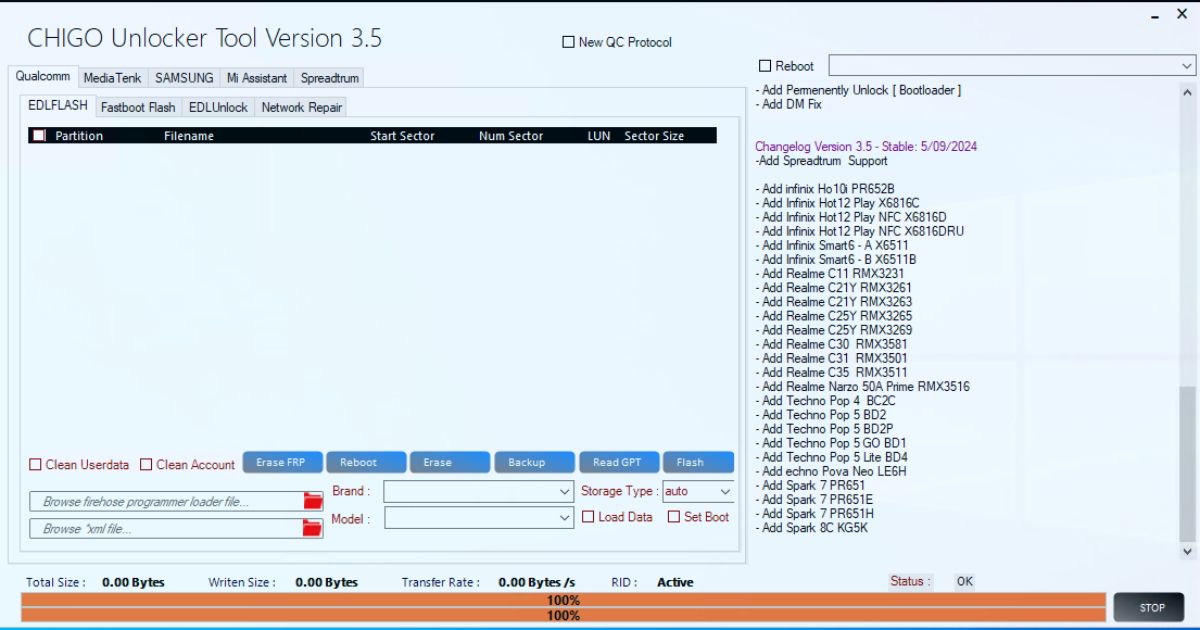
- Clean User Data
- Clean Account
- Erase FRP (Factory Reset Protection)
- Reboot
- Erase
- Backup
- Read GPT (GUID Partition Table)
- Flash Firmware
Fastboot Flash:
- Reboot EDL (Emergency Download Mode)
- Reboot System
- Flash
- Read OEM Info
EDL Unlock (Xiaomi):
- Factory Reset
- Reset Cloud (TAM/DISTRI)
- Disable MI Cloud
- Reset FRP/EFS
- Read EFS/Info
OPPO & Realme:
- Factory Reset
- Reset EFS (Enhanced File System)
Samsung:
- Reset Data
- Reset FRP/EFS
- Read EFS/Info
VIVO:
- Safe Format
- Reset FRP/EFS
Network Repair:
- Open Diagnostic Mode (Old/New ADB)
- Read/Write QCN (Qualcomm Calibration Network)
- Read/Write NV Items
MediaTek:
- Flash, Erase, and Backup Data
- Partition Manager
- Unlock Preloader
- Format User Data/FRP
- Backup and Erase NVData
Universal BROM Unlock:
- Auth Bypass
- Bootloader Unlock/Relock
- DM Fix (Device Management Fix)
- Remove UserLock
- Safe Format
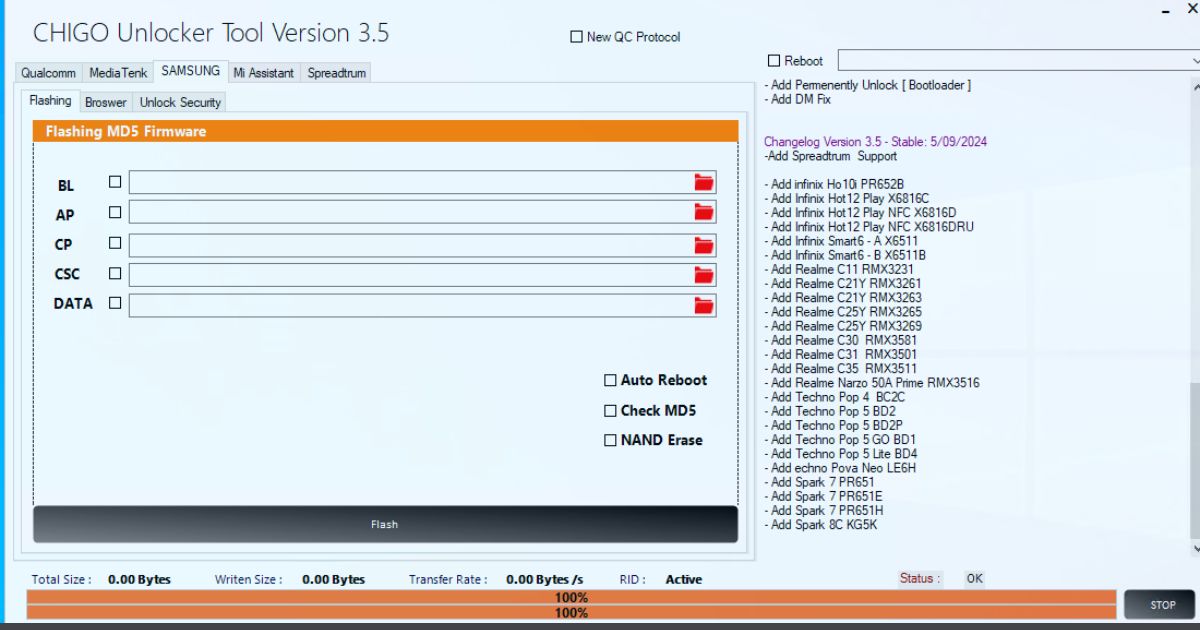
Samsung Flashing:
- Flash MD5 Firmware
- Auto Reboot
- NAND Erase (Non-Volatile Memory)
Browser Functions:
- Open YouTube
- Settings
- Browser Access
- File Manager
- ADB and Call Functionality
- Dial Pad
- Store Access
Unlock Security Features:
- Read Device Info (ADB/MTP)
- Reset FRP (Method 1/2)
- Enable ADB (MTP Mode)
MI Assistant Features:
- Read Info in Recovery Mode
- Reset FRP
- Factory Reset
Supported Models
Xiaomi Models:
- Xiaomi 11T, Mi 10T 5G, Mi 9, PocoPhone M3, Mi 10 Pro, Mi 11 Lite 4G, and many more.
OPPO Models:
- A11S, A3S, A53S, A57, A73, A76, A95, A96, F17, F19, and more.
Realme Models:
- Realme 6 Pro, Realme 7 Pro, Realme 8 Pro, Realme 9, Realme GT Series, Realme X2 Pro, and others.
Samsung Models:
- SMA015A, SMA025F, SMA52, SMA526U, SMF711U, SMF926B, SMG781U, and many more.
VIVO Models:
- VIVO NEX, VIVO S1, VIVO V17 Pro, VIVO V20, VIVO X50 Pro, and many others.
MediaTek Models:
- Infinix Hot Series, Techno Pop Series, and various Realme and VIVO devices.
What’s New in Chigo Tool V3.5?
- Added Support for Spreadtrum Devices
- New Infinix Models: Hot12 Play, Smart6 A & B, and more.
- New Realme Models: Realme C21Y, C25Y, and C35.
- Added Tecno Models: Spark Series and Pova Neo.
Download Chigo Tool V3.5 Preloader tool
| Name | Chigo Tool V3.5 |
| Size | 580MB |
| Link | MediaFire/ MEGA |
| Chigo MTK Preloader Tool OLD Version | Mediafire |
| Password | officialroms |
| Join Telegram More Updated |
How to Use Chigo MTK Preloader Tool?
- Download the latest version from trusted sources Link Given Up side. Unzip the files and install on your PC. Install necessary MediaTek USB drivers.
- Power off your device and connect it using a USB cable. Hold down the Volume Down button while connecting. The tool should automatically detect your device.
- Click “Flash” in the tool, select the firmware file, and click “Start.” The process takes around 5-10 minutes.
- Go to the “FRP” section and click “Remove FRP.” This will unlock the phone and reset it without needing Google account credentials.
Troubleshooting Common Issues:
- Device Not Recognized: Install proper USB drivers and ensure that your device is in the download mode. You may also want to try with some other USB cables or ports.
- Flashing Errors: Ensure you get the right firmware for your device. Avoid using a USB hub for this reason as it might lead to an unstable connection.
- Driver Issues: Reinstallation of MediaTek drivers is needed if the bootloader doesn’t open up.
Frequently Asked Questions
Is the Chigo MTK Preloader Tool Free?
The tool is absolutely free for download and usage, but download it from a trustable website only.
Can This Tool Fix Boot Loops?
Yes, it can even solve boot loops by flashing the right firmware on your MediaTek device.
Does It Work on All MediaTek Devices?
Yes, it supports a significant number of devices that carry MediaTek processors in them.
How Long Does Flashing Take?
The flashing process usually takes 5 to 10 minutes based on your device.
Can I Use This Tool on a Mac?
No, this Chigo MTK Preloader Tool is at present available only for Windows PCs only.
Conclusion
Chigo MTK Preloader Tool has to do so much: indeed, it would be quite a different gadget if one were willing to put up with boot loops, unlock phones or FRP lock bypasses; only pros master all these operations.