If you’re a Xiaomi, Redmi, or POCO device user, the AMProTool Xiaomi Test Mode Tool is an essential diagnostic utility that grants you access to the hidden factory test menu. This tool, which accesses the CIT (Component Test) mode on Xiaomi devices, is especially useful for mobile technicians, refurbishers, and advanced users who need to run hardware diagnostics without rooting or complex procedures. Here’s an in-depth look at this powerful tool, its features, benefits, and frequently asked questions.
Table of Contents
What is AMProTool Xiaomi Test Mode Tool?
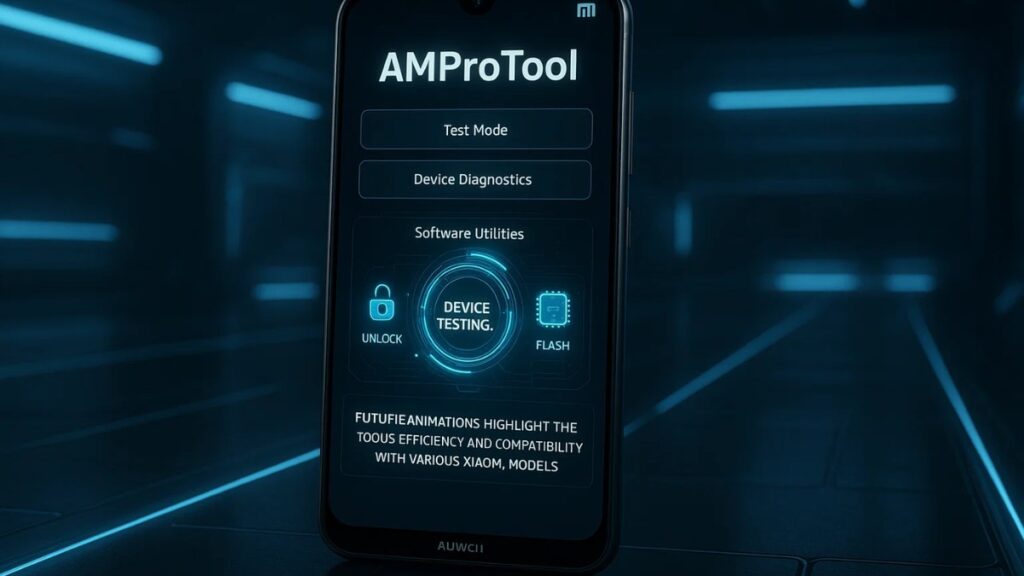
The AMProTool Xiaomi Test Mode Tool is a utility that allows users to easily access the hidden CIT mode on Xiaomi, Redmi, and POCO devices. CIT mode allows users to test multiple hardware components of their devices to ensure everything is functioning properly, including the camera, microphone, battery, touchscreen, sensors, and much more. The tool is simple to use, doesn’t require rooting the device, and offers a one-click solution for device diagnostics.
Key Features of AMProTool Xiaomi Test Mode Tool
Access to Xiaomi’s CIT Mode
With AMProTool, users can enter CIT mode on Xiaomi devices with just one click, eliminating the need for complicated procedures. CIT mode is the factory-level test mode built into Xiaomi devices for running diagnostics on hardware.
Comprehensive Component Testing
The AMProTool allows you to test the following components:
- Camera Modules: Front and rear camera functionality and image quality.
- Speaker & Earpiece: Sound output quality from the device’s speaker and earpiece.
- Microphone: Ensures proper microphone functionality for calls and recordings.
- Touchscreen & Display: Detects dead pixels, screen responsiveness, and display defects.
- Sensors: Tests the performance of key sensors such as accelerometer, proximity sensor, and gyroscope.
- Battery Health: Evaluates the battery’s charge cycles, health, and temperature.
No Rooting Required
One of the major advantages of AMProTool is that it does not require you to root your device. Rooting can void warranties and create security risks, but AMProTool uses official ADB (Android Debug Bridge) methods, ensuring safe access to device diagnostics without any risk.
Multi-Language Support
The tool supports multiple languages including English, Hindi, and more, making it accessible to users in various regions, particularly in India where Xiaomi phones are incredibly popular.
User-Friendly Interface
Designed with simplicity in mind, AMProTool is easy to navigate. Whether you’re a technician or a casual user, the tool’s straightforward design ensures anyone can use it to run diagnostics on their Xiaomi device.
Why Should You Use AMProTool Xiaomi Test Mode Tool?
Pre-Purchase Checks for Used Devices
Before purchasing a used Xiaomi, Redmi, or POCO device, you can run a diagnostic test with AMProTool. This helps you ensure the device is free of hardware defects, giving you peace of mind before making a purchase.
Quick & Efficient Repair Diagnostics
If your Xiaomi device has a hardware issue, AMProTool can help technicians quickly pinpoint the problem. Whether it’s a camera issue, microphone malfunction, or battery health problem, the tool speeds up the diagnostic process.
Quality Control for Refurbishers
Refurbishers can use AMProTool to ensure that all components are in good working condition before reselling devices. This helps maintain quality standards and reduces the risk of selling faulty phones.
Sustainability & E-Waste Reduction
By testing and refurbishing used devices, AMProTool contributes to sustainability. It helps reduce electronic waste (e-waste) by giving old devices a second life, ultimately supporting eco-friendly practices.
Download AMProTool Xiaomi Test Mode Tool
| File Name: | AMProTool Xiaomi Test Mode Tool |
| Size: | 122.82 Mb |
| Password | 123 |
| Support: | Telegram Channel |
How to Use AMProTool Xiaomi Test Mode Tool?
Follow these steps to use AMProTool:
Download and Install AMProTool
- Download the latest version of AMProTool from trusted sources like MediaFire. Make sure to download the latest version for optimal performance.
Enable USB Debugging
- Before using the tool, enable USB Debugging on your Xiaomi device. Go to Settings > About Phone and tap MIUI Version seven times to unlock Developer Options. Then, go to Settings > Additional Settings > Developer Options and enable USB Debugging.
Connect Your Device to PC
- Connect your Xiaomi device to your PC using a USB cable. Ensure that your device is properly detected.
Run Diagnostics
- Launch AMProTool, select the components you want to test, and click Start Test. Follow the on-screen instructions to complete the tests.
Related Post: MDM Fix Tool V1.0.8.1: Unlock Android Devices & Bypass MDM
FAQs About AMProTool Xiaomi Test Mode Tool
Is AMProTool Safe to Use?
Yes, AMProTool is safe as it uses official ADB methods and doesn’t require rooting the device. It ensures that your data and device remain secure.
Can Using AMProTool Void My Warranty?
No, using AMProTool will not void your warranty. Since the tool doesn’t require rooting or altering the system files, your warranty remains intact.
Will AMProTool Work on All Xiaomi Devices?
Yes, AMProTool supports most Xiaomi, Redmi, and POCO devices. It’s always a good idea to check compatibility before downloading.
Can AMProTool Fix Hardware Issues?
AMProTool helps identify hardware issues, but it does not fix them. Once an issue is identified, you may need to replace the faulty component or seek professional repair.
Is There Any Cost for Using AMProTool?
AMProTool is available for free. However, future updates or premium features may require a purchase. Always verify the details before downloading.
Conclusion: Why AMProTool is a Must-Have Tool for Xiaomi Users
In conclusion, the AMProTool Xiaomi Test Mode Tool is an indispensable tool for Xiaomi device users. It offers an easy and secure way to run hardware diagnostics without the need for complex procedures. Whether you’re a technician, refurbisher, or a casual user, AMProTool ensures that you can quickly and effectively identify potential hardware issues with your Xiaomi device. By offering a no-root solution, one-click access, and a user-friendly interface, it is an essential tool for anyone who wants to maintain their device’s health and longevity.
Related Post: VG Open Menu Tool V3.0: Free iCloud Unlock Solution (2025)