Unlock your iPhone or iPad quickly and securely with VG Open Menu Tool V3.0. This free tool allows you to bypass iCloud Activation Lock on your Apple devices, making it perfect for those who have purchased second-hand iPhones or iPads. In this guide, we will explore the key features, system requirements, step-by-step instructions, and more to help you unlock your device.
Table of Contents
What is VG Open Menu Tool?
VG Open Menu Tool is a free software solution designed to bypass iCloud Activation Lock (FMI Off) on iPhones and iPads. This tool is particularly useful for individuals who’ve purchased second-hand Apple devices and are facing issues with activation due to the previous owner’s Apple ID credentials.
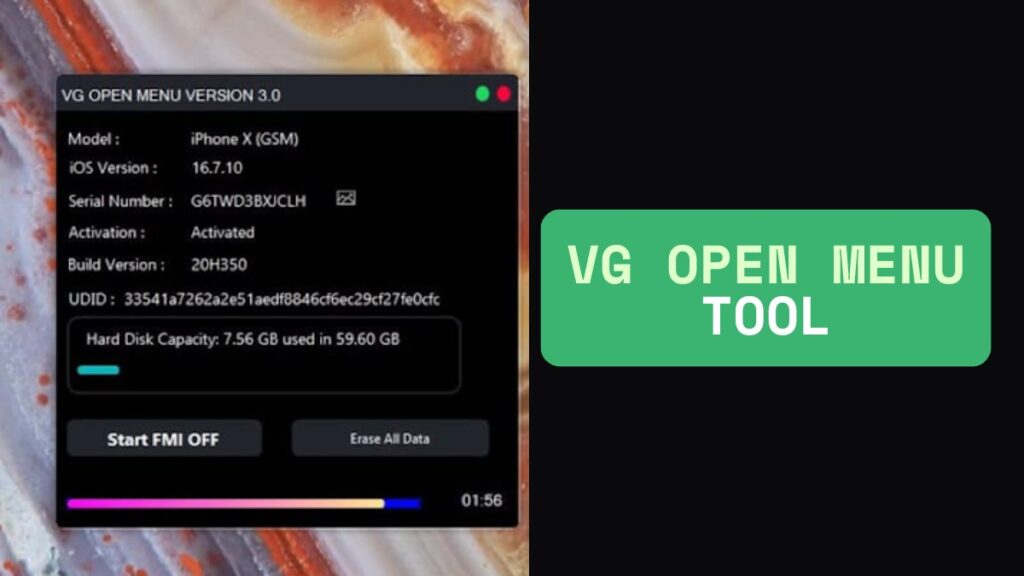
With VG Open Menu Tool , users can unlock their devices, access all features, and use them as new. This tool works on iOS 10 and above and is one of the most trusted options available for iCloud unlock in 2025.
Key Features of VG Open Menu Tool
The VG Open Menu Tool comes with a range of features that make it stand out from other unlocking tools:
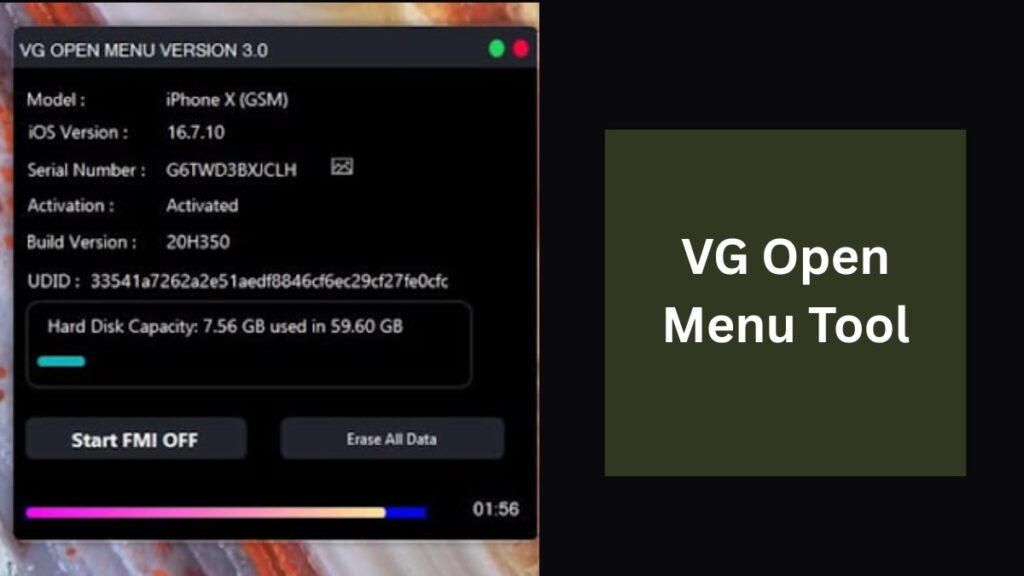
iCloud Activation Lock Removal (FMI Off): Unlock your iPhone or iPad by bypassing the iCloud Activation Lock. The device will be free from any previous owner’s Apple ID and you can start using it again.
Fast and Reliable Performance: Experience faster processing times and improved stability, thanks to recent updates that enhance the tool’s functionality.
User-Friendly Interface: Designed to be simple and intuitive, the interface ensures that even non-technical users can navigate through the unlocking process without hassle.
Backup Decryption: In addition to unlocking the device, the tool can decrypt iOS backups, allowing you to access encrypted data like contacts, photos, and messages from locked devices.
Supports iOS 10 and Above: VG Open Menu Tool V3.0 is compatible with all devices running iOS 10 or later, ensuring that even the latest iPhones and iPads are supported.
Free and Regular Updates: The tool is available at no cost, and you’ll receive regular updates to keep it functioning with the latest iOS versions.
System Requirements
Before you start unlocking your device, ensure that your system meets the following requirements:
- Operating System: Windows 7, 8, 10, or 11 (both 32-bit and 64-bit versions are supported)
- Device: Your iPhone or iPad should be jailbroken for the tool to work properly.
- Antivirus: Temporarily disable any antivirus software, as it may interfere with the installation of the tool.
Download VG Open Menu Tool
| File Name: | VG Open Menu Tool V3.0 |
| Size: | 53 Mb |
| Password | 123 |
| Support: | Telegram Channel |
How to Use VG Open Menu Tool V3.0
Unlocking your device with VG Open Menu Tool V3.0 is easy and straightforward. Here’s how you can do it:
Step 1: Download the Tool
Make sure to download the tool from a reliable website to avoid any security risks. Ensure you’re using the official version to guarantee safety and functionality.
Step 2: Install the Tool
- Run the downloaded installer file.
- Disable antivirus temporarily if it interferes with the installation.
- Follow the on-screen instructions to complete the installation.
Step 3: Connect Your Device
- Use a USB cable to connect your iPhone or iPad to your computer.
- The tool should automatically detect your device.
Step 4: Choose the Unlock Option
- Open VG Open Menu Tool and select the iCloud Activation Lock Removal option.
- Follow the on-screen prompts to begin the unlocking process.
Step 5: Start the Unlocking Process
- The process may take 10-20 minutes.
- Once completed, your device will be unlocked, and you will have full access to all its features.
Read also: Find My iPhone (FMI) & iCloud with LU Open Menu Tool V2.6
Frequently Asked Questions (FAQ)
1. What is VG Open Menu Tool ?
VG Open Menu Tool is a free software designed to bypass iCloud Activation Lock on Apple devices, allowing users to unlock their iPhones and iPads.
2. Is VG Open Menu Tool Free to Use?
Yes, the tool is completely free to use, with no hidden charges or fees for downloading and using the software.
3. Which iOS Versions Does VG Open Menu Tool Support?
It supports iOS 10 and above, ensuring compatibility with a wide range of iPhone and iPad models.
4. Do I Need to Jailbreak My Device?
Yes, your device needs to be jailbroken for VG Open Menu Tool to unlock it successfully.
5. How Long Does the Unlocking Process Take?
The unlocking process typically takes around 10-20 minutes, depending on the device and system performance.
6. Is the VG Open Menu Tool Safe to Use?
Yes, VG Open Menu Tool is safe when downloaded from reputable sources. Make sure to download the official version to avoid any security risks.
Why Choose VG Open Menu Tool ?
Here’s why VG Open Menu Tool is the best choice for unlocking iCloud-locked devices:
- Free to Use: No hidden fees or charges.
- Fast Performance: Unlock your device in minutes.
- Compatibility: Works with iOS 10+ and all recent iPhone and iPad models.
- Regular Updates: The tool stays up-to-date with new iOS versions.
- Easy to Use: A user-friendly interface that doesn’t require technical skills.
Read also: i-Activator Open Menu Tool – Bypass iCloud & Disable FMI on iPhone, iPad, and MacBook
Conclusion
If you’re struggling with an iCloud-locked iPhone or iPad, VG Open Menu Tool V3.0 offers the perfect solution. It’s free, easy to use, and compatible with most modern iOS devices. Unlock your device today and regain full access to its features without the hassle of previous owner credentials.
Disclaimer:
This article is for informational purposes only. We do not endorse or promote any illegal activity. The use of unlocking tools, such as VG Open Menu Tool and others mentioned, should only be done with devices you own or have the legal right to unlock. Always ensure you are complying with local laws and Apple’s terms of service when using these tools.
Read also: iSHARK PRO OPEN MENU V1.2: Best Tool for Unlocking iPhones and iPads [2025]