Apple devices are renowned for their robust iCloud security features that protect user data. However, in certain situations—such as forgotten credentials or purchasing a second-hand device—this security can become a hurdle. That’s where the i-Activator Open Menu Tool comes in. Designed for both macOS and Windows platforms, this powerful utility provides an efficient and reliable way to bypass iCloud and disable “Find My iPhone” (FMI) on a wide range of Apple devices.
This article will explore the tool’s features, system compatibility, usage steps, and answer frequently asked questions to help you understand its full potential.
Table of Contents
What is i-Activator Open Menu Tool?
i-Activator Open Menu is a premium software utility tailored for Apple device unlocking. Its main function is to disable the “Find My iPhone” feature, making it a go-to solution for users locked out of their iPhones, iPads, or MacBooks. It supports the latest iOS versions and device models and does not require complex additional software or tokens, making it a user-friendly option for technicians and individual users alike.
Key Features of i-Activator Open Menu
Broad Compatibility
- Supports iPhones from iPhone 5s to iPhone 16 Pro Max
- Compatible with all iPad generations, including M2 models
- Fully supports iOS versions 10 through 18.x
One-Click FMI OFF
- Simplified unlocking with just one click to disable “Find My iPhone”
No Extra Tools Required
- Works without iTunes backups, 3uTools, Elcomsoft, or token files
- Operates independently of proxy servers
MacBook T2 Chip Support
- Capable of bypassing iCloud locks on MacBooks equipped with T2 security chips
User-Friendly Interface & Support
- Clean and intuitive UI
- Dedicated premium support available via the official website
System Requirements
- macOS or Windows OS
- Internet connection
- iTunes installed from Apple’s official website (not from the Microsoft Store)
- Device must be cleaned of personal data (photos, apps, videos)
Device-Specific Functionality
i-Activator for iPhone
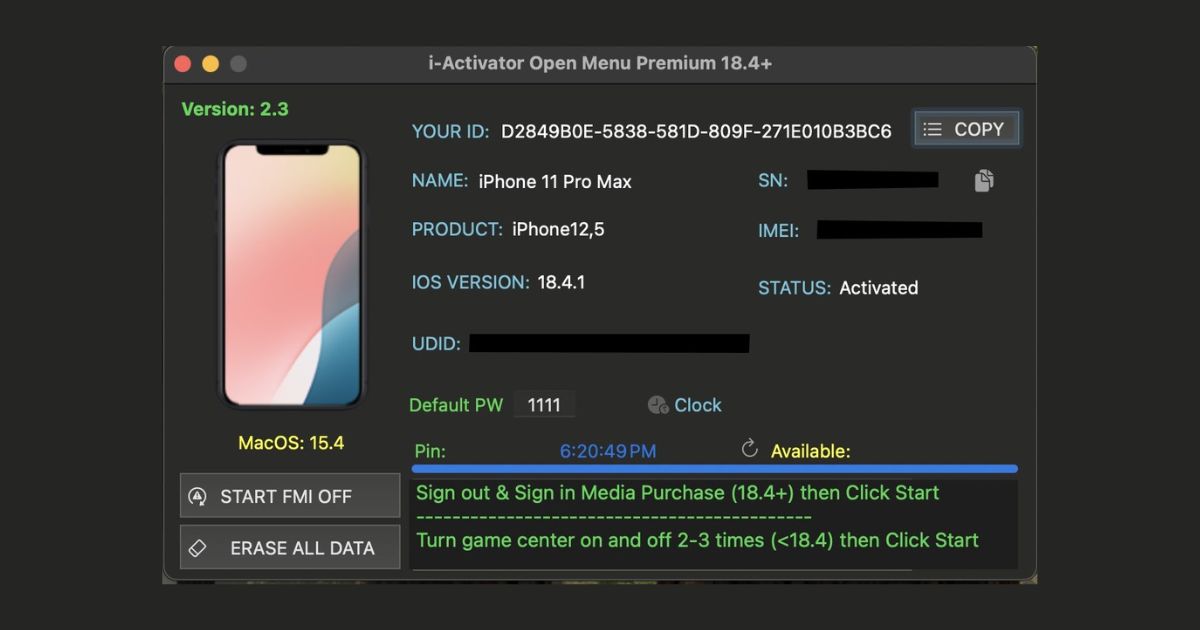
- Compatible with all iPhone models up to iPhone 16 Pro Max
- One-click FMI OFF support
- Ideal for devices with lost credentials or second-hand purchases
i-Activator for iPad
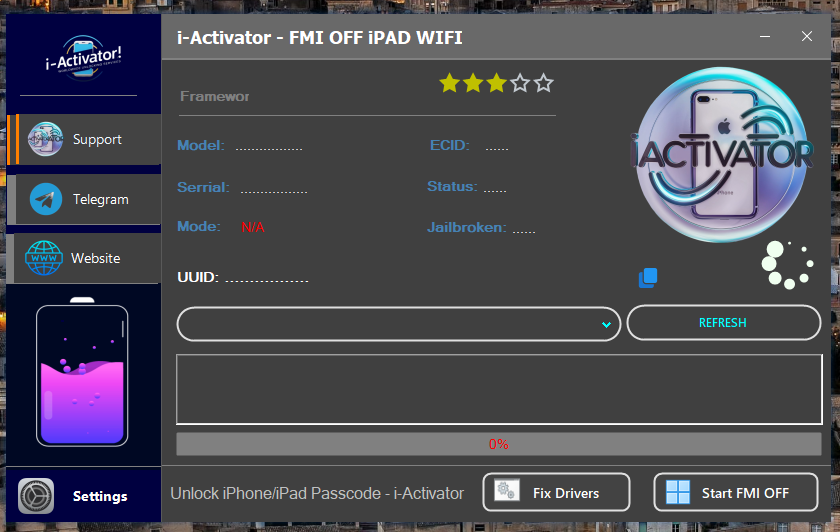
- Supports every iPad generation, including iPad Pro M2
- Efficiently removes iCloud activation lock
- No need for jailbreaking or additional utilities
i-Activator for MacBook
- Bypasses iCloud lock on MacBooks with T2 security chips
- Suitable for refurbished, recycled, or second-hand MacBooks
Download i-Activator Open Menu Tool
Need Services Visit Website: server.officialroms.com
| i-Activator for iPhone Tool | Windows Tool | Mac Tool |
| i-Activator for iPad Tool | Windows Tool | Mac Tool |
| i-Activator for MacBook | — | — |
LU Open Menu Tool – Alternative
If you’re searching for a reliable iCloud bypass solution beyond i-Activator, the LU Open Menu Tool is a widely-used alternative for unlocking Apple devices securely. It offers comprehensive support for iPhones, iPads, and MacBooks and is especially useful for users facing issues with unsupported devices or seeking additional diagnostic options.
Key Features of LU Open Menu Tool
1. Wide Compatibility with Apple Devices
- Supports iPhones from iPhone 6s up to iPhone 15 Pro Max
- Compatible with all major iPad models, including M1 and M2 chip variants
- Runs on both Windows and macOS systems
2. One-Click Find My iPhone (FMI) Disable
- Quickly disables Find My iPhone on eligible devices
- Ideal for cases where iCloud credentials are unavailable
3. No Jailbreak Required
- Bypasses iCloud lock without the need for jailbreaking
- Maintains device security and system integrity
4. Built-in Diagnostics and Status Checks
- Analyzes activation lock status, system info, and device condition
- Useful for technicians and advanced users
5. Secure Online Activation
- Requires an internet connection for server-side authentication
- Device UDID registration is required for tool activation
How to Use i-Activator Open Menu Tool
- Prepare Your Device
- Delete all personal data (photos, apps, videos)
- Register UDID
- Submit your device’s UDID to the i-Activator platform
- Configure Game Center
- Turn off Game Center, then enable it again
- Launch the Tool
- Connect your device to your computer
- Open the i-Activator application
- Click “Start” to begin the unlocking process
Important Considerations
- Devices with Game Center or Keychain passwords are not supported
- Previously bypassed devices are not eligible
- Refunds are not provided for unsupported devices
Read also: iSHARK PRO OPEN MENU : Best Tool for Unlocking iPhones and iPads
FAQ About i-Activator Open Menu
Q1: Is the i-Activator Open Menu Tool legal?
Yes, when used on devices you own or are authorized to access. Unlawful use is strictly discouraged.
Q2: Can it be used on Windows?
Yes. It’s fully compatible with Windows systems, as long as iTunes is downloaded directly from Apple’s website.
Q3: Does this tool permanently remove iCloud?
Yes. For supported devices, the tool permanently disables FMI and bypasses iCloud.
Q4: What if my device is unsupported?
Orders for unsupported models are denied and non-refundable. Be sure to confirm compatibility in advance.
Q5: Do I need an internet connection?
Yes. A stable internet connection is essential for proper tool operation.
Conclusion
i-Activator Open Menu Tool offers a fast, efficient, and secure method to bypass iCloud locks across iPhones, iPads, and MacBooks. With one-click functionality, extensive device support, and a user-friendly interface, it’s an ideal solution for both individual users and professionals. Always ensure responsible use aligned with legal and ethical standards.
Read also: LU Zero Tool Clean & Optimize Bypassed iPhones and iPads


![iResolvePrime OPEN MENU Free Tool [2025]](https://www.officialroms.com/wp-content/uploads/2025/04/iResolvePrime-OPEN-MENU-Free-Tool-2025-2.jpeg "iResolvePrime OPEN MENU Tool V1.7: Best FMI Off & Backup Utility 6")