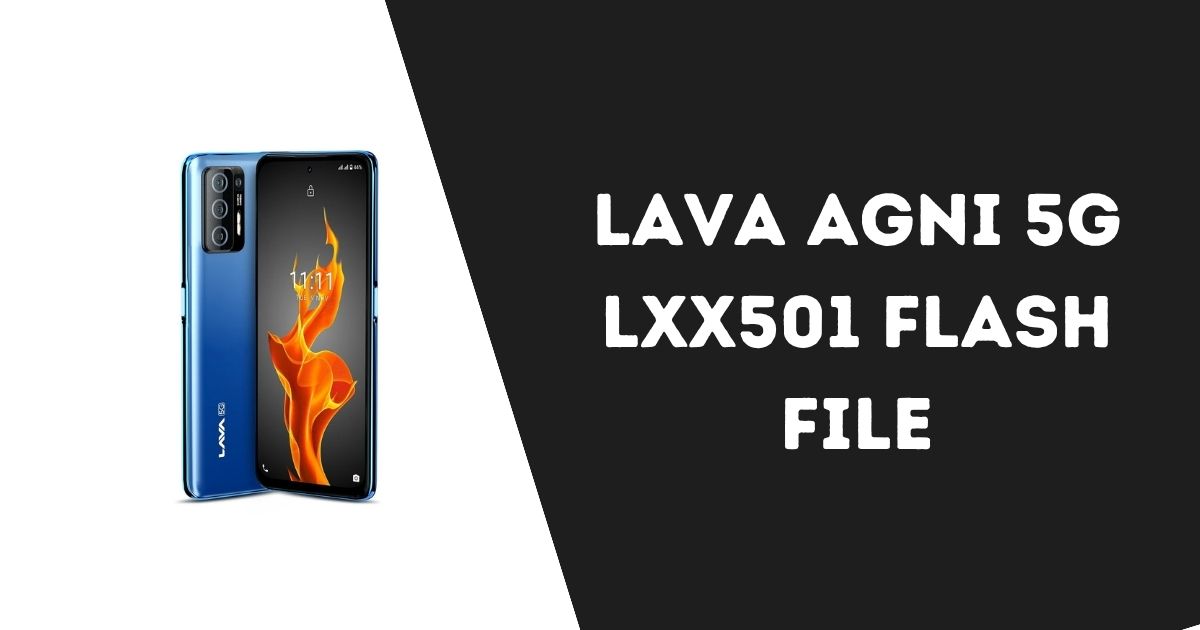
The Lava Agni 5G LXX501 is an impressive 5G smartphone known for its performance and design. However, like all Android devices, it may occasionally encounter software problems that require a solution. One of the most effective solutions is flashing the device with the official Lava Agni 5G LXX501 flash file. In this article, we will explain what a flash file is, how to download and use it, and answer some common questions related to flashing your Lava Agni 5G.
Table of Contents
What is a Flash File?
A flash file, also known as firmware or a stock ROM, is the system software that comes pre-installed on your phone. It includes the operating system, system apps, and other core software necessary for the device to function properly. If your phone experiences issues like freezing, boot loops, or unresponsiveness, flashing the device with the correct firmware can help resolve these issues.
Flashing a phone involves replacing the existing software with a new version of the firmware. This process is typically done using software tools such as SP Flash Tool for MediaTek devices like the Lava Agni 5G.
Why Do You Need to Flash Lava Agni 5G LXX501?
There are several reasons why you might need to flash the Lava Agni 5G LXX501:
1. Software Issues
If your phone is experiencing software glitches, crashes, or app malfunctions, flashing the firmware can help resolve these problems.
2. Unresponsive Screen
If your phone’s touchscreen becomes unresponsive or there is a lag in operation, flashing the latest software might solve this issue.
3. Boot Loop or Bricking
In case your device gets stuck in a boot loop or becomes unresponsive, flashing the correct firmware can help restore it to a usable state.
4. Performance Enhancements
Flashing your phone with the latest software update can help improve performance, fix bugs, and provide security patches.
5. Removing Bloatware
Sometimes, phones come pre-installed with apps that you cannot remove easily. Flashing a custom ROM or official firmware can help remove unwanted apps and free up space.
Where to Download Lava Agni 5G LXX501 Flash File
Before you proceed with flashing your device, it’s important to download the correct flash file from a trusted source to avoid any potential issues. Here are some reliable sources where you can download the official Lava Agni 5G Flash File:
1. Official Lava Website
Always check Lava’s official website for the latest firmware. It ensures that you get the official version directly from the manufacturer.
2. Reputable Third-Party Websites
Websites like OfficialROMs.com, and offer verified flash files. Make sure to download the correct file for your device model.
3. Tech Forums and Communities
Communities like officialroms often provide firmware files for various devices. However, always check the file’s authenticity before downloading and flashing.
How to Flash Lava Agni 5G LXX501 Using SP Flash Tool
To flash the Lava Agni 5G LXX501, you will need a few tools and follow a series of steps to complete the process. Here’s a detailed guide to flashing your device:
Password: officialroms
Prerequisites:
- Lava Agni 5G LXX501 Flash File (download from a trusted source)
- SP Flash Tool (used to flash the firmware)
- USB Drivers (for connecting your phone to your PC)
- Windows PC
- USB Cable
- Backup Your Data (flashing will erase all data on the device)
Jio Bharat V2 LF062W Flash File 2025 (Tested)
Steps to Flash the Device:
- Install USB Drivers
- First, install the USB drivers for your Lava Agni 5G device. You can find the drivers on Lava’s official website or use the ones included in the SP Flash Tool package.
- Download and Extract SP Flash Tool
- Download the SP Flash Tool and extract the contents to your PC.
- Launch SP Flash Tool
- Open the extracted folder and run the SP Flash Tool application.
- Load the Scatter File
- In the SP Flash Tool, click the “Download” tab. Then click the “Scatter-loading” button and select the scatter file from the folder where you’ve saved the Lava Agni 5G LXX501 flash file.
- Connect Your Phone to PC
- Power off your Lava Agni 5G and connect it to your PC using a USB cable. If it is not detected, try entering Recovery Mode or Fastboot Mode.
- Start Flashing
- In the SP Flash Tool, click the Download button to begin the flashing process. Wait for the tool to finish flashing the firmware. You will see a progress bar indicating the process.
- Complete Flashing
- Once the flashing process is complete, you will see a “Download OK” message in the SP Flash Tool. Your Lava Agni 5G is now flashed and ready to use.
- Reboot Your Device
- After flashing, disconnect the phone from the PC and power it on. The device will take a few minutes to boot up as it is setting up the new firmware.
Troubleshooting Tips:
- If the flashing process fails, ensure that the scatter file you are using matches the version of the firmware.
- If your device is not detected, reinstall the USB drivers or try a different USB cable.
Nothing Phone 3a Flash File Download [Official ROM]
Lava Agni 5G Flash File FAQs
What is the Lava Agni 5G Flash File?
The Lava Agni 5G Flash File is the official firmware for the Lava Agni 5G LXX501 smartphone. It is used to restore the device to its factory settings or update it to the latest software version.
Why do I need to flash my Lava Agni 5G?
Flashing your Lava Agni 5G can help resolve software issues, fix bugs, improve performance, and remove unnecessary apps. It is particularly useful when the device is stuck in a boot loop or unresponsive.
Can flashing my Lava Agni 5G void my warranty?
Flashing your phone with official firmware does not void the warranty. However, flashing with custom ROMs may void your warranty.
What happens if I flash the wrong file?
Flashing the wrong firmware file can cause irreparable damage to your phone. Always ensure that the firmware you download is compatible with your specific device model.
Is flashing my Lava Agni 5G legal?
Yes, flashing your device is completely legal. However, flashing with custom ROMs or unofficial firmware may void your warranty.
Can I use custom ROMs for flashing my Lava Agni 5G?
Yes, you can use custom ROMs if you want to modify your device. However, be cautious as custom ROMs may cause compatibility issues and could void your warranty.
How do I back up my data before flashing?
You can back up your data by using cloud services like Google Drive, or by transferring your files to a computer using a USB cable.
Conclusion
Flashing the Lava Agni 5G LXX501 Flash File is an effective way to restore your phone to its original performance or update it to the latest software. However, it’s essential to follow the steps carefully and ensure that you are using the correct firmware version. Always back up your data before flashing, and download the flash file from reliable sources. By following these steps, you can ensure that your Lava Agni 5G continues to perform optimally and remains free from software issues.