OnePlus one Flash File may be used to fix hang on the logo and eliminate all display locks. This document will get rid of all type of screen lock like Pattern and FRP after flash. OppoPlus 1 Boot Dead Repair Process
About OnePlus One
OnePlus has arrived from nowhere with its original smartphone, a monster of a system that rivals flagships which cost more than two times as much. Despite near-zero advertisements and quite a tight distribution series, this plucky startup could turn the whole market on its ear. The OnePlus One provides:
Outstanding functionality.
- A fantastic full-HD display.
- Virtually all of the modern features you’d expect on a current-day smartphone.
Regrettably, the business will not have the ability to support its habit CyanogenMod 11S OS with upgrades in India. Nevertheless, this phone provides undoubtedly the best value you can get at this price — even if you can get your hands on a special invitation, that’s.
How Many Issue
- If your device is dead, you can unbrick using Stock ROM file
- You can fix or repair the IMEI on your device using DB files from Stock ROM
- Remove any malware or Adwares from OnePlus One
- You can select the boot loop issue on oneplus one Boot Dead
- Fix Unfortunately, the app has stopped error on OnePlus one
- Fix Network related issue
- Patch Boot image to Root using Magisk
- You can unroot OnePlus one
- To Reset or Remove FRP on your device
- Restore OnePlus one to Factory State
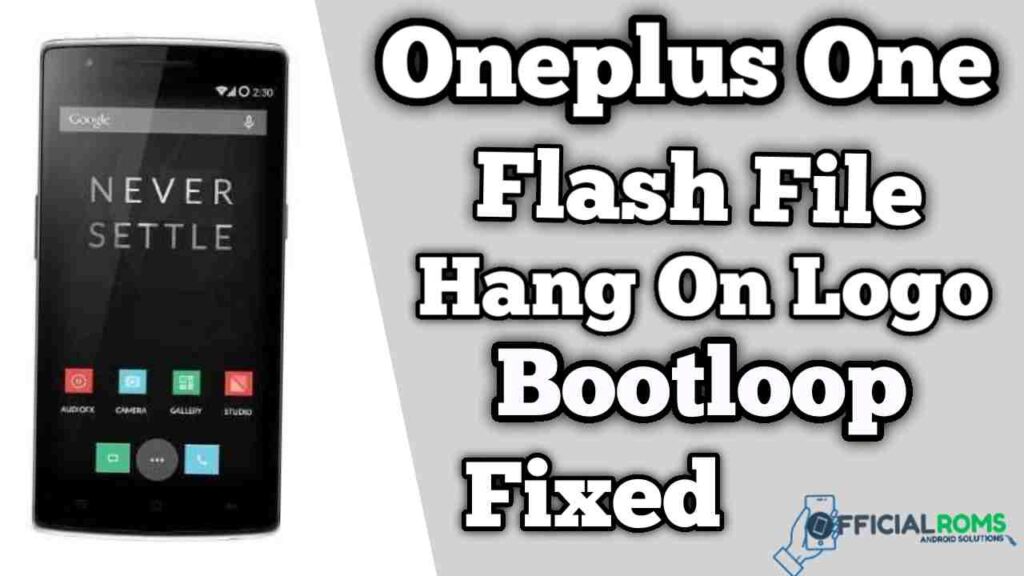
Download One Plus 1 Flash File Firmware (Stock ROM)
| Name | Download Link |
|---|---|
| OnePlus_One_16GB_5.1.1_QFIL.zip | MediaFire |
| QFIL (Qualcomm Flash Tool) | Click Here (QPST Tool) |
| Qualcomm Driver | Click Here (Watch Video) |
Readme: Chimera Tool Latest Version | New Update 2024
How to Flash Oneplus One:
Download One Plus One Flash File and Install Driver Before flashing, charge the phone 50 percent.
- Download ROM & Unzip Stock. Check that file extension is either in the format of.mbn or content.xml.
- If so, download Qfil’s Tool & Install.
- Then click Programmer Path to select Flat Build and select Program file with the.mbn extension.
- Click on the file Load XML & choose Raw Program. After Raw Program selection, you must select Patch File.
- Connect Phone Holding Boot key The section “No Port Available” at the top of the tool display will show Qualcomm USB port.
- Click on Download to start Flashing.
- Done
Readme: