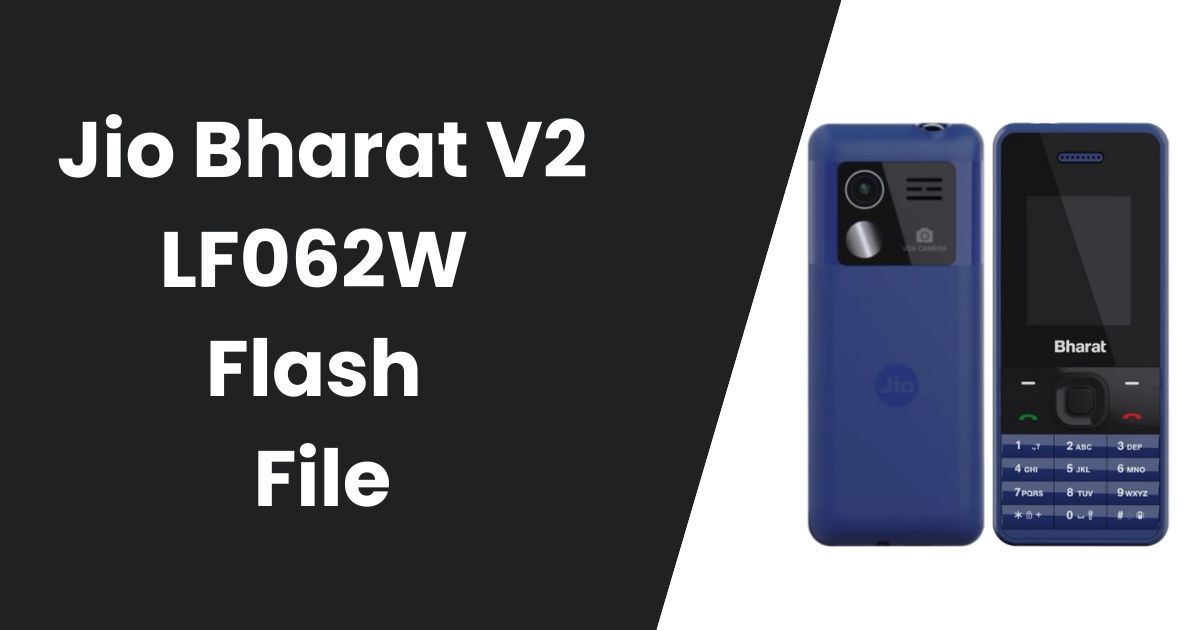
The Jio Bharat V2 LF062W is a popular, budget-friendly feature phone that has gained significant attention in the market due to its affordability and simplicity. However, like any mobile device, it may occasionally run into software-related issues or bugs that can affect its performance. Flashing the Jio Bharat V2 LF062W with the correct firmware can resolve these issues and restore the device’s functionality. In this guide, we will walk you through the steps to flash your Jio Bharat V2 LF062W using the official LF062W Flash file.
Table of Contents
What is a Jio Bharat V2 LF062W Flash File?
A flash file is a software package that allows users to update, repair, or reinstall the firmware on a device. For the Jio Bharat V2 LF062W, the LF062W flash file is the official firmware that restores the device to its original software configuration. Flashing a phone with the official flash file is a common method to resolve performance issues, fix bugs, or recover a bricked device.
Flashing can be necessary if:
- The device experiences frequent software crashes or freezes.
- The phone becomes unresponsive after an update.
- The phone is bricked and won’t boot.
Why Use the LF062W Flash File?
Using the LF062W Flash file is crucial for restoring the device to a stable state. The official flash file ensures that your device gets the most compatible, optimized, and secure firmware, which is important to keep your phone running smoothly. Avoid third-party firmware as it could cause compatibility issues or even damage your device. The official firmware is always the safest and most reliable option.
Download the LF062W Flash File
To flash your Jio Bharat V2 LF062W, you’ll need to download the official LF062W Flash file. It’s crucial to download it only from trusted sources to ensure you’re getting the correct and safe version of the firmware.
Download the Official Jio Bharat V2 LF062W Flash File
Password: officialroms
| Name | Server 1 | Server 2 |
|---|---|---|
| JIO_LF062W_000_02_06_230623 | Google Drive | MediaFire |
| ASR Flash Tool | Google Drive | MediaFire |
| ASR Driver | Google Drive | MediaFire |
Telegram Channel: For regular updates, support, and more resources, you can join our Telegram Channel where we share the latest firmware and flashing tools.
Steps to Flash the Jio Bharat V2 LF062W
Once you’ve downloaded the LF062W flash file, it’s time to begin the flashing process. Follow these steps to flash your Jio Bharat V2 LF062W safely:
Step 1: Install the Necessary Drivers
Before connecting your device to the computer, you need to install the required USB drivers to ensure proper communication between your Jio Bharat V2 and your PC.
- Download USB Drivers: Go to OfficialROMs.com and download the necessary USB drivers for the Jio Bharat V2 LF062W.
- Install Drivers: Follow the instructions to install the drivers on your computer.
Step 2: Download and Set Up the Flashing Tool
Next, you’ll need a flashing tool to load the flash file onto your device. One of the most reliable tools for flashing is the ASR Flash Tool.
- Download the ASR Flash Tool: You can download the flashing tool from trusted sources such as OfficialROMs.com.
- Extract the Flashing Tool: After downloading, extract the tool to a folder on your computer.
Step 3: Prepare Your Device for Flashing
To ensure that the flashing process is smooth and safe, follow these steps:
- Turn Off the Device: Power off your Jio Bharat V2 LF062W.
- Enter Flash Mode: To enter flash mode, press the * or volume-up key while connecting the device to your computer via USB cable. This action will make the phone ready for flashing.
Step 4: Load the LF062W Flash File
- Open the ASR Flash Tool: Launch the flashing tool on your computer.
- Load the Flash File: In the ASR tool interface, click the “Release Package Search” tab, and select the extracted LF062W flash file.
- Confirm the Flash File: Double-check that the flash file is loaded properly before proceeding.
Step 5: Connect the Device and Start Flashing
- Connect the Device: Use a USB cable to connect the powered-off Jio Bharat V2 LF062W to your computer.
- Start Flashing: In the ASR Flash Tool, click on the “Start Downloading” button. The flashing process will begin, and you will see a progress bar indicating the flashing status.
- Wait for Completion: The tool will notify you when the flashing process is complete, usually with a “Passed” message.
Step 6: Reboot the Device
Once the flashing process is finished, disconnect your device from the computer. Power on the phone, and it should boot with the newly flashed firmware.
Read also: JBB021B1 Flash File 2025: How to Flash Jio Bharat B1 Easily
Troubleshooting: What to Do If Flashing Fails?
If the flashing process doesn’t work as expected, don’t worry. There are a few things you can check to troubleshoot:
- Check the Flash File: Make sure you downloaded the correct LF062W flash file for your device.
- Reinstall Drivers: Outdated or corrupt USB drivers can cause issues. Try reinstalling the drivers on your PC.
- Try a Different USB Cable or Port: Faulty cables or USB ports can sometimes interfere with the flashing process.
- Ensure Sufficient Battery: Make sure the battery on your Jio Bharat V2 LF062W is charged to at least 30% before starting the flashing process.
Frequently Asked Questions (FAQ)
Can flashing the Jio Bharat V2 LF062W void my warranty?
Flashing with the official LF062W flash file will not void your warranty, as it uses the original firmware. However, flashing with unauthorized or third-party firmware may void your warranty.
How do I know if the flash file is compatible with my device?
Always download the flash file from trusted websites like OfficialROMs.com, which provides the correct and compatible firmware for your device.
What should I do if my phone doesn’t turn on after flashing?
If your device doesn’t turn on, try performing a hard reset by holding the power button for about 10 seconds. If this doesn’t work, you may need to repeat the flashing process.
Where can I download the official LF062W flash file?
You can download the official LF062W flash file from OfficialROMs.com, a trusted source for Android firmware.
Conclusion
Flashing the Jio Bharat V2 LF062W with the official LF062W Flash file is a straightforward and effective way to resolve software issues, improve performance, or unbrick your device. By following the steps outlined in this guide, you can safely flash your device and enjoy its full functionality. Always make sure to use the official flash file and tools from trusted sources like OfficialROMs.com to avoid any complications.
For additional support, firmware updates, and more, you can join our Telegram Channel, where we regularly share firmware files and provide assistance.
If you have any issues or further questions, don’t hesitate to reach out for support!