In today’s world, Android security features have evolved significantly to protect users’ devices and data. However, certain security locks such as Knox Guard (KG Lock), Mobile Device Management (MDM) restrictions, and IT Admin locks can sometimes prevent legitimate users from accessing their devices. KG Killer Tool is a powerful software designed to bypass and remove these restrictions, allowing users to regain full control over their smartphones and tablets.
Table of Contents
What is KG Killer Tool?
KG Killer Tool is an advanced unlocking utility designed specifically for Android devices, particularly Samsung models. It allows users to bypass various security mechanisms such as:
- KG Lock (Knox Guard)
- MDM (Mobile Device Management) Restrictions
- Factory Reset Protection (FRP)
- IT Admin Locks
- SIM Lock on Pixel Devices
This tool is widely used by technicians, mobile repair professionals, and enthusiasts who need to unlock Android devices that are restricted due to corporate policies, forgotten credentials, or second-hand purchases.
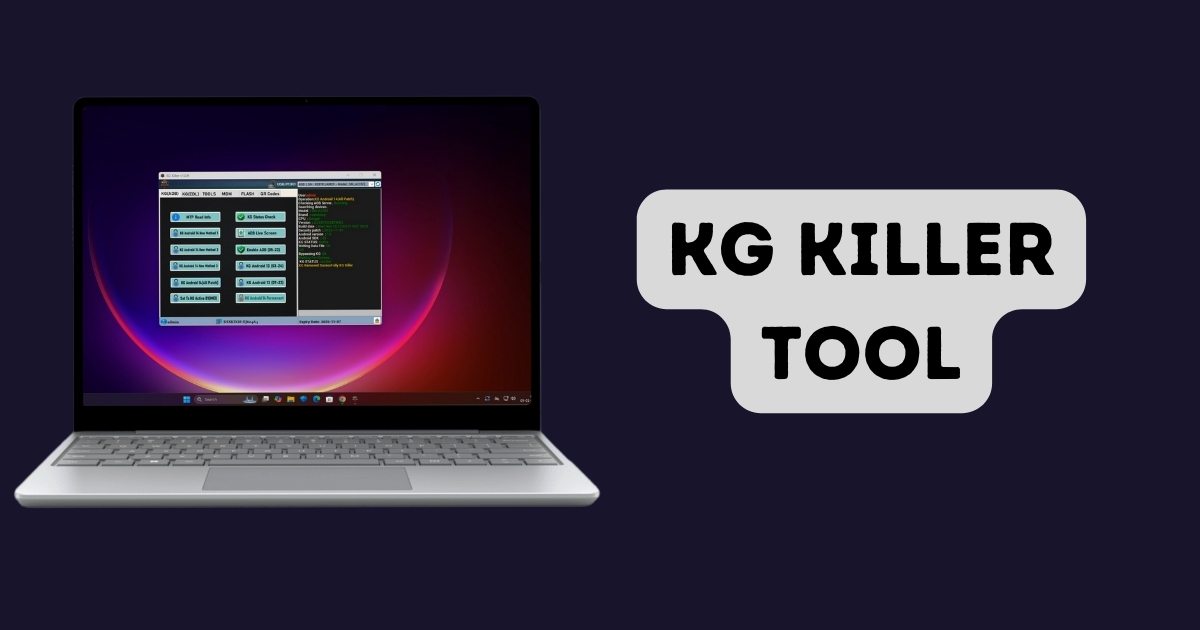
KG Killer V1.1.0 Free download
| Attribute | Details |
|---|---|
| Version | 1.1.0 |
| Release Date | 21-01-2025 |
| File Size | 51.2 MB |
| Architecture | Windows 7 / 8 / 8.1 / 10 / 11 |
| Platform | 32x / 64x |
| File Type | WinRAR Compressed |
| Password | 2025 |
Key Features of KG Killer Tool
KG Killer Tool offers a comprehensive set of features to unlock and repair Android devices efficiently. Some of its most notable features include:
1. KG (ADB) Functions:
- Bypass and remove KG Lock on Android 13 and 14 using ADB methods.
- Enable ADB (Android Debug Bridge) without requiring credits.
- Check KG status and activate devices with KG Active OI (IMEI Method).
2. KG (EDL) Functions:
- Remove KG Lock through Emergency Download Mode (EDL).
- Perform bootloader unlocks.
- Modify device serial numbers and erase Factory Reset Protection (FRP).
3. MDM Bypass and Removal:
- Remove MDM restrictions on Samsung and other Android brands.
- Disable Samsung Knox and IT Admin Profiles.
- Works with Hyper OS (Android 15) to bypass restrictions.
4. Additional Features:
- SIM Unlock for Pixel devices.
- Disable factory reset and OTA (Over-The-Air) updates.
- Remove Samsung accounts via ADB.
- Factory Reset and hide developer options.
Supported Devices
KG Killer Tool is compatible with a wide range of Android devices, including but not limited to:
- Samsung Galaxy Series: Galaxy S24, S23, S22, S21, Z Fold, Z Flip, and Tab models.
- Google Pixel Devices
- LG, Vivo, Xiaomi, Oppo, Huawei, and Nokia Smartphones
The tool continuously updates to support newer models and Android versions, ensuring compatibility with the latest security patches.
How to Use KG Killer Tool?
Using KG Killer Tool is straightforward and requires only a few steps. Here’s how you can use it:
Step 1: Download and Install the Tool
- Visit the official website https://kgkiller.com/downloads.
- Download the latest version of the KG Killer Tool.
- Install the software on a Windows-based PC.
Step 2: Activate the License
- Purchase a one-year activation license from an authorized seller.
- Enter the activation key to unlock full features.
Step 3: Connect Your Device
- Use a USB cable to connect your Android device to the computer.
- Enable USB Debugging (if accessible) to allow the tool to detect your device.
Step 4: Choose the Desired Operation
- Select the unlocking method (ADB, EDL, or MDM Bypass).
- Click on the appropriate option to remove KG Lock, MDM restrictions, or SIM lock.
- Wait for the process to complete, and reboot the device.
Once completed, your device should be unlocked and free from the applied restrictions.
Licensing and Activation
The KG Killer Tool operates on a one-year activation license, meaning users must purchase a license to access its full features. The license offers:
- Unlimited usage for the duration of the activation.
- No need for extra hardware, credits, dongles, or boxes.
- Instant activation upon purchase.
Users can buy the license from server.officialroms.com or other authorized resellers.
Things to Consider Before Using KG Killer Tool
While KG Killer Tool is a powerful and effective solution for unlocking Android devices, users should be aware of the following considerations:
- Legal and Ethical Use: Ensure you are using the tool on a device that you own or have permission to unlock.
- Warranty Issues: Unlocking or modifying device software may void the manufacturer’s warranty.
- Software Updates: Some features may become obsolete with new Android security updates.
- Backup Important Data: Performing unlock procedures may result in data loss, so always back up your files before using the tool.
Conclusion
The KG Killer Tool is an essential software for anyone dealing with Android security locks like KG, MDM, FRP, and IT Admin restrictions. It provides an efficient and reliable way to unlock and regain full control over a restricted device. Whether you’re a mobile technician, repair professional, or just someone trying to unlock their own phone, KG Killer Tool is a valuable resource.
Disclaimer:
KG Killer Tool is intended for legal use only. Unlocking or bypassing security features on a device without authorization may violate laws and terms of service. Users must ensure they have the legal right to unlock their devices. The developers and distributors of KG Killer Tool are not responsible for any misuse or consequences arising from its use. Proceed at your own risk.