Formatting an Infinix Hot 8 Lite DA File to Format Single Partition with Frp Lock Secure Boot DA File This guide demonstrates how to use the SP Flash Tool to format a single partition on an Infinix Hot 8 Lite X650 DA File with FRP Lock protection.
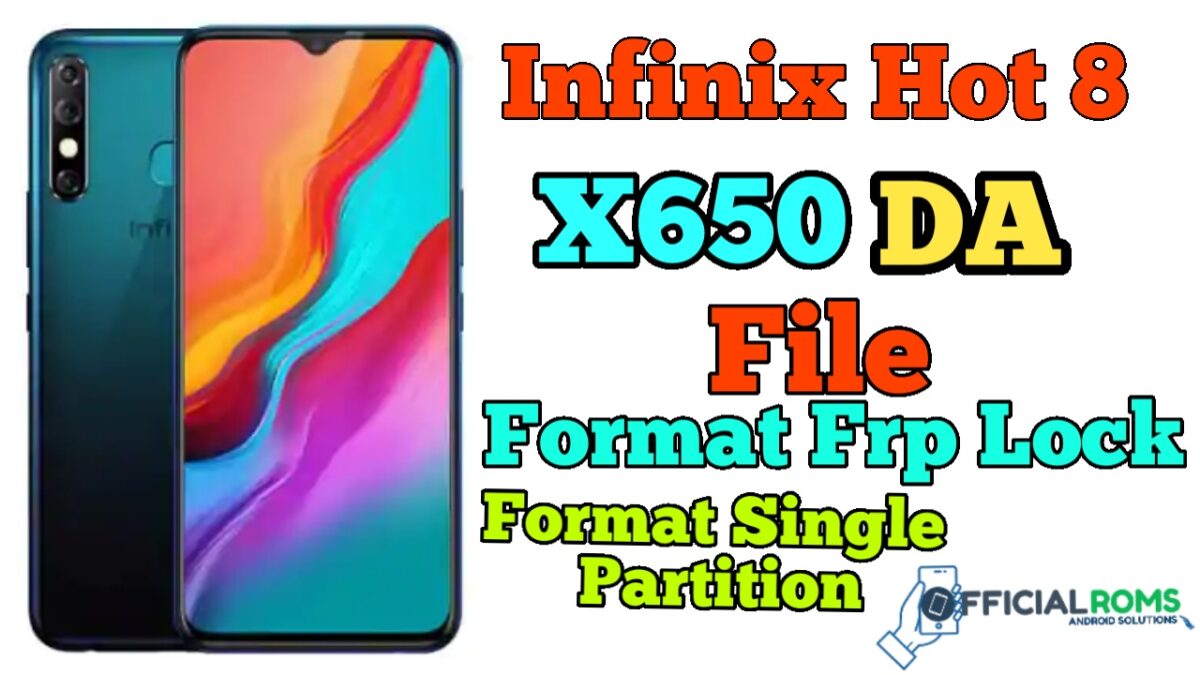
Infinix Hot 8 Lite X650 DA File (Format Frp Lock) Format Single Partition
- Supported Phone: Infinix Hot 8 Lite X650.
- Charge your mobile: You may no less than a half charge.
- Laptop or PC: To execute this installation, you must use a PC or Laptop.
Readme: Download Tecno DA File Auth (MTK CPU) Frp Unlock
Infinix Hot 8 Lite X650 Flashing Tool & Drivers
Password: officialroms
How to Format an Infinix Hot 8 Lite X650 Single Partition:
- The steps below explain how to format a single partition of an Infinix Hot 8 Lite X650 using the SP flash tool.
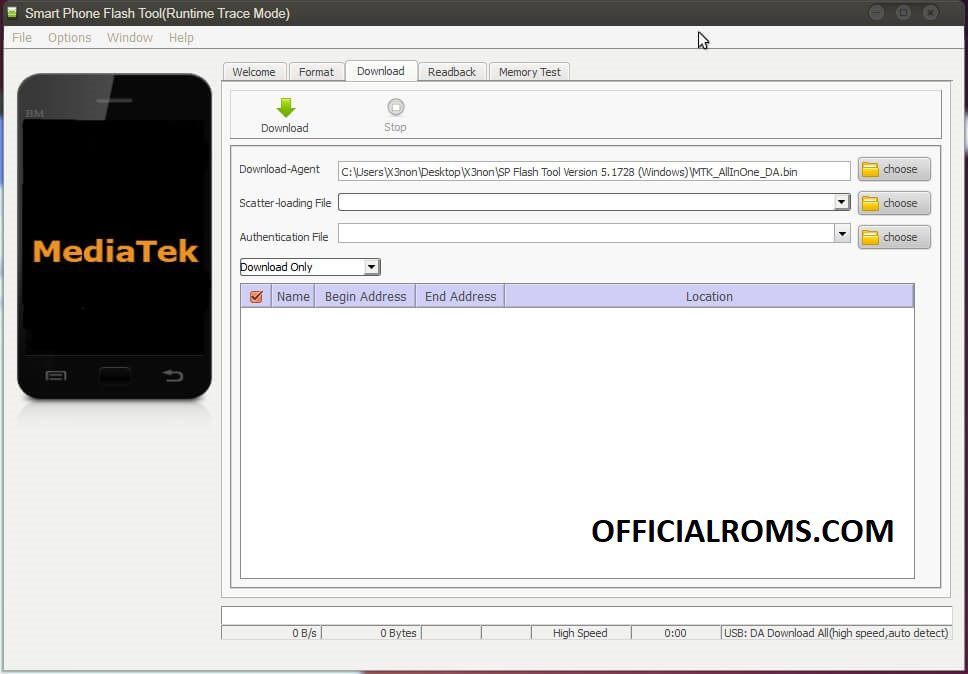
- Extract the content of the SP flash tool zip file and Launch SP flash tool.
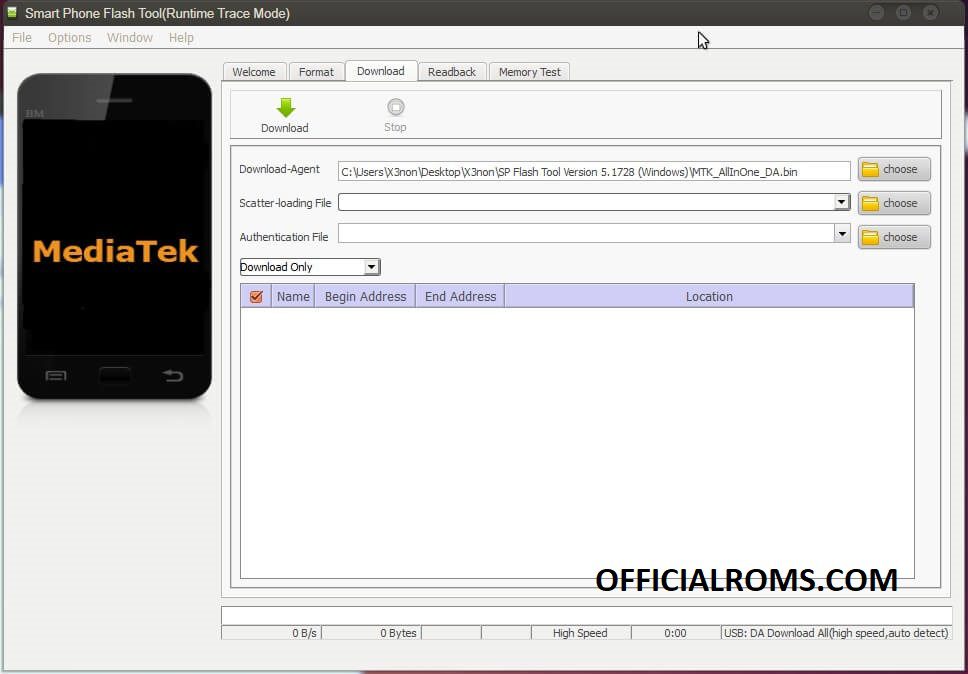
- Select the scatter file for your device by clicking choose besides the scatter-loading file’s dropdown bar.

- In the windows that appear next, navigate to and select the INFINIX HOT 8 LITE X650 scatter file.

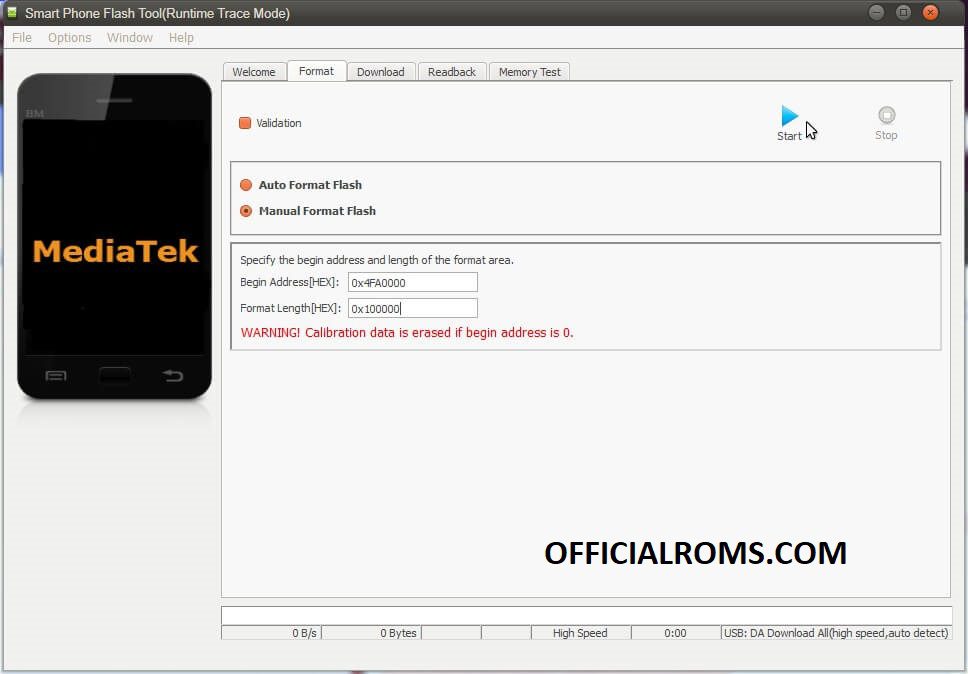
- You should now be taken back to the SP flash tool window, click on the Format tab.
- Tick the checkbox beside “Manual format flash” .
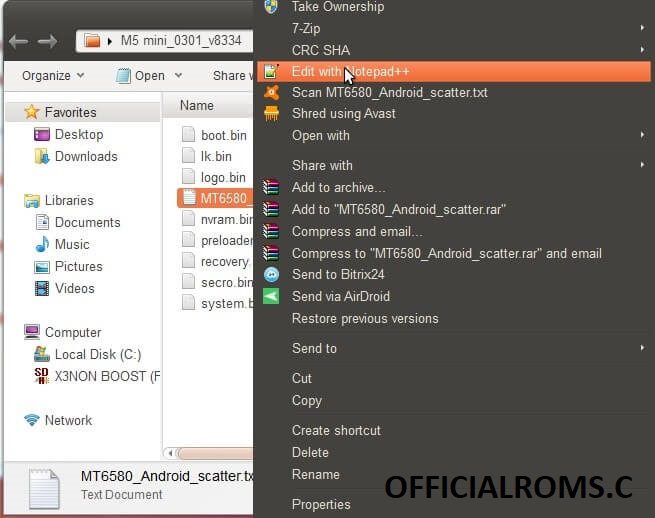
- Open windows explorer and navigate to the location of the scatter file you selected earlier on then open it using Notepad++
- Scroll down the contents of the scatter file till you get to the partition you wish to format [in my case, I’m trying to format FRP partition]
- Input the values of Linear_start addr and partition_size into SP flash tool then Click on Start.
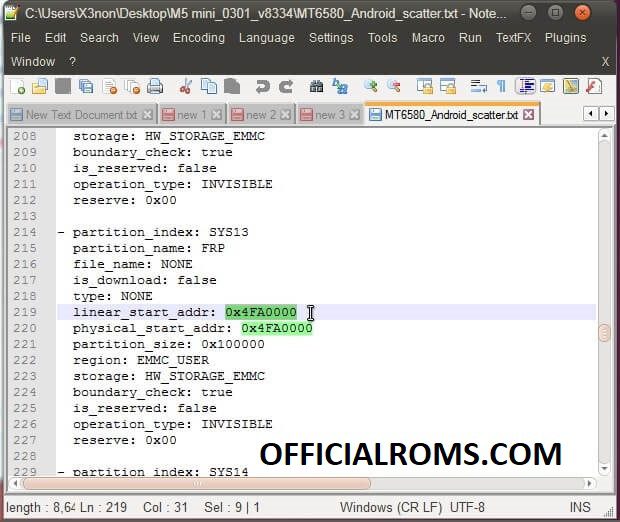
Linear_start addr = Begin Address
partition_size    = Format Length
- Power off the phone (with the battery in) then connect to the PC via a USB cord. Once successful, you should get a green tick.
- Now you can boot up the INFINIX HOT 8 LITE X650.
DISCLAIMER:
- Once the SP flash tool has detected your device, avoid disconnecting till the task is complete as this might cause the INFINIX HOT 8 LITE X650 to go dead.
- If you accidentally selected “Autoformat – Format all”, your device will go dead and you’ll need to flash full INFINIX HOT 8 LITE X650 stock ROM to revive the phone.
- Avoid using a random INFINIX HOT 8 LITE X650 scatter file (even though its for your chipset) in the Sp flash tool. Just because a scatter file is for your chipset doesn’t mean it contains the same partition info. Formatting with a wrong scatter file could result in more problems than you initially intended to fix.
- SP flash tool was created by MediaTek Inc. so credits to them for the tool.
Readme: Itel A45 frp Unlock Oreo 8.1.0 FRP Solution