Today we will show you how to unlock or bypass the FRP on the Micromax Bharat 5 Android 7.0 MediaTek MT6735 CPU and fix “Tool DL Image Fail!” error on a Micromax B5 smartphone. In order to do this process, download Miracle Box which is free and works without a box; here is the download link (without box): //FRPU Unlock Instructions For solving TOOL DL Image Fail! error please read below the complete article

If you own a Micromax Bharat 5 smartphone with an FRP issue, look no further. Here we provide a step-by-step guide on how to remove or reset the FRP on the MicromaxBharat 5.
Read Also: Miracle Thunder Box 2.82 FREE Thunder Edition 2024
How to Reset FRP on Micromax Bharat 5 :
Step 1:- First Select Unlock/Fix .
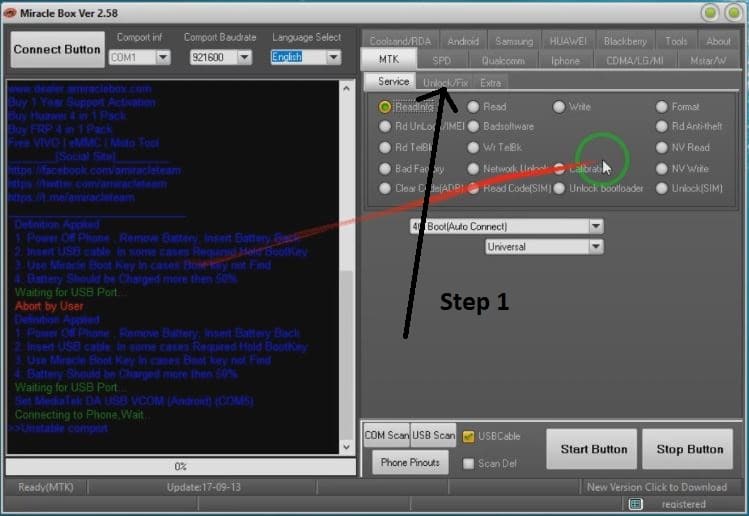
Step2:-Select Clear Setting/Frp.
Step 3:-Now Click Start Button.
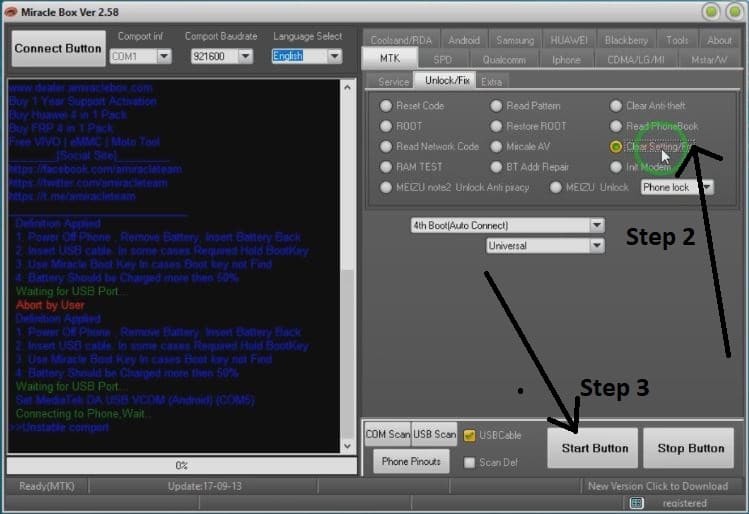
Step 3:- Micromax Bharat 5Frp Unlock Completed Working 100% Without Box
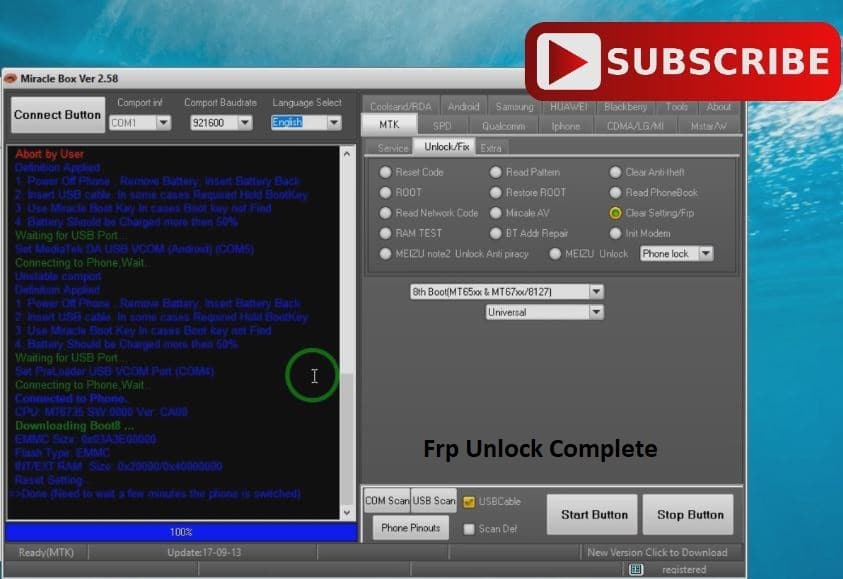
9. Connect Your Switch phone and wait.
10. After successfully completing the FRP reset, disconnect from the phone and turn it on.