In the world of smartphone repair and mobile servicing, time is money. Whether you’re dealing with a boot loop issue, a forgotten screen lock, or a device that needs flashing, finding the right tools and firmware can be a hassle. This is where the Mobile Support Tool Finder steps in as a true game-changer.
If you’re looking for a 100% working, lightweight, and reliable solution that speeds up your workflow, the Mobile Support Tool Finder Free Download is the answer. Let’s explore what it is, how it works, and why it’s becoming the go-to utility for mobile technicians across the globe.
Table of Contents
What Is Mobile Support Tool Finder?
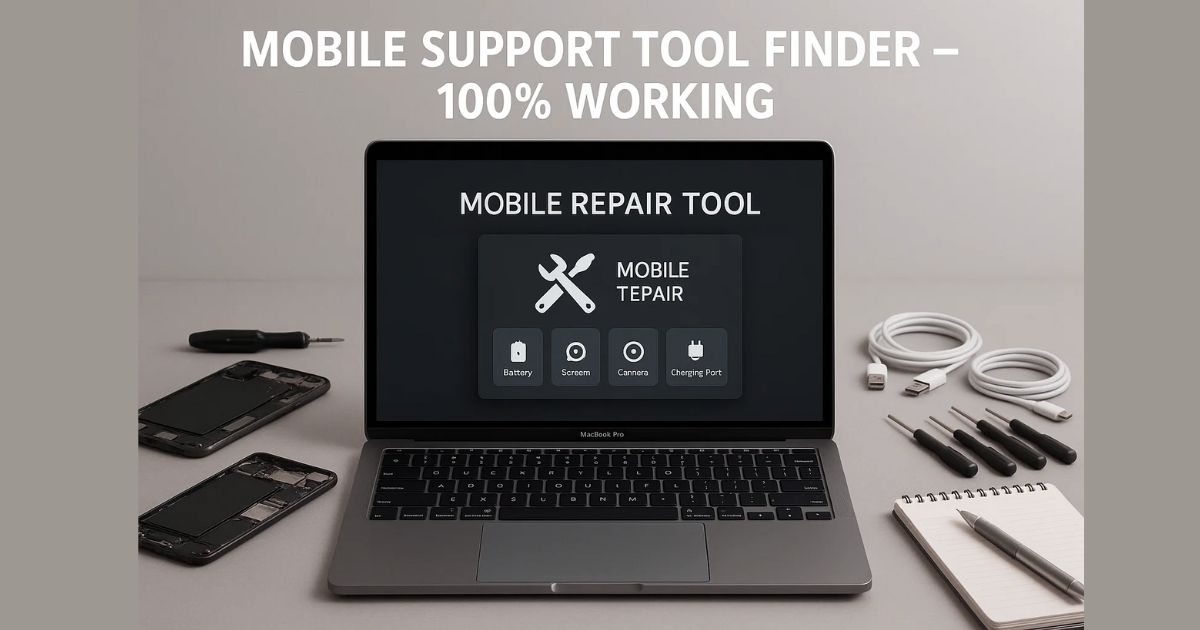
The Mobile Support Tool Finder is a compact software utility designed to help mobile repair professionals find the correct tools, drivers, and firmware information for virtually any smartphone model.
Rather than spending hours on Google, forums, or YouTube videos, technicians can simply enter a device’s model number and get everything they need — all in one place. It eliminates guesswork, broken links, and wasted time.
✅ Key Features of Mobile Support Tool Finder
This tool is packed with features that make it a must-have for anyone involved in mobile diagnostics or software repair. Here’s what it offers:
1. One-Click Search for Device Info
Just enter the model number (like SM-A125F or Redmi Note 8) and click search. Instantly, the tool displays:
- CPU Type (MediaTek, Qualcomm, Exynos, etc.)
- Flashing tool suggestions (SP Flash Tool, Odin, QFIL)
- Unlocking tool options (UMT, MRT, Hydra)
- Device specifications (RAM, ROM, Android version)
- Security patch level and manufacturing details
- Direct download links for drivers (no dead links!)
2. Built-in ADB Utility
No need to memorize complex ADB commands. With the built-in ADB tool, you can:
- Reboot to recovery, fastboot, or EDL
- Sideload ROMs or updates
- View and manage installed apps
- Read device info (battery, model, OS version)
3. Fastboot Tool Integration
When a device is in fastboot mode, the tool allows you to:
- Reboot to system, bootloader, or recovery
- Unlock or relock the bootloader
- Perform safe bootloader tasks (with warnings)
Why Mobile Technicians Love This Tool
For mobile shops, freelance technicians, and flashing experts, efficiency is everything. Here’s why this tool stands out:
- ✅ Time-saving: No more switching between 10 tabs to find firmware or tools.
- ✅ User-friendly: No coding knowledge or command-line needed.
- ✅ Lightweight: Doesn’t hog system resources.
- ✅ Free to download: No hidden charges or ads.
- ✅ Regular updates: Stays current with the latest models and tool support.
Download Mobile Support Tool Finder Latest Version
You can download the latest version of the Mobile Support Tool Finder from trusted sites or tech tool providers.
How to Download Mobile Support Tool Finder
The tool is available for free, and the latest version works flawlessly with Windows PCs. While we won’t share any direct download links here to comply with policies, here’s how you can safely access it:
- Visit trusted mobile servicing forums or developer communities.
- Search for “Mobile Support Tool Finder Latest Version.”
- Make sure to download from sites that have a reputation for clean, malware-free software.
- Always scan any tool with antivirus before installation.
Note: We strictly advise against using cracked tools or bypass methods that violate manufacturers’ policies. This article is purely for educational and professional use.
Is the Tool Safe?
Yes. Mobile Support Tool Finder does not interfere with system security, nor does it promote unlocking or flashing without user consent. It merely provides information and tools already available in the public domain, packaged in an easy-to-use format.
Still, always ensure you:
- Use the official or original version
- Avoid modified versions from unreliable sources
- Use it only for legally permitted tasks
Ideal Use Cases
Whether you’re repairing budget Android phones or high-end flagship devices, this tool helps you:
- Identify CPU architecture for tool compatibility
- Check supported firmware versions
- Access the correct USB driver instantly
- Find suitable flashing/unlock solutions
- Reduce trial-and-error during repair jobs
Who Should Use This Tool?
This tool is ideal for:
- Mobile repair technicians
- Software flashing professionals
- Smartphone refurbishment businesses
- Students learning mobile hardware/software repair
- Field service engineers
If your work involves diagnosing, flashing, or unlocking mobile phones, this is one tool you shouldn’t be without.
Frequently Asked Questions (FAQ)
Q1. Is the Mobile Support Tool Finder free to use?
A: Yes, it is 100% free for personal and professional use.
Q2. Does it support both Android and iOS devices?
A: Currently, it’s optimized for Android devices only.
Q3. Can I use it on Windows 11?
A: Yes, it works smoothly on Windows 7, 10, and 11.
Q4. Is internet required to use it?
A: Internet is required for downloading drivers or updates, but most functions work offline after initial setup.
Q5. Does it include flashing or unlocking software?
A: No, it only suggests the appropriate tools and provides download links when available.
Final Thoughts
The Mobile Support Tool Finder is a revolutionary addition to any technician’s toolkit. In an industry where accuracy and speed matter most, having instant access to relevant device data can make all the difference. And the best part? It’s free, lightweight, and incredibly easy to use.
If you’re tired of endless Googling, dead links, or wasting time trying to figure out which tool works with which model, give this tool a try. It’s a productivity booster for anyone serious about mobile repair.
Disclaimer
This article is for educational and professional use only. We do not host or promote any pirated or illegal software. Always use tools responsibly and ensure compliance with local laws and device warranties.