Motoreaper V5.0.2 2024 is a Windows device app which enables Android FRP security to be removed from Motorola smartphones and tablets. To utilize Motoreaper properly, first enable Universal ADB Driver on your device – once this driver has been enabled you’re free to attach your Android device with computer via a cable connection and activate Motoreaper within its settings.
Table of Contents
Once Motoraper Tool has been launched, press Lets Start button. When booting up your Motorola smartphone (by pressing Volume Down + Power Key), boot into Bootloader mode; this will trigger computer to begin removal process automatically.
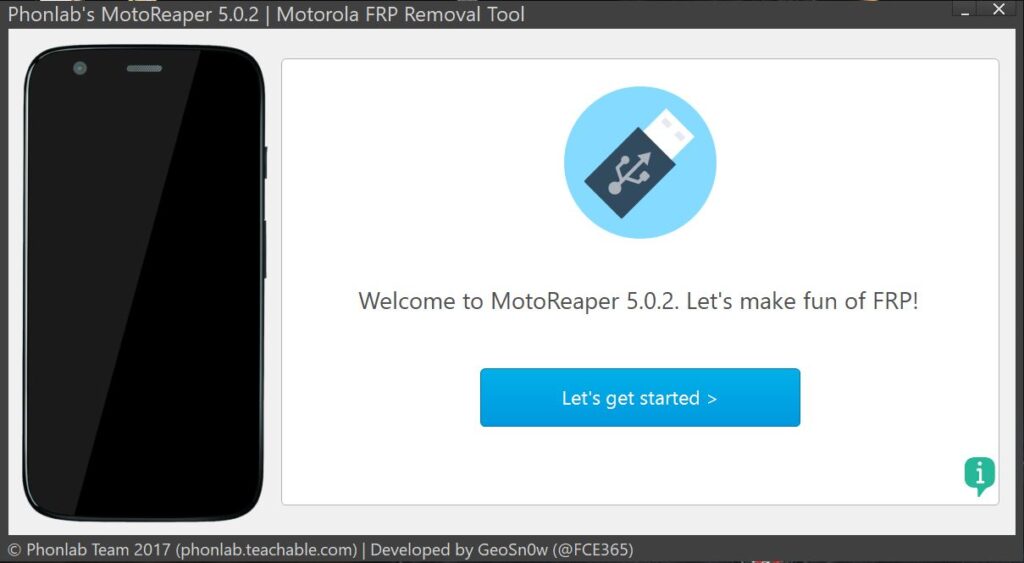
As part of the FRP removal process, Motorola will automatically reset and you must click “Next Stage.” Doing this will reboot and execute an Android Exploit on your Motorola Smartphone before prompting ADB debugging on a Motorola computer; just tap Allow and your device should open correctly.
Motoreaper v5.0.2 – 2024 Best Motorola FRP Tool
Name: MotoReaper 5.0.2 by officialroms.zip
Size: 41 MB
Password: officialroms
Link: MediaFire || AndroidFileHost
How To Use Motoreaper v5.0.2:
- Wipe the Motorola System Data with Factory Reset
- Reboot the phone and wait until it boots directly to the start page.
- Simply leave your computer running with its default start screen set to not connect to WiFi.
- Follow the tool’s instructions and run MotoReaper.
Read Also: