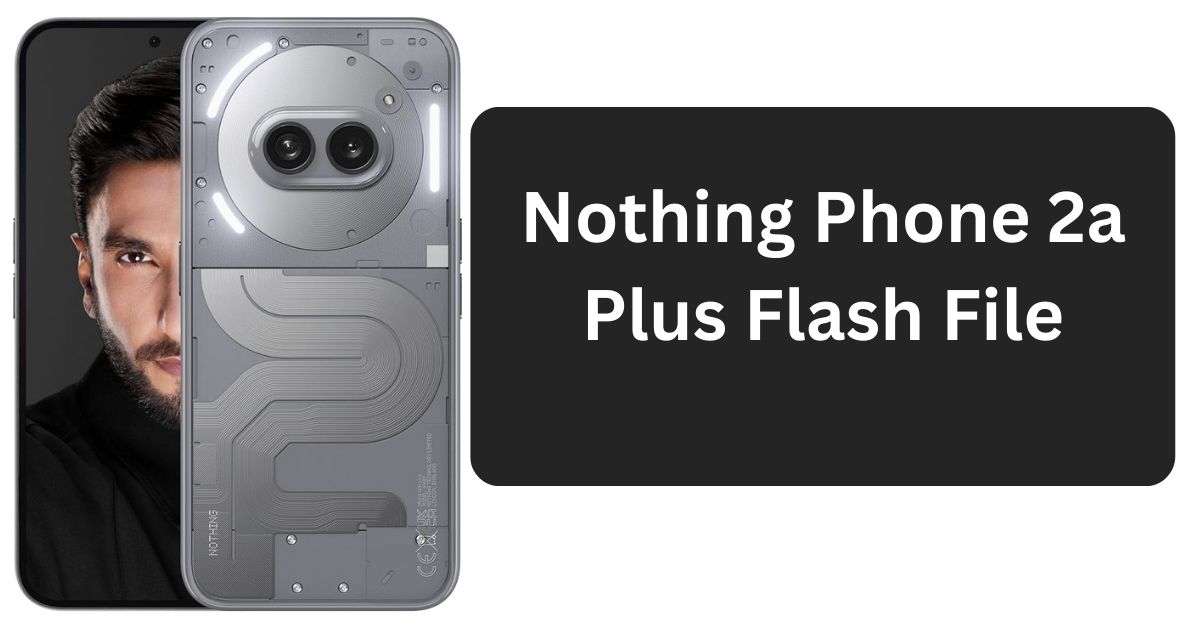
The Nothing Phone 2a Plus is a powerful smartphone with impressive features. However, like any other Android device, it may require flashing firmware to fix software issues, upgrade the operating system, or restore the device to factory settings. In this guide, we will cover everything you need to know about the Nothing Phone 2a Plus flash file, including its importance, where to download it, and how to flash your device safely.
Table of Contents
What is a Flash File?
A flash file, also known as firmware or stock ROM, is the software that runs on a smartphone. It contains the operating system and essential system files that enable the phone to function properly. Flashing the correct firmware can resolve software-related issues, remove bugs, and restore your phone’s performance.
Why You Might Need to Flash Your Nothing Phone 2a Plus
Flashing your Nothing Phone 2a Plus might be necessary for several reasons:
- Fixing software glitches: If your phone is freezing, crashing, or lagging, flashing a fresh firmware can help.
- Updating to the latest software: Flashing can be used to manually install the latest OS updates.
- Unbricking a device: If your phone is stuck in a boot loop or unresponsive, flashing a stock ROM can restore it.
- Removing malware or viruses: If your device has been infected with malware, flashing a new ROM removes harmful software.
- Bypassing FRP (Factory Reset Protection): If you are locked out of your device due to Google’s FRP, flashing a new firmware may help unlock it.
Where to Download Nothing Phone 2a Plus Flash File?
To safely flash your device, you need the correct firmware file. Here are some trusted sources where you can download the Nothing Phone 2a Plus flash file:
Now Free All Users
Password: officialroms
| Nothing Phone(2a) Plus_Nothing_OS_3.0_UnBrick_Firmware_With_FlashTool_Jan_2025_ntpi_20241226 |
| Nothing Phone(2a) plus_V2.6.0_UnBrick_Firmware_With_FlashTool_October_Patch_20240924 |
| Nothing Phone(2a) plus_V2.6.0_UnBrick_Firmware_With_FlashTool_August_Patch_20240827 |
| Nothing _Phone_2a_plus_V2.6.0_UnBrick_Firmware_With_FlashTool_July_Patch_20240723 |
Contact for File Password and Flashing Services: WhatsApp: +918439367673 (Paid Service)
⚠️ Important: Always download firmware files from trusted sources to avoid corrupted files that may damage your device.
Before Flashing Your Nothing Phone 2a Plus
Before proceeding with flashing, make sure you have the following:
- Official flash file (Stock ROM) for Nothing Phone 2a Plus
- Nothing Flash Tool or compatible flashing tool (SP Flash Tool, Fastboot, or QFIL)
- USB drivers for Nothing Phone installed on your PC
- A Windows PC/Laptop
- A USB cable to connect your phone
- Backup of your data (Flashing will erase all data on your phone)
- At least 50% battery charge on your phone to prevent interruptions
How to Flash Nothing Phone 2a Plus Firmware (Step-by-Step Guide)
Follow these steps carefully to flash your Nothing Phone 2a Plus.
Step 1: Install Necessary Drivers
- Download and install the USB drivers on your PC to ensure proper communication between your phone and computer.
Step 2: Download and Extract Firmware
- Download the Nothing Phone 2a Plus flash file from a trusted source.
- Extract the firmware to a known location on your PC.
Step 3: Install Flash Tool
- Download and install a compatible flashing tool such as:
- SP Flash Tool (for MediaTek devices)
- Fastboot Tool (for bootloader flashing)
- QFIL Tool (for Qualcomm-based devices)
- Open the flash tool on your PC.
Step 4: Boot Your Phone into Flash Mode
- Power off your phone.
- Depending on your device, enter Download Mode, Fastboot Mode, or Recovery Mode using the button combinations:
- Volume Down + Power Button
- Volume Up + Power Button (for some models)
Step 5: Load Firmware in the Flash Tool
- In the flash tool, select the NTPI file (for Nothing For Flash) or firmware file.
- Ensure all necessary files are loaded correctly.
Step 6: Connect Your Phone to the PC
- Use a USB cable to connect your Nothing Phone 2a Plus to your computer.
- The flash tool should detect your device.
Step 7: Start Flashing
- Click on the Start/Download button in the flashing tool.
- Wait for the process to complete (this may take several minutes).
Step 8: Reboot Your Device
- Once flashing is complete, disconnect your phone and power it on.
- Your Nothing Phone 2a Plus should now boot with the new firmware.
⚠️ Warning: Do not disconnect your device during flashing, as it may result in a bricked phone.
Troubleshooting Common Flashing Errors
Flashing doesn’t always go smoothly. Here are common issues and their solutions:
| Error | Possible Solution |
|---|---|
| Device not detected | Ensure USB drivers are installed and try another USB port/cable. |
| Flashing failed | Use a different firmware version or re-download the file. |
| Stuck in boot loop | Perform a factory reset via recovery mode. |
| FRP lock issue | Use an FRP bypass tool if required. |
FAQs about Nothing Phone 2a Plus Flash File
What happens if I flash the wrong firmware?
If you flash the wrong firmware, your phone may not turn on or function properly. Always verify your device model before flashing.
Will flashing delete all my data?
Yes, flashing a new firmware will erase all data. Backup your important files before proceeding.
Can I use OTA updates instead of flashing?
Yes, OTA (Over-The-Air) updates are a safer way to upgrade your phone’s software. Flashing is only needed for manual updates or fixes.
What if my phone gets stuck after flashing?
Try booting into recovery mode and performing a factory reset. If the issue persists, reflash the firmware.
Is it safe to flash custom ROMs?
Flashing custom ROMs is risky and can void your warranty. Use stock ROMs unless you are experienced with custom firmware.
Conclusion
Flashing your Nothing Phone 2a Plus can be a useful solution for fixing software issues, upgrading the OS, or restoring factory settings. However, it is crucial to follow the right steps and use official firmware files to avoid damaging your device. By carefully following this guide, you can successfully flash your phone and keep it running smoothly.
If you have any doubts, always seek professional assistance before proceeding. Happy flashing!