“Fix Jio Phone Next LS1542QWN with the official Flash File. Resolve boot loops, corrupted device issues, IMEI errors, and more. Step-by-step guide for flashing your phone.”
Table of Contents
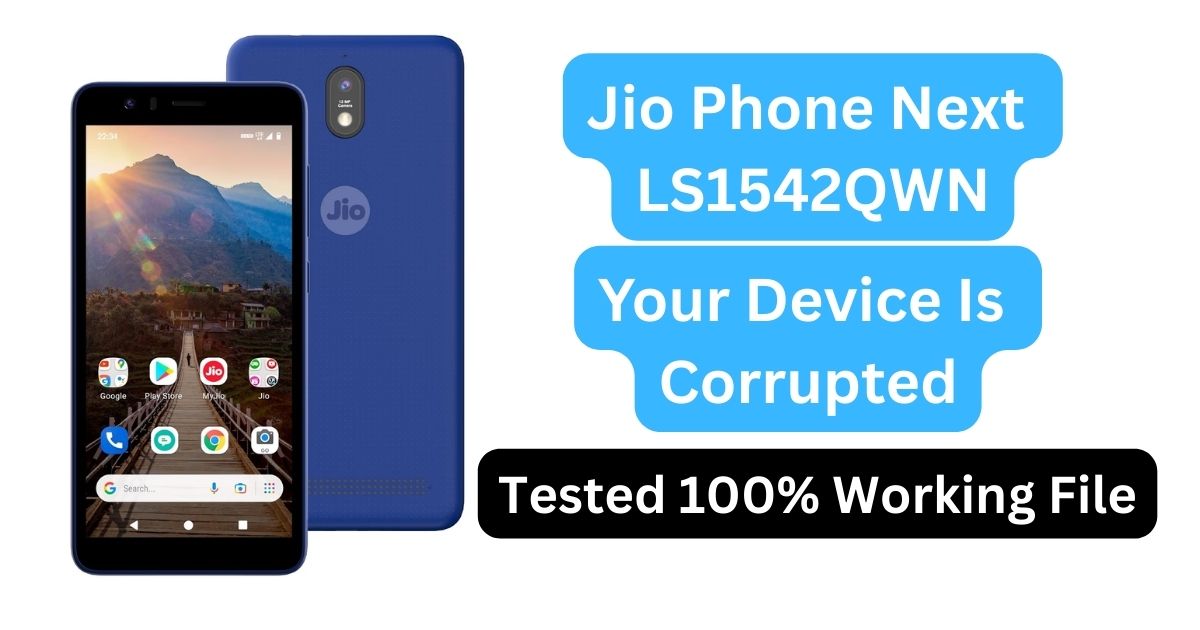
What is the Jio Next LS1542QWN Flash File?
The Jio Next LS1542QWN Flash File is the official firmware for the Jio Phone Next, a budget-friendly smartphone designed by Jio for the Indian market. Flashing this firmware is a process used to reinstall or update the operating system of the device, allowing it to run smoothly. It can resolve various software-related issues, including slow performance, device corruption, boot loops, and IMEI errors.
By flashing the LS1542QWN Flash File, you are essentially reinstalling the factory settings and restoring your device to its original state, ensuring a stable performance after the update or restoration process.
Why Would You Need to Flash the Jio Phone Next LS1542QWN?
There are several reasons why flashing the Jio Next LS1542QWN Flash File could be necessary. Below are some common issues that can be fixed by flashing the firmware:
1. Boot Loop Issues
- A boot loop occurs when the device starts, but it doesn’t fully boot into the system. Instead, it keeps restarting repeatedly. Flashing the official firmware will resolve this issue and bring the device back to normal functionality.
2. Stuck on the Jio Logo
- If your device freezes at the Jio logo and fails to move forward, it may be due to corrupted software or an incomplete update. Flashing the firmware will solve this problem by reinstalling the operating system.
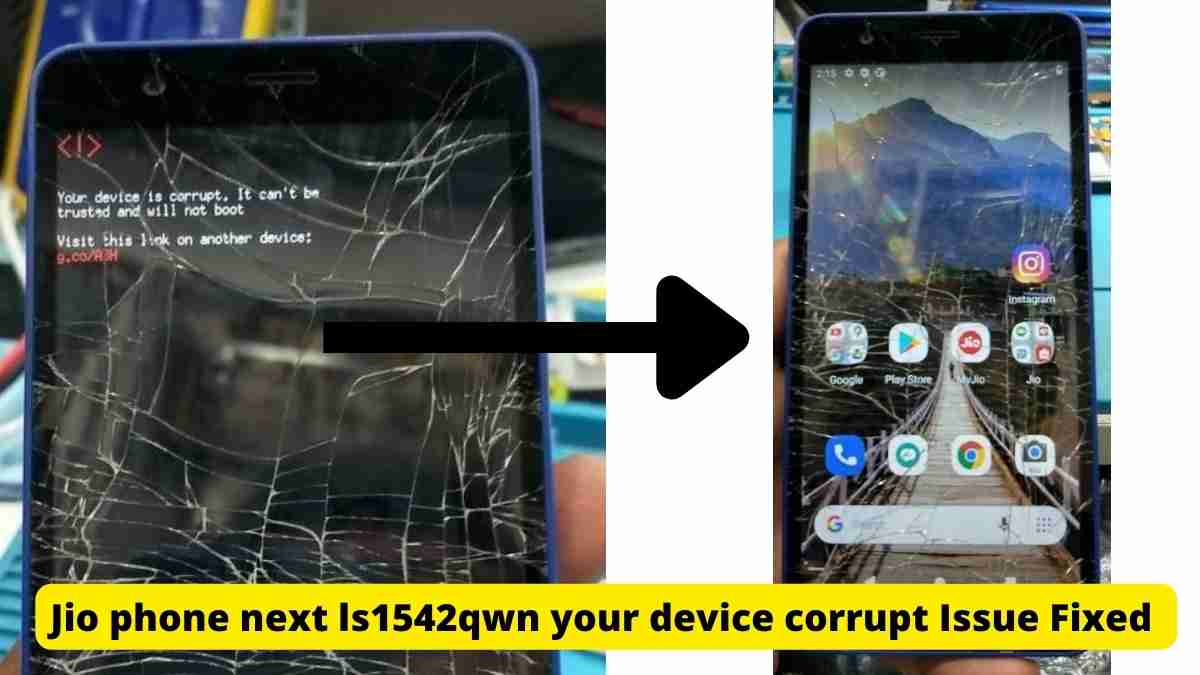
3. Corrupted Device
- A corrupted device might exhibit symptoms such as crashing apps, data corruption, or slow performance. Flashing will clean up the corrupted files and restore the system to its stable state.
4. IMEI Errors
- The IMEI error occurs when the phone fails to register its unique IMEI number, which is crucial for network connectivity. Flashing the firmware can restore the IMEI and re-enable network functionality.
5. Auto Rebooting
- If your phone constantly reboots without user input, flashing the firmware can fix this instability by reinstalling the software and preventing unexpected reboots.
6. Performance Lag and Freezing
- Over time, the device might become slow or unresponsive due to unnecessary files, bugs, or outdated software. Flashing the firmware will restore system speed and resolve these performance issues.
How to Flash Jio Phone Next LS1542QWN
Flashing the Jio Next LS1542QWN Flash File requires a few essential tools and steps. Below is a step-by-step guide on how to do it safely.
Step 1: Prepare Your Device
- Backup Your Data: Flashing the firmware will erase all data on your phone. It is essential to back up your photos, videos, contacts, and other important files to avoid data loss.
- Charge Your Device: Ensure your device has at least 50% battery life to prevent it from powering off during the flashing process.
Step 2: Download the Required Files
- Jio Next LS1542QWN Flash File: This file is available on trusted sources like Official Roms.
- QPST Tool: The Qualcomm Product Support Tool (QPST) is required for flashing. Download the latest version from Qualcomm’s Driver.
- Qualcomm USB Drivers: Install these drivers to enable communication between your Jio Phone Next and PC.
Step 3: Enable EDL Mode
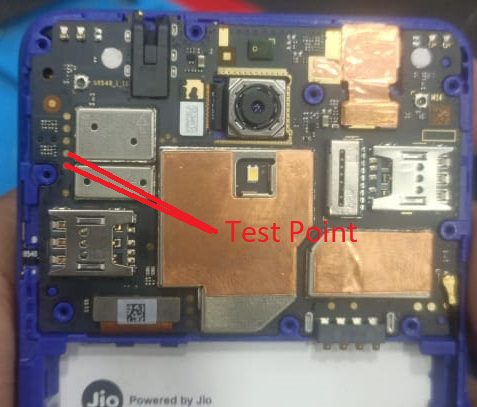
- To start the flashing process, you need to put your phone into Emergency Download Mode (EDL). The method to enter EDL mode may vary depending on the device, so you may need to refer to the specific instructions for your model.
Step 4: Connect the Phone to Your PC
- Once the phone is in EDL mode, connect it to your PC using a USB cable.
Step 5: Launch the QPST Tool
- Open the Unlocktool on your PC and load the LS1542QWN Flash File in the tool.
Step 6: Start the Flashing Process
- Click on the “Start” button in the QPST Tool to initiate the flashing process. The process may take a few minutes to complete, depending on the size of the firmware and the speed of your computer.
Step 7: Reboot the Device
- After the flashing process completes, disconnect your device and reboot it. Your device should now be running the latest version of the firmware and free from any previous software issues.
Where to Download Jio Next LS1542QWN Flash File
For a smooth and secure flashing experience, always download the LS1542QWN Flash File from trusted sources:
| Name | Password |
|---|---|
| jio next LS1542QWN 07.0.42.130224 | Paid Online Flashing |
| LS1542QWN_001_06_030_220922 | Newupdatejionext2121 |
| JioPhoneNext_LS1542QWN_001_06024_230622 | Newupdatejionext1010 |
| LS1542QWN_001 _05011_300322 | Newupdatejionext |
| JioPhoneNext_LS1542QWN Tested File | officialroms |
| LS1542QWN_001_04009_221021 | officialromsJioNext5845 |
| QPST Tool Latest Version | officialroms |
Avoid downloading files from unverified or unofficial websites, as they could contain harmful software or incorrect firmware that may cause further issues.
Frequently Asked Questions (FAQ)
Will flashing erase my data?
Yes, flashing the firmware will wipe all the data on your device. Make sure to back up your important files before starting the process.
How long does the flashing process take?
The entire flashing process typically takes around 15-20 minutes, depending on the speed of your computer and the size of the firmware file.
Can flashing fix a Jio Phone Next stuck on the Jio logo?
Yes, flashing the official LS1542QWN Flash File can resolve the issue of your phone being stuck on the Jio logo screen.
How can I fix a corrupted device?
If your device is corrupted, flashing the official firmware will restore it to its stable state by removing corrupted files and re-installing the system software.
Can I use third-party firmware?
It’s recommended to use the official firmware to ensure compatibility and stability. Third-party firmware may cause issues or void your warranty.
Conclusion
Flashing the Jio Next LS1542QWN Flash File is a highly effective method for resolving a variety of common issues, such as boot loops, corrupted devices, and IMEI errors. By following the guide above, you can restore your Jio Phone Next to its optimal performance quickly and safely. Always ensure you download the firmware from trusted sources, and don’t forget to back up your data before beginning the flashing process.