In the fast-paced world of Android development, efficiency and security are key to delivering high-quality applications on time. The Android Debug Bridge (ADB) has been a core tool for developers for years, allowing them to manage devices via a command-line interface. However, many find the text-based commands complicated or time-consuming, especially for repetitive tasks.
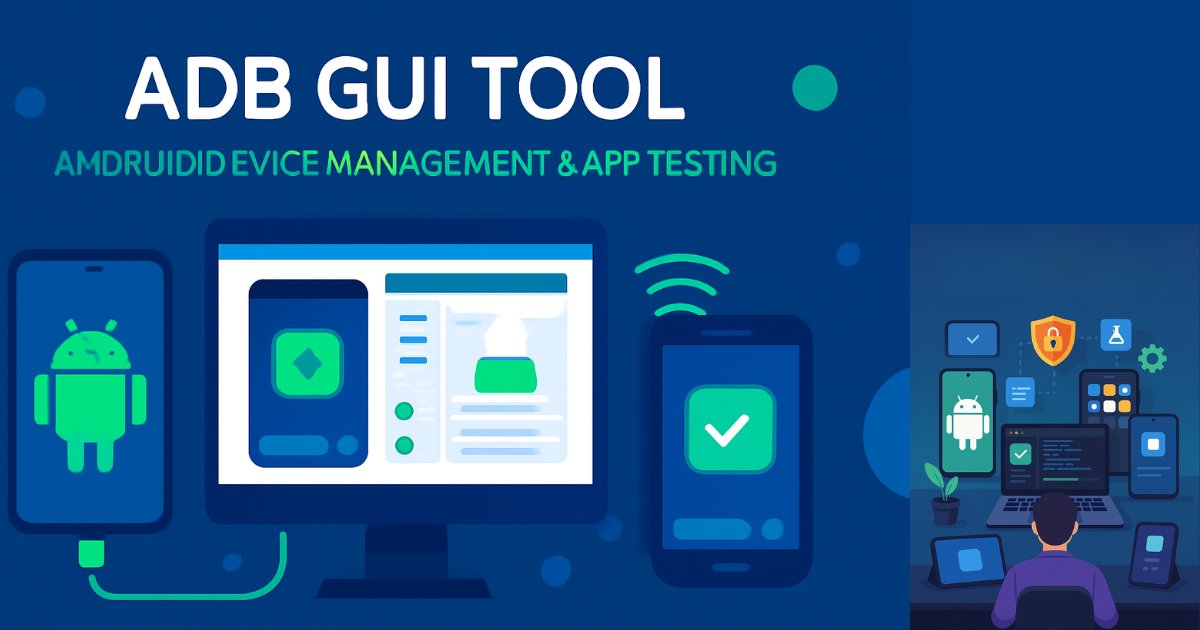
That’s where the ADB GUI Tool comes in — a powerful, feature-rich graphical user interface that makes Android device and app management faster, simpler, and more secure.
Table of Contents
What is the ADB GUI Tool?
The ADB GUI Tool is a software utility that overlays a user-friendly graphical interface onto the traditional ADB command-line framework. This means developers can access the power of ADB without memorizing complex commands. With a few clicks, they can manage devices, install or uninstall applications, perform backups, analyze performance, and run advanced tests.
It is especially beneficial for developers who handle multiple devices or work on secure systems, as it improves productivity while ensuring data protection.
Key Features of the ADB GUI Tool
The tool offers a wide range of features aimed at simplifying tasks related to app development, debugging, and device management:
1. Device Management
- Refresh connected devices
- View device details and system properties
- Monitor battery usage and performance
- Reboot into normal, recovery, or bootloader mode
2. App Management
- Install APK files with a click
- List all installed apps on a device
- Uninstall apps individually or in bulk
- Backup app data for later restoration
- Clear app data to free up space and protect privacy
3. Storage Optimization Tools
- Analyze device storage usage
- Clean cache for smoother performance
- Locate large files consuming excess space
4. Testing & Debugging Tools
- Monkey Test for stress-testing applications
- UI Automator Viewer and Layout Boundary Viewer to validate design consistency
- Touch Event Recorder/Player for replicating user actions
- Network Condition Simulator to test app behavior under varying network scenarios
5. Network Diagnostics & Security
- Real-time network traffic monitoring
- Track data packets to detect potential leaks
- Advanced network diagnostics for performance evaluation
- Manage and verify app permissions
- Package signature verification and certificate management
6. System Analysis
- CPU and memory profiling to identify performance bottlenecks
- Battery usage breakdown by app
- Wakelock viewer to diagnose battery drain issues
- Aggregated system logs for troubleshooting
Benefits for Developers
Using the ADB GUI Tool offers clear advantages:
- Saves Time – Replaces typed commands with intuitive controls
- Reduces Errors – Minimizes the risk of command syntax mistakes
- Boosts Security – Offers permission control, data cleansing, and backup options
- Supports Multi-Device Management – Works with multiple connected devices
- Enhances Testing – Includes stress-testing, performance tracking, and UI validation
Download ADB GUI Tool Latest Version
You can download the latest version of the ADB GUI Tool from trusted sites or tech tool providers.
How to Get Started with the ADB GUI Tool
- Download – Get the compressed zip file from the official trusted website.
- Extract Files – Unzip the files to your C drive for easy access.
- Install – Follow the simple setup instructions to install the tool.
- Run as Administrator – Ensure you open it with admin rights for full functionality.
- Install Drivers (if required) – Install appropriate Android USB drivers if your device is not detected.
- Connect Device – Use USB or wireless connection to link your Android device.
Best Practices for Effective Use
- Always back up important apps and data before making major changes.
- Use storage analysis and cache cleaning regularly to maintain performance.
- Apply stress tests like Monkey Test early in app development to catch issues.
- Monitor and manage app permissions to protect user privacy.
- Keep the tool updated to benefit from new features and improvements.
Why the ADB GUI Tool is Essential for Modern Android Development
With Android powering billions of devices worldwide, speed, efficiency, and security in development workflows are more important than ever. The ADB GUI Tool bridges the gap between ADB’s raw power and the simplicity of a visual interface.
By automating repetitive tasks and introducing powerful testing and security features, it helps developers ship robust, high-performing apps faster — without compromising on quality.
Frequently Asked Questions (FAQ) About the ADB GUI Tool
Q1: What is the ADB GUI Tool?
A1: The ADB GUI Tool is a graphical interface for the Android Debug Bridge that makes device and app management easier for developers by replacing typed commands with simple, clickable actions.
Q2: Is the ADB GUI Tool free to use?
A2: Yes, in most cases it’s available for free. Always download it from official or trusted sources.
Q3: Which devices are compatible with it?
A3: It works with most Android devices and emulators that support ADB connections, whether via USB or wireless.
Q4: Do I need to know ADB commands to use it?
A4: No, the main benefit of this tool is that it removes the need to use the command line for common tasks.
Q5: How does it help with app testing?
A5: It offers testing utilities like Monkey Test, UI Automator Viewer, and network condition simulation to ensure apps perform well under real-world conditions.
Q6: Can it enhance app security?
A6: Yes, it allows for permission management, package verification, data cleansing, and network monitoring to safeguard apps and devices.
Q7: Is it safe to use?
A7: When downloaded from legitimate sources and used as instructed, it is safe and helps protect device data.
Q8: How do I install it?
A8: Download the zip, extract it to your C drive, run the setup, and launch the program as administrator. Install drivers if needed.
Q9: Does it support multiple devices at the same time?
A9: Yes, developers can manage several connected devices simultaneously.
Q10: Where can I find updates?
A10: Updates can be found on the tool’s official website or trusted developer forums. Keep it updated for optimal performance.
Conclusion
The ADB GUI Tool is more than just a convenience — it’s a development powerhouse. By combining the versatility of ADB with an intuitive interface, it saves time, reduces risk, and enables better testing and security processes. For any Android developer aiming to streamline workflows and deliver high-quality apps, this tool is a must-have.
Disclaimer: This article is for informational purposes only. Always download software from official or trusted sources. The author is not responsible for any misuse, data loss, or device issues arising from the use of third-party tools.