Are you facing issues with your Realme C53 like bootloop, hanging, or stuck on logo? The best way to fix these issues is by flashing the stock ROM (firmware) on your device. In this guide, you’ll find everything you need about the Realme C53 RMX3760 Flash File – including download links, flashing steps, benefits, and precautions.
Table of Contents
What is a Flash File (Stock ROM)?
A flash file or stock ROM is the official software that comes pre-installed on your Realme device. It controls how your phone functions and includes the operating system (Android), pre-installed apps, and the user interface (Realme UI).
If your phone isn’t working properly, flashing the stock ROM can restore it to its original state.
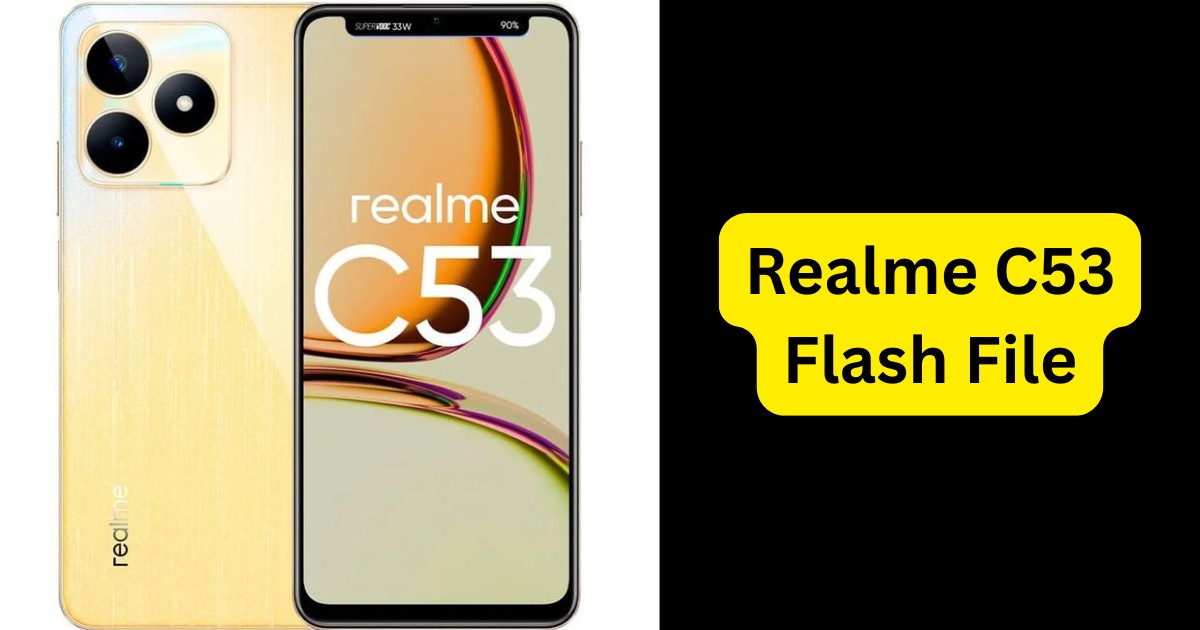
About Realme C53 (Model RMX3760)
- Model Number: RMX3760
- Processor: Unisoc T612
- Operating System: Android 13 / 14 (Realme UI 4.0 / 5.0)
- RAM & Storage: Up to 6GB RAM, 128GB Storage
- Flash File Format: .pac
Reasons to Flash Realme C53 RMX3760
Here are some common reasons why users flash their Realme C53:
- Fix boot loop or stuck on logo
- Remove software bugs or glitches
- Restore device to factory settings
- Remove pattern/PIN/password lock (in some cases)
- Upgrade or downgrade Android version
- Fix IMEI-related issues (for advanced users)
Download Realme C53 RMX3760 Flash File (Official ROM)
Here are trusted sources where you can download the official firmware:
| Version | Android | UI | File Size |
|---|---|---|---|
| RMX3760export_14_C.23 | 14 | Realme UI 5.0 | ~13.2 GB |
| RMX3760GDPR_13_A.57 | 13 | Realme UI 4.0 | ~10 GB |
| RMX3760_13_A.40 | 13 | Realme UI 4.0 | ~9.8 GB |
Tools Needed to Flash Realme C53 RMX3760
Before you begin, download and install the following:
- ✅ Realme C53 RMX3760 Flash File (as per your version)
- ✅ SPD Flash Tool (Spreadtrum/Unisoc tool)
- ✅ Realme USB Drivers
- ✅ A Windows PC and a USB Cable
How to Flash Realme C53 RMX3760 – Step-by-Step Guide
Disclaimer: Flashing will erase all your data. Take a complete backup before proceeding.
Step 1: Download Required Files
Download the flash file, SPD tool, and USB drivers from the links above.
Step 2: Install USB Drivers
Install Realme or Unisoc USB Drivers to allow the PC to detect your device.
Step 3: Extract Firmware
Unzip the flash file (.zip) to a folder on your PC.
Step 4: Launch SPD Flash Tool
Open the SPD/ResearchDownload/FactoryDownload tool and load the .pac file from the extracted folder.
Step 5: Enter Flash Mode
Turn off your phone. Hold Volume Down and connect it via USB to your PC. The tool will detect your phone.
Step 6: Begin Flashing
Click on the “Start” button in the tool. The flashing process will begin. Wait for 5–10 minutes until it completes.
Step 7: Done!
Once you see a green “Passed” message, unplug your device and reboot it. You’ve successfully flashed your Realme C53!
Important Notes
- Ensure your phone has 50%+ battery before flashing.
- Choose the correct firmware (Export/GDPR) to avoid errors.
- Don’t disconnect the cable during flashing.
- This process does not unlock FRP or Google Account Lock.
Benefits of Flashing
- Smooth performance like a new phone
- Fixed boot issues and crashing apps
- Updated to the latest Android version
- Improved battery performance (if caused by bugs)
Read also: Motorola Edge 50 Fusion 5G Flash File (XT2429-2) Download 2025
FAQ – Realme C53 RMX3760 Flash File
Q1. Is flashing safe for Realme C53?
Yes, if you follow the correct steps and use the official flash file.
Q2. Will flashing erase all data?
Yes, flashing will remove all data. Backup your files first.
Q3. What if my phone doesn’t connect?
Try reinstalling USB drivers or use a different USB port/cable.
Q4. Can I use this to remove pattern lock?
It depends. In some cases yes, but FRP lock may still remain.
Q5. Is internet required for flashing?
No, but you need internet to download files and drivers.
Read also: Motorola Edge 50 Pro Flash File (XT2403-2): Download & Installation Guide 2025
Final Words
Flashing your Realme C53 RMX3760 with the stock ROM can help revive your device and fix many software-related problems. Just make sure you follow the steps carefully and use the correct firmware version. Whether you’re a beginner or tech-savvy user, this guide should help you complete the process smoothly.
Disclaimer
This guide is for educational purposes only. Flashing firmware involves risk. We are not responsible for any damage caused to your device. Proceed at your own discretion.