If you’ve ever been locked out of your Samsung smartphone due to the Factory Reset Protection (FRP) lock, you know how frustrating it can be. FRP is a security feature on Android devices designed to protect your personal data. However, if you’ve forgotten your Google account credentials after performing a factory reset, the FRP lock can prevent you from using your device. Fortunately, there are Samsung FRP tools and alternative FRP bypass solutions that can help you remove the FRP lock and regain access to your phone.
Table of Contents
In this article, we’ll guide you through Easy Samsung FRP Tool, provide detailed information on alternative tools for Samsung FRP bypass, and introduce premium services for bypassing FRP on your device. Stay tuned for effective solutions to unlock your Samsung device and remove the FRP lock easily.
What is Factory Reset Protection (FRP)?
Factory Reset Protection (FRP) is a security feature that automatically activates when you perform a factory reset on Android devices. This feature was introduced to prevent unauthorized access to a device in case it is lost or stolen. FRP locks the phone to the Google account previously synced on the device. If you forget your Google credentials, you may find it difficult to unlock your device.
If you’ve bought a second-hand Samsung device or forgotten your Google account credentials, you’ll need to bypass the FRP lock using a Samsung FRP bypass tool.
Why You Need a Samsung FRP Tool
A Samsung FRP unlock tool is essential if you’ve forgotten your Google login credentials or if you’ve purchased a second-hand phone and can’t access the device due to the FRP lock. Using the correct tool will help you remove the FRP lock efficiently without the need to remember the previous owner’s Google credentials.
Benefits of Using a Samsung FRP Tool
- Quick FRP Bypass: Unlock your device in a matter of minutes.
- User-Friendly Interface: Most Samsung FRP tools are easy to use, with simple one-click solutions.
- No Rooting Required: Unlike other methods, using an FRP tool doesn’t require rooting your device, preserving its warranty.
Easy Samsung FRP Tool 2025: The Ultimate Solution for FRP Removal
One of the most reliable Samsung FRP unlock tools is the Easy Samsung FRP Tool 2025. It is compatible with Samsung devices running Android versions 9.0 to Android 14. Whether you have a Galaxy S or A series phone, this tool will bypass the FRP lock with just one click.
Features of Easy Samsung FRP Tool:
- One-Click FRP Bypass: Quickly remove the FRP lock in a few simple steps.
- Supports Multiple Samsung Models: Compatible with Samsung Galaxy phones, including budget and flagship models.
- No Rooting Required: The tool bypasses the FRP lock without requiring any changes to your device’s root status.
- Free to Use: Easy Samsung FRP Tool is available for free download, making it an accessible solution for everyone.
How to Use the Easy Samsung FRP Tool:
- Download and Install: Visit trusted sources like officialroms.com to download the tool.
- Connect Your Device: Connect your Samsung phone to your PC via USB cable.
- Launch the Tool: Open the tool and select the Bypass FRP option.
- Wait for the Process to Complete: The tool will remove the FRP lock within minutes, and your phone will be ready for use.
Download Samsung FRP Tool
To bypass the FRP lock on your Samsung device, you can download the Easy Samsung FRP Tool 2025 from trusted websites like:
Alternative Methods for Samsung FRP Bypass
Apart from the Easy Samsung FRP Tool, there are several premium services and alternative tools available that can help you remove the FRP lock on your Samsung device.
Samsung Worldwide FRP Google Account Removal by IMEI or SN Premium Service
The Samsung Worldwide FRP Google Account Removal service is a premium, remote method for bypassing the FRP lock. You can unlock your Samsung device using the IMEI or Serial Number (SN). This method provides a convenient solution without requiring any technical expertise.
How It Works:
- Register IMEI or SN: Visit server.officialroms.com and register your IMEI or Serial Number.
- Connect Your Device to WiFi: Once your device is registered, connect it to WiFi, and the server will automatically remove the FRP lock.
Terms and Conditions:
- Original Owner Only: This service is available only to the original owners of the device.
- Proof of Purchase Required: You must provide a valid bill as proof of ownership.
- Not for Third Parties: The service is strictly for the device’s owner and cannot be used by third parties.
Phoenix Service Tool 2025: FRP Removal by USB One-Click Remove
Another reliable tool for FRP removal is the Phoenix Service Tool 2025. This software allows users to remove the FRP lock with a one-click solution via USB.
How It Works:
- Download and install the Phoenix Service Tool 2025 on your computer.
- Connect your Samsung device via USB.
- Select the One-Click FRP Removal option in the tool.
- Wait for the tool to complete the FRP removal process.
Key Features of Phoenix Service Tool:
- One-Click FRP Bypass: Unlock your device with just one click.
- Simple USB Connection: Requires no additional tools or complex setups.
- Works with Multiple Samsung Models: Supports a wide variety of Samsung phones.
Other FRP Bypass Tools for Samsung Devices
While the Easy Samsung FRP Tool is one of the best tools available, there are other options that you may find helpful:
1. GSM FRP ADB Tool
The GSM FRP ADB Tool utilizes the Android Debug Bridge (ADB) to communicate with your device and bypass the FRP lock.
2. FRP Bypass APK (AddROM Bypass)
The FRP Bypass APK from AddROM is a simple tool that allows you to bypass the FRP lock by installing an APK file directly onto the device.
3. Samsung FRP Hijacker
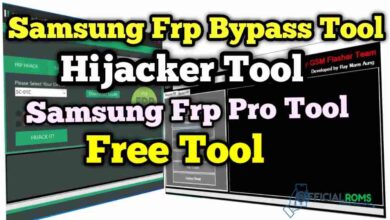
The Samsung FRP Hijacker tool is specifically designed to bypass FRP on Samsung devices.
4. Magisk Manager (Root Your Phone)
Magisk Manager is primarily used to root your device, and it can help you bypass the FRP lock once you gain root access.
5. SamFw Tool
The SamFw Tool is a multifunctional tool that supports FRP bypass, firmware flashing, and bootloader unlocking.
How to Choose the Right FRP Tool for Your Samsung Device?
When selecting the right tool to bypass the FRP lock on your Samsung device, consider the following:
- Device Compatibility: Ensure the tool supports your device model and Android version.
- Ease of Use: Choose a tool that has an intuitive interface and clear instructions.
- Additional Features: Some tools offer additional features like rooting, firmware flashing, or bootloader unlocking.
- Safety: Always download tools from reputable sources to avoid malicious software.
Conclusion
Bypassing the FRP lock on Samsung devices doesn’t have to be complicated. Whether you choose the Easy Samsung FRP Tool 2025, Phoenix Service Tool, or a premium service like the Samsung Worldwide FRP Google Account Removal, there are plenty of options available to help you regain access to your device.
Make sure to follow the necessary terms and conditions for each service, and always verify that you are the original owner of the device. For a seamless experience, Easy Samsung FRP Tool provides an efficient and free way to unlock your phone, while premium services offer additional convenience for users looking for remote solutions.
Stay safe and good luck unlocking your Samsung device!