Official Stock Flash Firmware Now Available for the Oppo reno 5 A CPH2199 Flash File. This firmware can be used to solve any software issues in your Oppo reno 5 A CPH2199, such as hang-on logo, fastboot Mode, and FRP lock. It also allows you to display blank or white after flashing, uneventful recovery, dead after Flash, etc.
About Oppo Reno5 A
Oppo Renovo5 A CPH2199 Run Android 11, and QCOM S765 Processor powers it. It supports Nano-SIM cards and is dual SIM (GSM & GSM). Wi-Fi, GPS, and Bluetooth are all options. The device comes with 6GB RAM and 128GB storage, expanding via SD card.
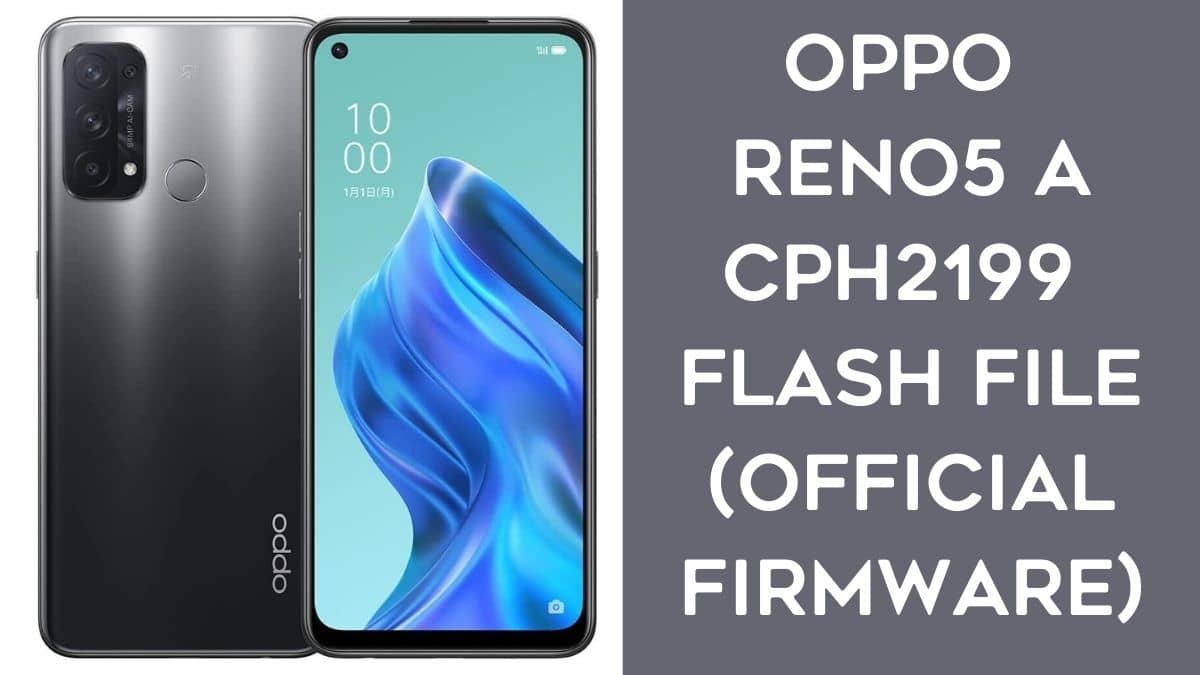
Download Oppo Reno5 A CPH2199 Flash File
Device Name: Oppo Reno5 A JP CPH2199
Type: Full ROM
ROM Size: up to 9.6GB
SoC: QCOM SD765
OS: Android 11
CPH2199export_11_A.16_2022030813490170
CPH2199export_11_A.13_2021101213140000
CPH2199export_11_A.12_2021072619210088
How to Flash Oppo Reno5 A CPH2199:
- First Download Qualcomm Driver & Flash File.
- Then Extract All Fir USing 7zip or Winrar Software,
- You can Essay Extract The File He is taking 20 Minutes to Extract The File.
- After Completed The Working Download Teamviewer Desktop Sharing Software.
- Now Agent Will Control You Pc And Open MSM Download Tool
- After Open Msm Tool Asking Userid Or Password To Authorized To Access The Tool.
- After entering Userid or Password, Your account is log in.
- Now Select The Firmware File Oppo Reno5 A CPH2199 & Verify The Code.
- Press Volume Up & Down Button Boot In Qualcomm Mode EDL Port.
- After Completed You Verify The Code Now Flash You Mobile In Edl Mode
- After Flashing Done
- Now Mobile Booting Time 5 to 10 Minutes Boot Your Mobile.
- Done.
Read Also: