LU iPad WiFi Fixer is a dedicated tool designed to help iPad users and technicians resolve the common “Unable to Activate” error that often appears after changing the device’s Serial Number (SN), WiFi MAC address, or Bluetooth info. With growing demand for efficient and reliable iPad repair utilities, this tool offers a simple and effective solution that aligns with the latest iOS updates and supports a wide range of Apple devices.
In this article, we’ll cover what LU iPad WiFi Fixer does, how it works, what devices it supports, and how to register your Serial Number to ensure a successful activation fix.
Table of Contents
What Is LU iPad WiFi Fixer?
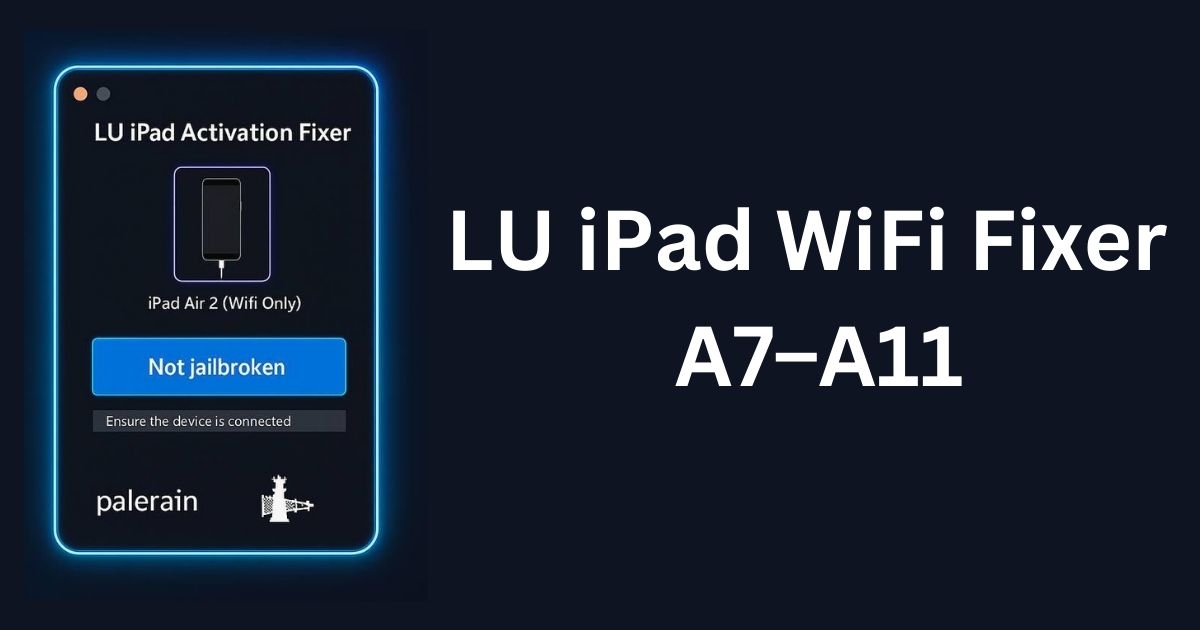
LU iPad WiFi Fixer is a one-click repair utility specifically developed for iPads running on Apple’s A7 to A11 chipsets. It automatically corrects invalid NVRAM values related to the device’s SN, MAC, and Bluetooth configuration. These values, when improperly modified, often lead to activation issues during the iPad setup process.
Technicians, refurbishers, and advanced users often encounter this problem after hardware repairs or board replacements. This tool provides a streamlined solution without needing to manually rewrite system files.
Key Features
- One-Click Fix for Activation Errors
Easily fix activation problems caused by SN/MAC changes after board-level repairs. - Automatic NVRAM Repair
The tool rewrites NVRAM with valid SN, MAC, and BT data to ensure seamless activation. - Supports A7–A11 Chipsets
Compatible with a wide range of iPads, including iPad Air, iPad Mini, and earlier iPad Pro models. - Updated iOS Compatibility
LU iPad WiFi Fixer works with the latest iOS versions and supports new Apple activation batches. - Jailbreak Required
Device jailbreak is necessary to allow full system-level access for NVRAM modifications.
Common Causes of Activation Errors
Activation errors after SN or MAC modifications are caused by mismatched or corrupted NVRAM entries. Apple’s activation servers verify hardware data during setup, and inconsistencies trigger the “Unable to Activate” message. LU iPad WiFi Fixer resolves this by rewriting the correct values and aligning them with system expectations.
Download LU iPad WiFi Fixer
| Name | LU iPad WiFi Fixer V1.1 |
| Size | 33 MB |
| Windows i4Tools | Link |
How to Register for LU iPad WiFi Fixer
Before using the tool, you must register your device’s Serial Number on the Trusted server for proper validation.
Steps to Register:
- Go to: Visit Here
- Log in or create an account.
- Navigate to the SN Registration section.
- Enter your iPad’s Serial Number accurately.
- Submit the form and wait for confirmation.
Registration ensures that the server can authorize your device for the activation fix.
Frequently Asked Questions (FAQ)
Which devices are supported by LU iPad WiFi Fixer?
Devices with A7 to A11 chipsets, including iPad Mini 2–4, iPad Air 1–2, and early iPad Pro models.
Is a jailbreak necessary to use this tool?
Yes, a jailbreak is required to allow full access to the iPad’s file system and NVRAM.
Can LU iPad WiFi Fixer work on the latest iOS versions?
Yes, the tool is updated to support the most recent iOS releases and Apple batch checks.
Is the tool beginner-friendly?
It’s recommended for technicians or experienced users due to the need for jailbreaking and serial registration.
What if I enter the wrong Serial Number during registration?
Incorrect SN registration can cause fix failure. Always double-check the Serial Number before submitting.
Conclusion and Disclaimer
LU iPad WiFi Fixer offers a reliable, tested solution for iPad activation issues caused by SN, MAC, or BT modifications. With its user-friendly interface, chipset-wide support, and automatic NVRAM repair function, it’s a go-to tool for iPad repair professionals worldwide.
Disclaimer: This tool is provided solely for educational and repair purposes. I am not responsible for any potential damage, malfunctions, or legal issues that may arise from improper use. All actions are carried out at the user’s own risk. This platform only offers services and access to the fixer tool; users are responsible for how they use it.




![iResolvePrime OPEN MENU Free Tool [2025]](https://www.officialroms.com/wp-content/uploads/2025/04/iResolvePrime-OPEN-MENU-Free-Tool-2025-2.jpeg "iResolvePrime OPEN MENU Tool V1.7: Best FMI Off & Backup Utility 4")