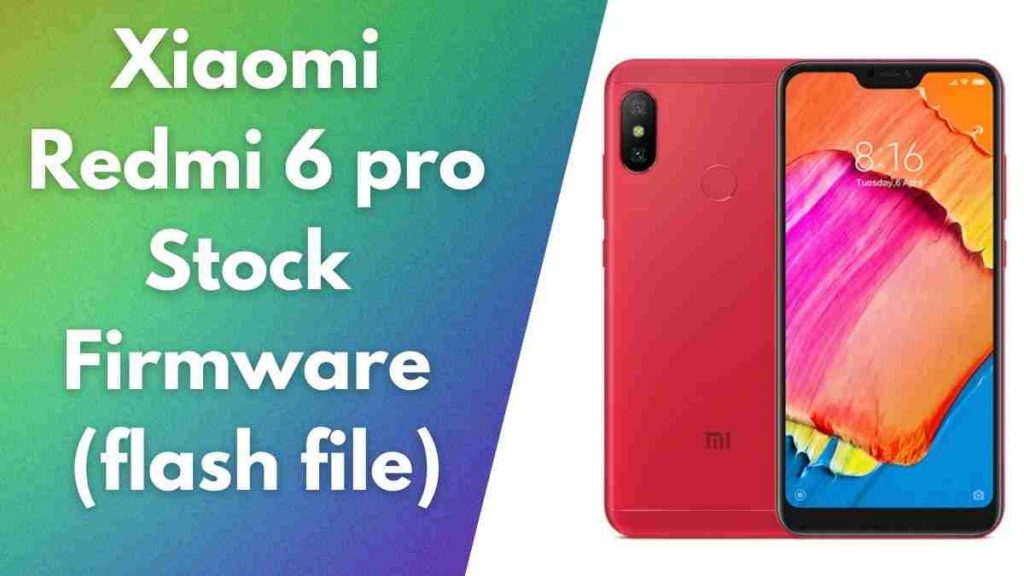
Redmi 6 pro Flash File On this page, you will find the official link to download Xiaomi Redmi 6 pro Stock Firmware ROM (flash file) on your Computer. The Firmware comes in a zip package, which contains Flash File, Flash Tool, USB Driver and How-to Flash Manual.
About Redmi 6 Pro
The Xiaomi Redmi 6 Pro features an aluminum back and 5.84-inch display that has a highlight. Full HD+ resolution provides clear images, while the contrast and brightness are better than average. The phone runs Qualcomm’s Snapdragon 625 SoC, and is equipped with the 4GB memory and 32GB memory. The overall performance is decent, but the phone has issues with the weight of 3D games.
MIUI is built upon the Android 8.1 Oreo, which offers many options for customisation. The camera on the rear has 12 megapixels and captures decent quality in daylight, however it struggles with clarity and autofocus in low-light. Recoding of video is at 1080p , and the stabilisation function isn’t too poor. The battery’s 4000mAh capacity provides long battery life, lasting for a whole day and much more.
Download Xiaomi Redmi 6 pro Stock Firmware (flash file)
- sakura_india_global_images_V12.0.4.0 | MIUI 12
- sakura_india_global_images_V12.0.2.0
- sakura_india_global_images_V11.0.7.0
- sakura_india_global_images_V11.0.5.0 | Miui 11
- sakura_india_global_images_V11.0.3.0 | Miui 11
- sakura_india_global_images_V10.3.2.0
- sakura_india_global_images_V10.0.2.0
- sakura_india_global_images_V9.6.4.0
- MI Flash Tool
- Driver
How to Flash
- Download and extract the Xiaomi Redmi 6 pro stock firmware package on your computer.
- After extracting the package, you will be able to get the Firmware File, Flash Tool, Driver and How-to Flash Guide.
- Install the provided USB Driver on your Computer and if in case USB Driver is already installed, SKIP this step).
- Follow the How-to Flash Manual to Flash the Firmware on your Xiaomi Redmi 6 pro Device.
Readme Once:
Take a Backup: If you are going to flash the above Firmware on your Xiaomi Redmi 6 pro device, then take a backup of everything as because your personal data will be deleted after flashing the stock firmware.
The firmware shared on this page is officially released by the company and helps you to recover your device if you ever got bootloop, software error, update error, hanging and dead issue.
Readme:
- Xiaomi Redmi 6 Stock Firmware ROM (Flash File)
- Redmi Note 5 Pro Miui 10.3.2 Frp Unlock Without Pc
- Redmi 8 Miui 12 Flash File Firmware (Stock ROM)
- Xiaomi Note 8 Pro MIUI 11 Flash File (Stock Rom)
- Xiaomi Redmi Go Stock Firmware (flash file)