In the world of smartphone repair and unlocking tools, King Soft Team Tool V5.6 stands out as one of the most powerful free solutions for technicians and advanced users. With support for major brands like Samsung, Xiaomi, Oppo, Realme, Huawei, LG, and more, this version is packed with essential utilities for FRP removal, MDM bypass, Mi account unlock, and even EDL mode access.
Whether you’re a professional mobile technician or a DIY enthusiast, this guide will walk you through everything you need to know about King Soft Tool V5.6, including its features, device compatibility, how to install it, and what makes it better than its previous versions.
Table of Contents
What is King Soft Team Tool V5.6?
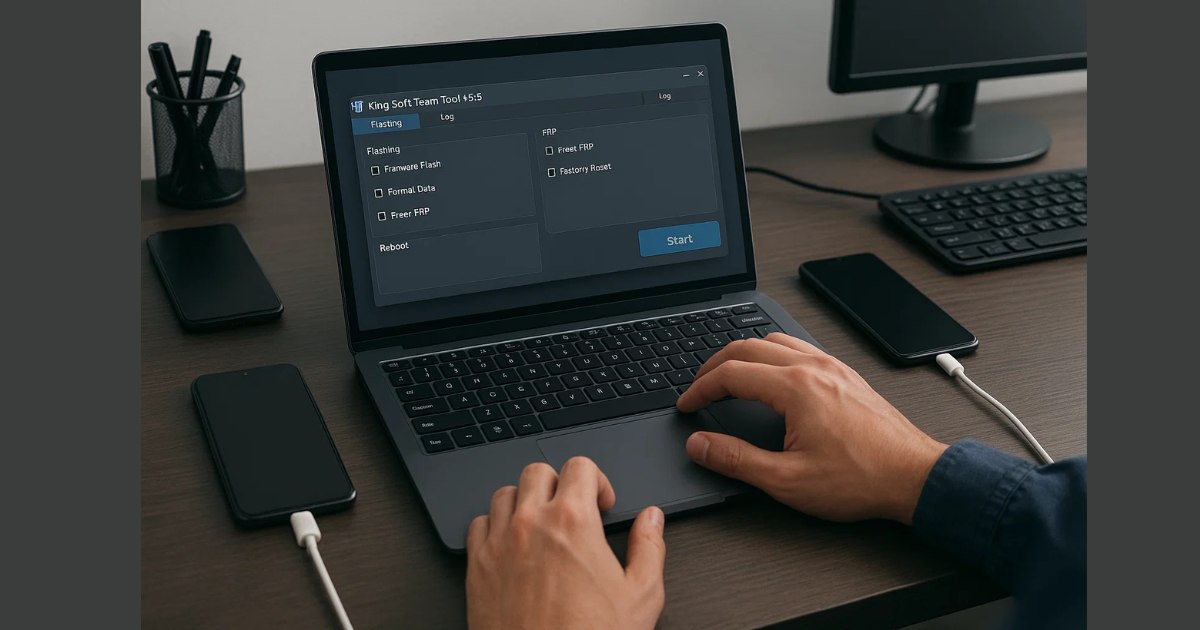
King Soft Team Tool is a free Windows-based software developed to simplify the smartphone repair process. It offers one-click operations for various Android devices, including functions like:
- Factory Reset
- FRP (Factory Reset Protection) removal
- EDL Mode access
- Mi Account Bypass
- Samsung Knox disable
- Root access and more
Version 5.6 brings new modules, expanded device support, and improved usability—all with a lifetime-free login that doesn’t require any paid license or activation key.
Key Features of King Soft Team Tool V5.6
Here’s an overview of the powerful functions available in the latest version:
FRP Removal (All Brands)
- Remove FRP from Samsung (Test Mode, MTP, ADB)
- Bypass FRP on Huawei devices using Test Point
- Xiaomi, Oppo, Realme, and LG FRP reset supported
- Google Account bypass in multiple Android versions
EDL Mode Access
- New Qualcomm models supported
- Samsung EDL support added (Galaxy A, S, Fold series)
- Execute flashing, backup, and partition management
Mi Account Bypass
- Remove Mi Account on Qualcomm and MTK devices
- Anti-relock and sideload methods included
- Full support for Xiaomi and POCO devices
MDM/KG Bypass
- Bypass device management locks (Motorola, Samsung)
- Disable MDM on secured enterprise-configured phones
WhatsApp Utility Section
- Manage WhatsApp backup/restore functions
- Transfer chats and data easily (limited activation needed)
ADB & Download Mode Utilities
- Enable unknown sources
- Network mode switching
- Factory reset via download mode
- Fix softbrick issues and recovery errors
Supported Devices (Updated List)
King Soft Tool supports an impressive number of models from various brands:
✅ Samsung
- Galaxy A01–A52, A72
- S10, S20, S21, S22, S23 Series
- Fold: F711U, F721U, F916U, F926B, F936U
- Note: N975, and more
✅ Motorola
- G Series: G73, G85
- Edge Series: Edge 30, Edge 50
- Rzr 50 Ultra, and 45+ XT models
✅ Xiaomi/POCO
- Redmi: Note 4–Note 12
- POCO: F1, M4, X3, and more
✅ Oppo & Realme
- Oppo A, F, Reno, and Find Series
- Realme GT, C Series, X Series
✅ Huawei/Honor
- Huawei Y6/Y7/Y9, P9, Tab Series
- Honor 5X to Honor 50 Lite
✅ LG, Nokia, TCL
- LG G8, V40–V60, Wing, Velvet
- Nokia TA_1000 to TA_1044
- TCL models like 4056L, 5062W, T790S
What’s New in King Soft Team Tool V5.6?
Version 5.6 includes many performance upgrades and fresh modules to streamline your workflow:
- Kirin FRP Support Added for Huawei
- New Qualcomm tool section added
- Improved interface with faster device detection
- New MTP & ADB utilities for Samsung
- Added dark mode & language translations (Arabic)
- Free WhatsApp area for basic use (limited full access)
- Stability improvements across all modules
System Requirements
To run King Soft Team Tool smoothly on your PC:
| Requirement | Details |
|---|---|
| OS | Windows 7/8/10/11 (64-bit) |
| RAM | Minimum 4GB |
| Disk Space | At least 500MB |
| .NET Framework | Version 4.5 or higher |
| Antivirus | Should be disabled during install |
Download King Soft Team Tool
| Tool Name | Download Link |
|---|---|
| King Soft Team Tool V5.6 | Click Here to Download |
| Telegram Channel for Support | Join Now |
How to Download & Install King Soft Team Tool V5.6
Follow these simple steps:
- Download the ZIP file from our above provided link.
- Extract it using WinRAR or 7-Zip.
- Disable Antivirus temporarily.
- Run the .exe file as Administrator.
- Wait for it to load to 100%.
- Click Login (pre-filled credentials).
- You’re now ready to explore all tools.
Important Notes
- While many features are free, some (like WhatsApp tools or network unlocks) may need activation via the in-tool purchase option.
- Always use the tool responsibly. Avoid using it for any illegal activity or unlocking stolen devices.
- Backup your data before performing resets or flashing.
✅ Pros and Cons
Pros:
- Totally free
- Wide brand support
- No registration required
- One-click operations
- Regular updates
Cons:
- Antivirus may flag it (false positive)
- Limited WhatsApp and 4G tools without activation
- Windows-only (no Mac support)
How do I fix the tool if it gets stuck on loading?
Try these steps:
- Reboot your PC.
- Right-click and run the tool as Administrator.
- Disable Windows Defender or any third-party antivirus.
- Ensure you have .NET Framework 4.5 or above installed.
Frequently Asked Questions (FAQs)
Q1: Is King Soft Team Tool V5.6 really free?
Yes. King Soft Team Tool V5.6 is available for free with lifetime access. Some advanced features like WhatsApp tools and 4G tab utilities may require activation, but the core functions (FRP bypass, EDL access, Mi account removal, etc.) are completely free.
Q2: Is it safe to use King Soft Tool on my PC?
Mostly yes, but since it performs deep system-level operations and modifies mobile firmware, some antivirus programs may flag it. These are usually false positives, but it’s recommended to download it from a trusted source and disable antivirus during installation.
Q3: Does King Soft Team Tool support the latest Android devices?
Yes. Version 5.6 includes new Qualcomm and Kirin chip support, making it compatible with newer Samsung, Xiaomi, Huawei, Oppo, Realme, and Motorola devices. However, always check the official supported list before using it on a new model.
Q4: Do I need a username or password to log in?
No. The login system is pre-filled and automatic. You just need to click the “Login” button after installation — no manual username or password is required.
Q5: Will this tool void my phone’s warranty?
Yes, using third-party tools like King Soft Tool for modification or unlocking purposes may void your phone’s warranty. Use it responsibly, especially on new or under-warranty devices.
Q6: Can I use it without internet?
No. The tool requires an active internet connection during login and for most operations. Make sure you’re connected when using it.
Q7: Can I use this on macOS?
Unfortunately, no. King Soft Tool is only compatible with Windows operating systems.
Q8: Where can I download the latest version?
To ensure safety and functionality, always download King Soft Tool from official or trusted tech forums/websites like us. Avoid unknown sources that may provide modified or harmful versions.
Conclusion
If you’re in the mobile repair field or enjoy DIY device fixes, King Soft Team Tool V5.6 is a must-have in your toolkit. It simplifies complex tasks like FRP removal, flashing, Mi account bypass, MDM unlock, and EDL operations—all under one unified interface.
With constant updates and a user-friendly approach, it’s truly one of the best free tools available today. Make sure to download it from a reliable source, follow installation steps carefully, and start unlocking the full potential of your mobile devices!
Disclaimer
This article is for educational purposes only. We do not host or promote pirated software. All tools mentioned should be used ethically and legally. Always ensure you have permission before performing operations on any device.