If your Oppo F29 5G (Model: CPH2721) is stuck on logo, facing lag issues, or not booting at all, flashing the stock firmware can help restore your phone to its factory condition. In this article, we provide a complete guide on how to download and install the Oppo F29 5G CPH2721 flash file using QFIL Tool.
Table of Contents
What is a Flash File?
A flash file (Stock ROM) is the original operating system that comes pre-installed on your phone. Installing (or flashing) this file can fix many software-related problems such as:
- Bootloop or stuck on logo
- Software bugs or glitches
- Forgotten screen lock
- Downgrade or upgrade Android version
- Unbrick dead phone
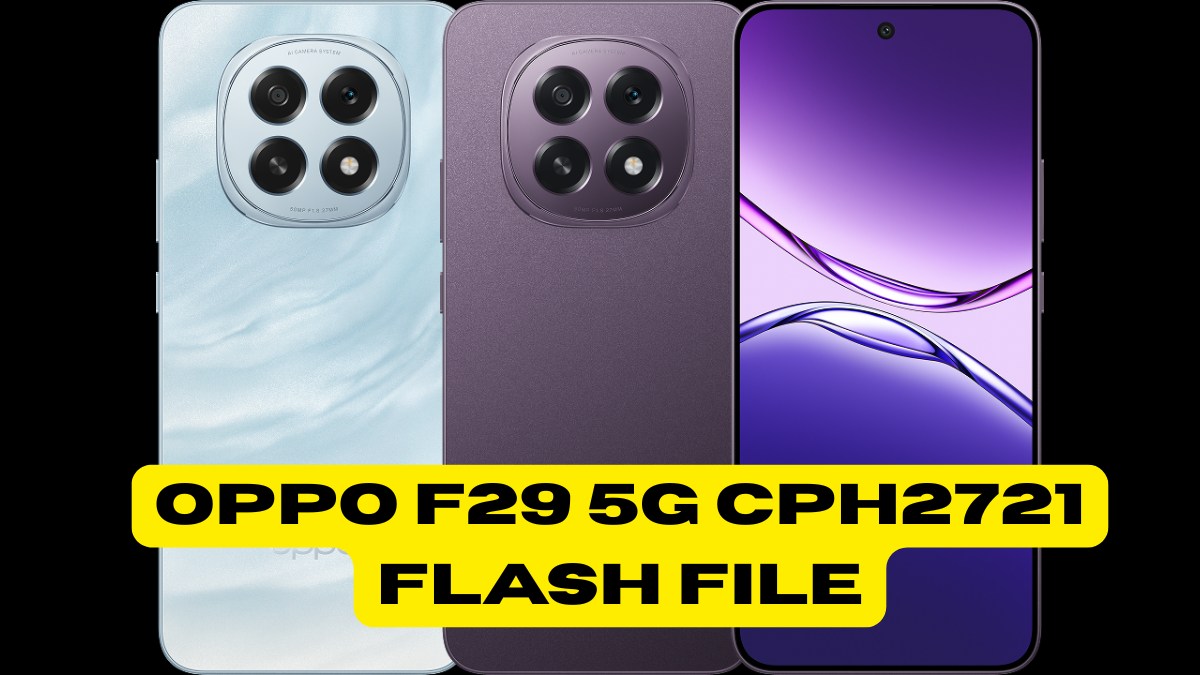
Oppo F29 5G CPH2721 Flash File Details
| Device Name | Oppo F29 5G |
|---|---|
| Model | CPH2721 |
| ROM Type | Official Stock ROM |
| File Size | ~6.9 GB |
| Format | .zip (extract before use) |
| Flash Tool Required | QFIL (Qualcomm Flash Image Loader) |
| Android Version | Android 14 (ColorOS 14, latest) |
Download Links
Note: Always download files from a trusted website.
- Flash File (Firmware):
Download Oppo F29 5G CPH2721 Stock ROM (EX_11_15.0.0.604EX01)
Size: 7.00 GB - QFIL Flash Tool + USB Drivers:
Included in the above package or download separately from official Qualcomm sources.
Requirements Before Flashing
Before you proceed, make sure you’ve done the following:
- Minimum 50% battery
- Backup your data (flashing will erase everything)
- A Windows PC/Laptop
- USB cable
- Qualcomm USB Drivers installed
How to Flash Oppo F29 5G CPH2721 Using QFIL Tool
Follow these steps to install the firmware on your device:
Step 1: Extract Files
- Extract the downloaded .zip firmware package.
- Install USB drivers on your PC.
Step 2: Open QFIL Tool
- Launch QFIL.exe.
- Set “Build Type” to Flat Build.
- Click Browse and select the .mbn or .xml file from the firmware.
Step 3: Enter EDL Mode
- Turn off your phone.
- Press and hold Volume Up + Volume Down and connect via USB to enter EDL Mode.
Step 4: Flash the Firmware
- In QFIL, click Download.
- The flashing process will begin.
- Wait until the tool shows Success.
Step 5: First Boot
- Disconnect your phone and reboot.
- The first boot may take 5–10 minutes.
Benefits of Flashing Stock ROM
- Fixes all software issues.
- Restores device to stock condition.
- Unbricks your phone.
- Helps in removing screen locks or forgotten passwords.
- Updates or downgrades Android firmware safely.
FAQs About Oppo F29 5G CPH2721 Flash File
Q1. Is this flash file official?
Yes, it is the official stock firmware released by Oppo.
Q2. Will flashing delete my data?
Yes, flashing erases everything. Always backup your data.
Q3. Do I need to root my phone before flashing?
No, rooting is not required to flash stock firmware.
Q4. What should I do if my phone doesn’t enter EDL mode?
Try using a test point or a deep flash cable if manual key combination doesn’t work.
Q5. Can I flash using SP Flash Tool?
No, the Oppo F29 5G is a Qualcomm device. You must use QFIL.
Conclusion
Flashing the Oppo F29 5G CPH2721 Flash File is a reliable way to restore your phone’s performance and resolve major software issues. With the help of QFIL and the official stock firmware, you can safely bring your phone back to life.
Disclaimer
Flashing firmware is an advanced process. If done incorrectly, it can brick your phone. Please follow instructions carefully. Any harm caused is not our responsibility.