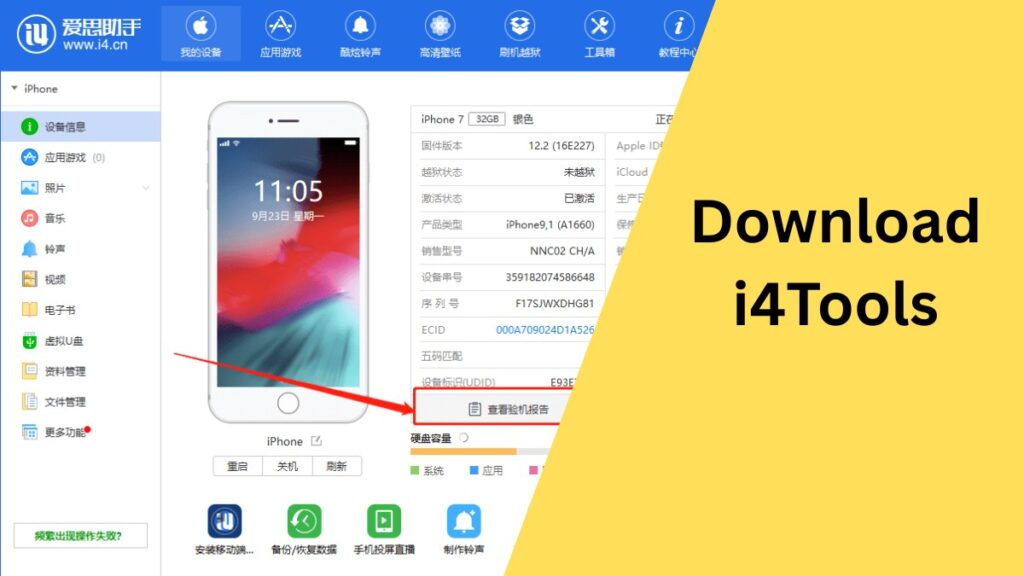
Download i4Tools: For users looking to push the boundaries of their iOS device’s capabilities, i4Tools offers a powerful solution. Whether you’re running macOS or Windows, this third-party tool unlocks extensive features that go beyond Apple’s default ecosystem—giving you the freedom to personalize, manage, and optimize your iPhone or iPad.
Table of Contents
What is i4Tools?
i4Tools is a versatile iOS management utility designed to empower users with full control over their devices. Unlike Apple’s limited native tools, i4Tools enables app sideloading, device management, and even jailbreaking, making it a go-to software for advanced users and developers.
i4Tools Features
Install Third-Party Apps
With i4Tools, you can easily install apps that aren’t available on the App Store. This includes tweaked apps, older versions, geo-restricted content, and apps that Apple typically doesn’t allow.
Jailbreaking Support
i4Tools provides options to jailbreak your device, allowing you to bypass Apple’s software limitations. This opens the door to full customization and access to tools and tweaks from outside the App Store.
AsTools Pro App Store
Integrated within i4Tools is the AsTools Pro App Store, offering an extended library of apps, games, and utilities that aren’t officially supported by Apple.
Cross-Platform Compatibility
Whether you use macOS or Windows, i4Tools is compatible with both platforms. This allows you to connect and manage your iOS device from the computer you’re most comfortable using.
How to use i4Tools?
- Launch i4Tools on your Mac or Windows PC.
- Connect your iPhone or iPad via USB.
- Use the AsTools Pro App Store to browse or search for the desired app.
- Click to install. Once the process is complete, the app should appear on your home screen.
How to Download i4Tools
For Mac:
- Visit a trusted site offering the i4Tools Mac version.
- Download the installation file.
- Open the installer and follow the on-screen steps.
- Once installed, connect your iOS device and begin exploring customization options.
For Windows:
- Go to a reliable source to download the Windows version.
- Run the setup file after download.
- Follow the installation instructions.
- Connect your device and start managing apps, files, and tweaks.
Precautions before Download i4Tools
While i4Tools offers powerful features, users should be aware of potential risks:
- Jailbreaking can void your device’s warranty.
- Installing apps from unofficial sources may pose security risks.
- Some tweaks or apps may not be stable with the latest iOS versions.
FAQ About i4Tools
Is i4Tools safe to use?
i4Tools is widely used by advanced iOS users, but since it involves third-party applications and potential jailbreaking, it’s essential to proceed with caution. Always download from reputable sources and understand the risks involved.
Does i4Tools require jailbreaking?
No, jailbreaking is not required to use i4Tools. However, certain features like system tweaks or deep customization may require a jailbroken device.
Can I use i4Tools without a PC?
No, i4Tools is designed to work with a PC or Mac. You need to connect your iOS device to a computer to manage and install apps using the tool.
Will using i4Tools void my iPhone’s warranty?
Using i4Tools itself doesn’t void the warranty, but jailbreaking your device—which is one of its optional features—can void Apple’s warranty policy.
Does i4Tools support the latest iOS version?
Support for iOS versions may vary. It’s best to check the compatibility list on the download page or community forums to ensure your iOS version is supported.
Conclusion
i4Tools is a game-changing utility for iOS users who want to break free from Apple’s restrictions and explore the full potential of their devices. With features like third-party app installation, jailbreak support, and cross-platform compatibility, it offers a powerful alternative to traditional device management tools. Whether you’re a developer, power user, or just curious about customizing your iPhone or iPad, i4Tools delivers flexibility and functionality—just remember to use it responsibly and stay informed about the potential risks.
Disclaimer
The information provided in this article is for educational purposes only. Using third-party software like i4Tools may involve risks, including voiding warranties, exposing your device to security vulnerabilities, or breaching terms of service agreements. Always download software from trusted sources and ensure that you understand the risks involved in jailbreaking or installing apps outside the App Store. The author and publisher of this article do not assume any responsibility for any damage or issues caused by the use of i4Tools.