Are you searching for a powerful, all-in-one mobile device management tool that’s free and doesn’t require a login? Look no further than the MotoKingPro Tool. Designed for professionals and enthusiasts alike, MotoKingPro offers seamless solutions for bypassing security features and managing devices across multiple brands, including Motorola, Xiaomi, Samsung, and more.
With its user-friendly interface and advanced features, the MotoKingPro Tool has quickly become a must-have for anyone dealing with MDM (Mobile Device Management), FRP (Factory Reset Protection), and more.
Table of Contents
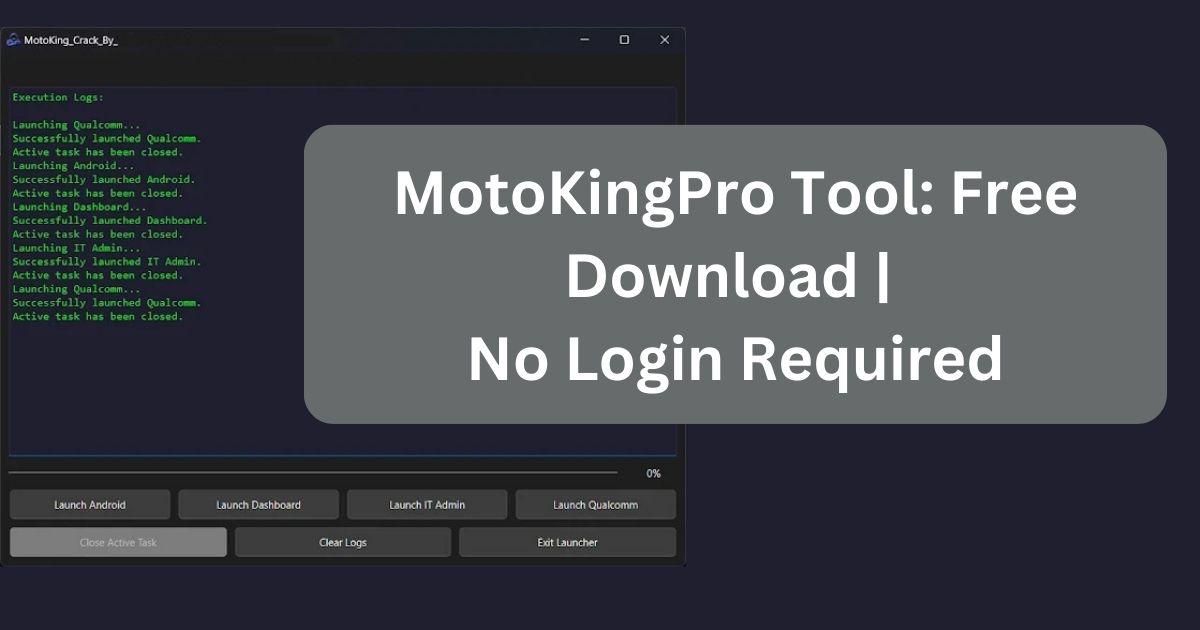
What is the MotoKingPro Tool?
The MotoKingPro Tool is a feature-packed software designed to simplify mobile device management. Whether you’re working with Android, Qualcomm, or MTK-powered devices, this tool empowers you to bypass restrictions, reset security settings, and perform advanced operations without requiring credits, VPNs, or complicated setups.
Why Choose the MotoKingPro Tool?
- Free to Use: No hidden fees or subscriptions.
- No Login Required: Instant access to all features.
- Universal Compatibility: Works with leading brands like Motorola, Xiaomi, Samsung, Oppo, Vivo, and more.
- Advanced Features: MTP bypass, FRP removal, ADB operations, data wiping, and account management.
- User-Friendly: Designed for both beginners and professionals.
Key Features of MotoKingPro Tool
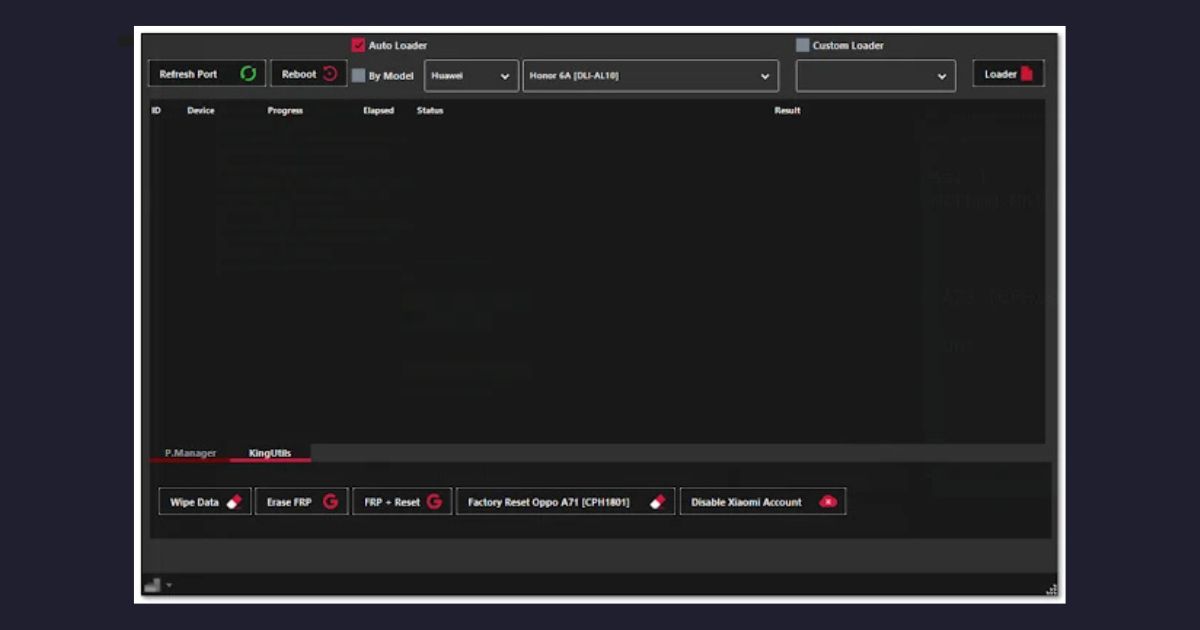
1. Comprehensive Bypass Functions
- MTP Universal Bypass: Remove MTP restrictions with ease.
- ADB MDM Bypass: Unlock devices with full MDM bypass support.
- FRP Removal: Erase FRP using universal or patch methods.
2. Data Management and Wiping
- Wipe Data: Options include universal, Oppo, Vivo, and more.
- Factory Reset: Perform resets securely without hassle.
- Restore AI Settings: Reconfigure devices to optimal settings.
3. IT Admin Tools
- Advanced ADB support for Samsung KG.
- Special bypass solutions for Payjoy, Telcel, Claro, and more.
4. Dashboard with Tutorials
An intuitive dashboard with step-by-step tutorials ensures you get the most out of the tool.
5. Multi-Device Support
MotoKingPro Tool works seamlessly with a wide range of devices, including:
- Motorola
- Xiaomi
- Samsung
- Vivo
- Oppo
- Tecno and Infinix
Supported Operations for MotoKingPro Tool
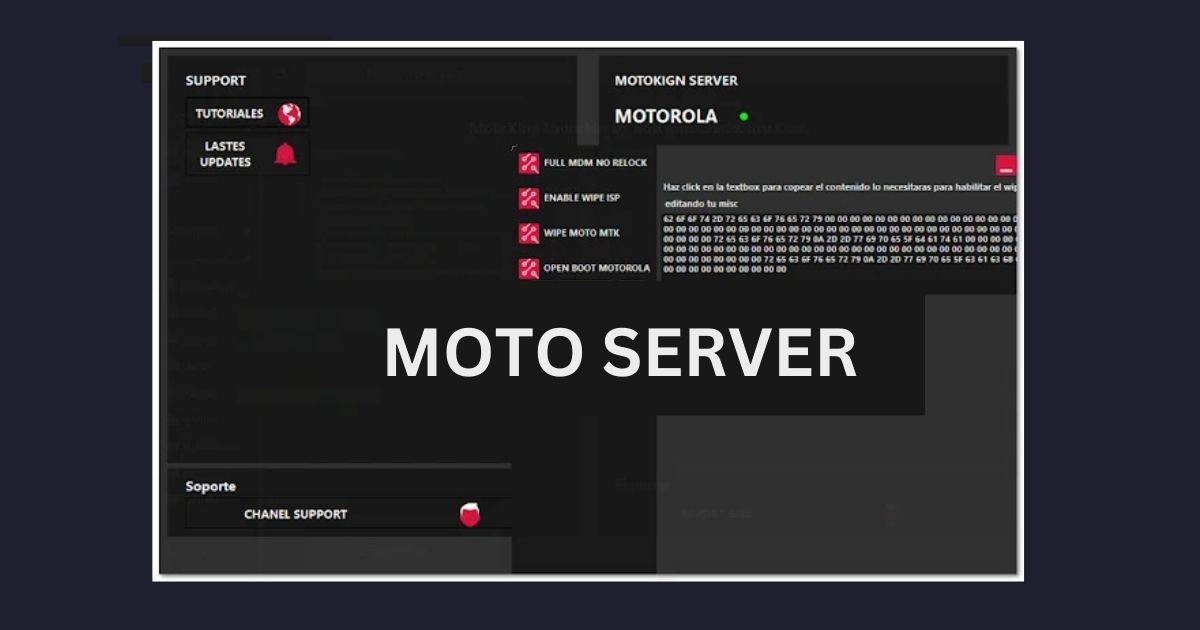
Motorola
- MDM bypass
- Open boot options
- Bypass Payjoy, Claro, Telcel, and more
Samsung
- ADB KG activation
- IT Admin-specific features
Xiaomi
- Account disabling and enabling
- FRP and factory reset options
Oppo and Vivo
- Wipe data and factory reset
- Master clear and account management
How to Use the MotoKingPro Tool
Step 1: Download and Install
Download the MotoKingPro Tool from the official website or trusted sources. Follow the setup instructions to install the tool on your PC.
Step 2: Launch and Select Features
Open the MotoKingPro Tool and explore the dashboard. Select from various functions like:
- MTP Bypass
- FRP Removal
- Data Wiping
- Partition Management
Step 3: Perform Operations
Follow on-screen prompts to execute tasks. Whether you’re bypassing FRP, managing accounts, or resetting devices, the process is streamlined for ease of use.
Download MotoKingPro Tool Today!
Take control of your mobile devices with the MotoKingPro Tool. Download it now for free and enjoy powerful features like FRP bypass, MTP bypass, and advanced device management. Whether you’re a professional technician or an everyday user, MotoKingPro is your ultimate solution for mobile device management.
| Detail | Information |
|---|---|
| Download Link (Setup+Loader) | MotoKingPro Tool Setup |
| Size | 402 MB |
| Password | officialroms |
Frequently Asked Questions (FAQs)
What is FRP, and how can MotoKingPro help?
FRP (Factory Reset Protection) is a security feature on Android devices. MotoKingPro Tool allows you to bypass FRP easily by selecting your device model and following simple instructions.
Can I use MotoKingPro for free?
Yes! The MotoKingPro Tool is completely free and doesn’t require any login or subscriptions.
Do I need to be a professional to use MotoKingPro?
Not at all! The MotoKingPro Tool is designed for users of all skill levels, with an intuitive interface and helpful tutorials.
Final Thoughts
The MotoKingPro Tool is revolutionizing how users handle mobile device restrictions. With its robust features, intuitive design, and universal compatibility, it’s a game-changer for bypassing security features and managing devices effectively.