If you’ve ever encountered the frustrating MDM (Mobile Device Management) lock on your Infinix or iTel phone, you’re not alone. This security feature, which is often applied by mobile carriers or service providers, can prevent you from fully using your device. But don’t worry—there’s a simple and permanent solution to unlock your Infinix or iTel phone and get back to enjoying all its features. Let’s dive into how you can safely and easily unlock the MDM lock on your device.
Table of Contents
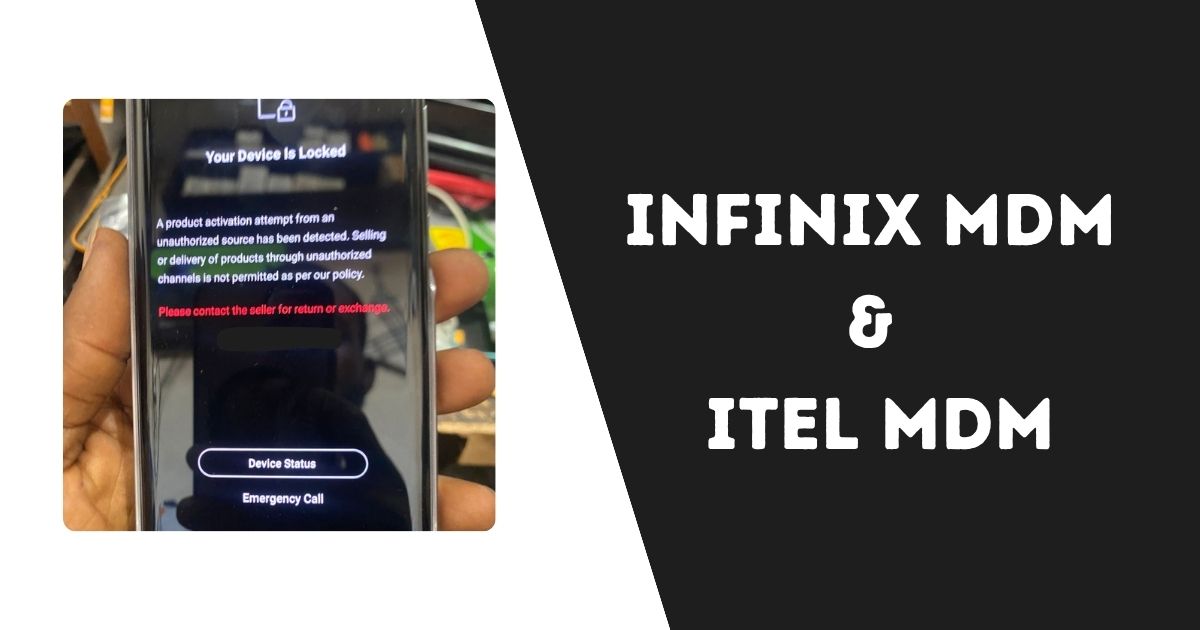
What Is an MDM Lock?
MDM, or Mobile Device Management, is a system used by organizations or service providers to control and manage mobile devices. For example, if a company gives employees phones for work, they might use MDM to restrict access to certain apps or features to ensure security. While MDM locks can be useful in business settings, they can be a major hindrance for personal users, especially if you’ve bought a device from a third-party seller or had it refurbished.
How Does MDM Lock Affect You?
- Limits App Installation: MDM can prevent you from installing third-party apps or using the Google Play Store freely.
- Restricts Settings: It can stop you from changing settings or customizing your device.
- Blocks System Updates: You might not be able to update your phone’s software without the MDM restrictions lifted.
So, if you’re tired of being limited by MDM restrictions, there’s good news: it’s possible to unlock these devices permanently, and the process is easier than you might think.
Unlock Xiaomi Mi Account in Brazil: Quick Guide for Clean Devices
Why Unlock Your Infinix or iTel MDM Lock?
Unlocking your Infinix or iTel device from MDM restrictions comes with several benefits:
1. Access to All Features
By unlocking the MDM, you can access all the features your phone has to offer. Install any app, update the system, and tweak settings to suit your needs.
2. No More Limitations
MDM locks can sometimes make your phone feel restricted or even broken. Once you unlock the MDM, your device will work exactly how you expect it to—no more limits on what you can do.
3. Save Money on Repairs
Sometimes MDM locks are mistaken for hardware problems, leading to unnecessary repairs. By unlocking the MDM, you avoid the cost and hassle of having to visit a service center.
4. Full Control Over Your Phone
When you unlock your device, you regain full control. Whether it’s personal customization or managing apps, you have the freedom to use your phone the way you want.
How to Unlock Infinix & iTel MDM Locks – The Simple Way
Unlocking your Infinix or iTel device from MDM restrictions doesn’t have to be complicated. There’s a simple, permanent solution that doesn’t require you to be tech-savvy or deal with flashing the phone. Here’s how it works:
1. IMEI Unlocking: The Easy and Safe Option
IMEI unlocking is the easiest and most permanent way to remove MDM locks from Infinix and iTel devices. It works by using your phone’s IMEI number to unlock the device remotely.
Steps to Unlock Your Device:
- Get Your IMEI Number: The first step is to find your phone’s IMEI number. Simply dial
*#06#on your device, and it will show up on the screen. Write it down, as you’ll need it for the unlocking process. - Choose a Trusted Unlocking Service: To unlock the MDM, you’ll need to choose a reliable unlocking service. Many reputable services are available online that specialize in Infinix and iTel MDM unlocks.
- Submit Your IMEI and Lock Screen Photo: After choosing a service, submit your IMEI number along with a photo showing the MDM lock screen on your device. This helps verify your device and ensures the right unlock method is applied.
- Wait for Confirmation: The unlocking service will process your request. It usually takes between 1 and 7 days to complete, but sometimes it can be done within just a few hours.
- Enjoy Your Unlocked Device: Once the MDM lock is removed, your device will be fully functional, giving you access to all apps and features without restrictions.
Why IMEI Unlocking Is the Best Option
- Permanent: Once the MDM lock is removed, it won’t come back—even after factory resets or software updates.
- No Need to Flash: You don’t need to deal with complex flashing procedures that could potentially harm your device. IMEI unlocking is simple and secure.
- Guaranteed Safety: Trusted IMEI unlocking services ensure your device is unlocked safely without damaging the software or voiding your warranty.
How to Buy MDM Unlock Services for Infinix or iTel
If you’re ready to unlock your device, here’s the simple process for purchasing MDM unlock services for your Infinix or iTel phone.
Easy Steps to Unlock Your Device:
- Register on the Official Website:
- Go to a trusted unlocking platform like server.officialroms.com to register an account.
- Fill out the required details and create an account to proceed with the unlocking process.
- Deposit the Unlocking Fee:
- After registering, deposit the necessary amount for the unlocking service. Payment options are flexible, including credit cards, digital payment systems, and bank transfers.
- Upload the Lock Screen Image:
- Once you’ve made the payment, you’ll need to upload a photo of the MDM lock screen. Use a reliable image hosting platform like imgbb.com to upload the photo.
- Select the Infinix or iTel MDM Unlock Service:
- Choose the permanent MDM unlock service for either Infinix or iTel from the options available on the website.
- Wait for the Unlock to Complete:
- After submission, the unlocking process will begin. Typically, it takes 1 to 7 days, but in some cases, the process can be completed in just a few hours.
- Start Enjoying Your Unlocked Phone:
- Once the MDM unlock is completed, restart your phone, and all restrictions will be lifted. You’ll now have full access to your device.
Why Choose This MDM Unlock Solution?
- Easy to Use: You don’t need to be a tech expert. Simply follow the simple steps, and your device will be unlocked in no time.
- Safe and Reliable: The unlocking process is handled by professional service providers, so you don’t need to worry about damaging your phone.
- Cost-Effective: Instead of paying for expensive repairs or buying a new device, unlocking your Infinix or iTel device is an affordable solution.
- Permanent: Once unlocked, your device will remain free from MDM restrictions, no matter what updates or resets you do.
Xiaomi Mi Account Remove WWW | Unlock Any Xiaomi Device
Frequently Asked Questions (FAQs)
What is MDM Lock?
MDM lock is a security feature used to restrict the use of mobile devices, often applied by service providers or organizations to control what apps are installed and what features are accessible.
Is Unlocking MDM Safe?
Yes, unlocking your Infinix or iTel device using IMEI unlocking is completely safe, provided you use a trusted and legitimate service.
How Long Does the Unlocking Process Take?
The process generally takes between 1 to 7 days, though in some cases, the unlock can be completed within a few hours.
Can I Unlock My Device by Myself?
It’s not recommended to unlock your device yourself unless you have experience with mobile software. Using a professional unlocking service ensures the process is done securely and correctly.
Will the MDM Lock Reappear After an Update or Reset?
No, once your device is unlocked through IMEI, the MDM lock will not return, even after factory resets or software updates.
Conclusion
Unlocking your Infinix or iTel device from MDM restrictions doesn’t have to be a difficult process. By following the simple steps provided, you can enjoy a fully functional, unrestricted phone in just a few days. This permanent and safe solution gives you full control over your device, allowing you to customize, install apps, and update your phone without limitations.

