MaAnt Maintenance Assistant is an innovative software solution for mobile repair technicians. This comprehensive platform offers a range of diagnostic tools, repair schematics, and step-by-step guidance to streamline the mobile device repair process. Whether you are a beginner or an experienced technician, MaAnt is designed to make device repairs more efficient and accurate.
Table of Contents
What is MaAnt Maintenance Assistant?
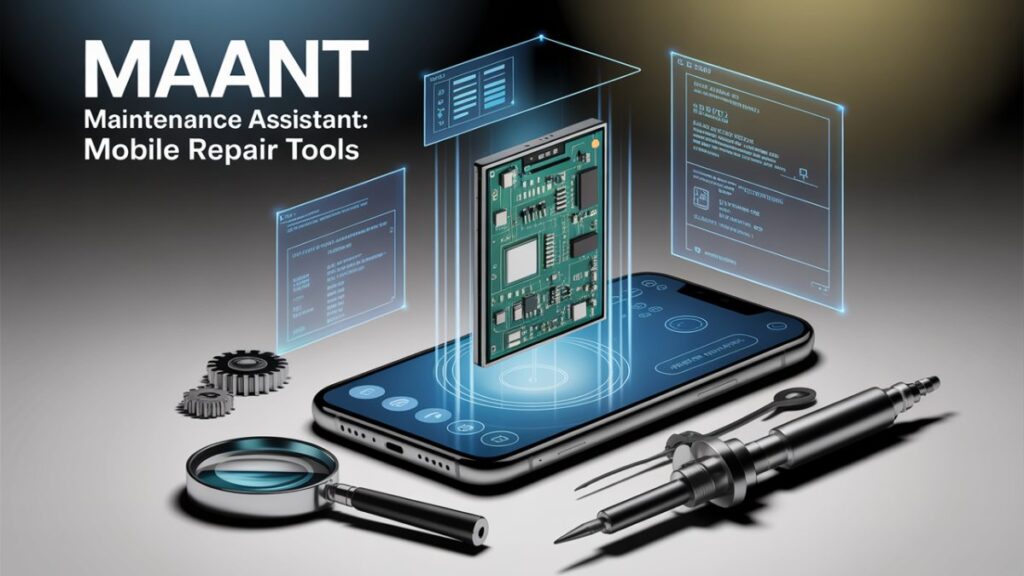
The MaAnt Maintenance Assistant is a state-of-the-art software designed for mobile device repair professionals. It provides a centralized platform to access detailed repair drawings, diagnostic tools, and real-time power analysis, all crucial for fast and precise mobile device repair. MaAnt is designed to reduce repair time and improve accuracy, helping technicians perform repairs with confidence.
Key Features of MaAnt Maintenance Assistant
MaAnt offers a wide array of features that make it an essential tool for mobile device repairs:
1. Comprehensive Repair Drawings & Schematics
One of the standout features of MaAnt is its ability to provide detailed repair drawings and schematics. These comprehensive visual aids give technicians access to circuit diagrams, component layouts, and part identification, making it easier to diagnose issues and perform repairs efficiently.
2. Object Observation & Zooming Capabilities
MaAnt allows technicians to zoom in on specific components of the circuit board, including solder points and test pads. This high level of precision ensures that even the smallest issues are detected and addressed.
3. Current Storage Analysis for Power Issues
MaAnt’s current storage analysis tool helps technicians monitor live voltage and current readings, making it easier to identify and troubleshoot power-related issues in mobile devices. This feature is especially useful for diagnosing charging problems, battery malfunctions, and device power failures.
4. Advanced Diagnostic Tools
MaAnt includes multiple diagnostic tools to help repair technicians analyze devices more thoroughly:
- Serial Tool: This tool allows technicians to connect to the device’s bootloader and access system logs for better troubleshooting.
- Thermal Monitoring: Technicians can track the device’s temperature in real-time to detect overheating, which is often indicative of hardware failure.
- Power Simulation: This feature lets technicians simulate battery insertion/removal to test charging circuits without physical intervention.
5. Cloud-Based Repair Drawings & Object Observation
Technicians can download high-resolution repair drawings from MaAnt’s cloud library, ensuring they always have access to up-to-date repair guides. This eliminates the need for external sources and keeps repair workflows efficient.
6. Logging & Reporting for Professional Documentation
MaAnt also allows technicians to log each repair step and generate comprehensive reports (in PDF or CSV format). These reports are essential for tracking repairs, providing documentation for clients, or sharing details with team members.
Download MaAnt Maintenance Assistant
| File Name: | MaAnt Maintenance Assistant |
| Size: | 70 Mb |
| Password | 123 |
| Support: | Telegram Channel |
How MaAnt Maintenance Assistant Works
The process of using MaAnt is straightforward and intuitive, designed to help technicians quickly get to work:
Step 1: Registration & Login
Start by creating an account on the MaAnt Maintenance Assistant platform. Once registered, log in to access the software’s full range of features and tools.
Step 2: Select Device Model
Choose the device model you are working on from a vast library of supported devices. MaAnt will load the corresponding circuit diagrams and schematics specific to that model.
Step 3: Analyze Board Layout & Schematics
View the device’s internal board layout and switch between circuit diagrams to inspect component connections. This helps technicians pinpoint faults and design efficient repair strategies.
Step 4: Utilize Diagnostic Tools
With a set of diagnostic tools, technicians can test power systems, track temperatures, and analyze performance. These tools enable accurate, real-time diagnostics.
Step 5: Download Repair Drawings & Inspect Components
Download detailed repair drawings from the cloud, use the object observation tool to zoom in on key areas, and follow the step-by-step repair guides for component replacements or fixes.
Step 6: Log Repairs & Generate Reports
Once the repair is complete, document all the steps taken and create a detailed report for future reference or client handover.
Unlock iPhone & iPad with ihello HFZ: Bypass iCloud & More
Why Choose MaAnt Maintenance Assistant for Mobile Repairs?
MaAnt Maintenance Assistant is the ultimate solution for mobile repair technicians looking to improve repair speed, accuracy, and efficiency. By offering a comprehensive set of tools and repair drawings, technicians can address common issues like battery failures, power malfunctions, and overheating devices. The cloud-based repair diagrams and real-time diagnostic capabilities make it a must-have tool for both beginners and advanced mobile repair professionals.
Key Benefits of Using MaAnt Maintenance Assistant
- Time-Saving: With instant access to schematics and diagnostic tools, technicians can quickly diagnose and repair devices.
- Improved Accuracy: The high-precision zoom and real-time analysis tools ensure that no issue is overlooked.
- Documentation & Reporting: Keep detailed records of every repair and generate reports for clients or future reference.
Is MaAnt Maintenance Assistant Free?
Yes, MaAnt Maintenance Assistant is free to download and use with restricted access. Some advanced features, such as premium diagnostic tools, may require an upgrade to the premium version. Visit the Officialroms website for more details on available versions and pricing.
FAQ About MaAnt Maintenance
Q: What types of devices can I repair with MaAnt Maintenance Assistant?
A: MaAnt supports a wide range of mobile devices, including smartphones, tablets, and other electronic devices. It has an extensive database of device models, making it suitable for repairing a variety of gadgets.
Q: Can MaAnt help with all mobile repairs?
A: Yes, MaAnt can help with most mobile repairs, including power-related issues, battery problems, overheating, and other internal device failures. It’s an all-in-one diagnostic tool for device repairs.
Q: Which operating systems are supported by MaAnt?
A: MaAnt is compatible with both Windows and macOS operating systems, ensuring broad accessibility for repair professionals.
Q: How can I get started with MaAnt Maintenance Assistant?
A: To get started, visit the officialroms website and download the software. Once installed, you can begin repairing devices by selecting models and using the diagnostic tools provided.
Q: Does MaAnt offer support for troubleshooting issues?
A: Yes, MaAnt offers customer support through its official website. You can access troubleshooting guides, FAQs, and direct support for any issues.
SPD Factory Reset Tool by Josto – One-Click
Conclusion
For mobile repair technicians, MaAnt Maintenance Assistant is a game-changer. It offers all the necessary tools in one platform to help with device diagnosis and repair. From repair drawings to live diagnostic tools and reporting features, MaAnt provides everything a technician needs to get the job done efficiently. Download MaAnt Maintenance Assistant today and take your mobile repair capabilities to the next level.
Disclaimer
This article is for informational purposes only. The author is not affiliated with MaAnt Maintenance Assistant and is not responsible for any issues arising from its use.